Updated
How to create a Department in the HRMS Module – Udyot ERP
Create Department
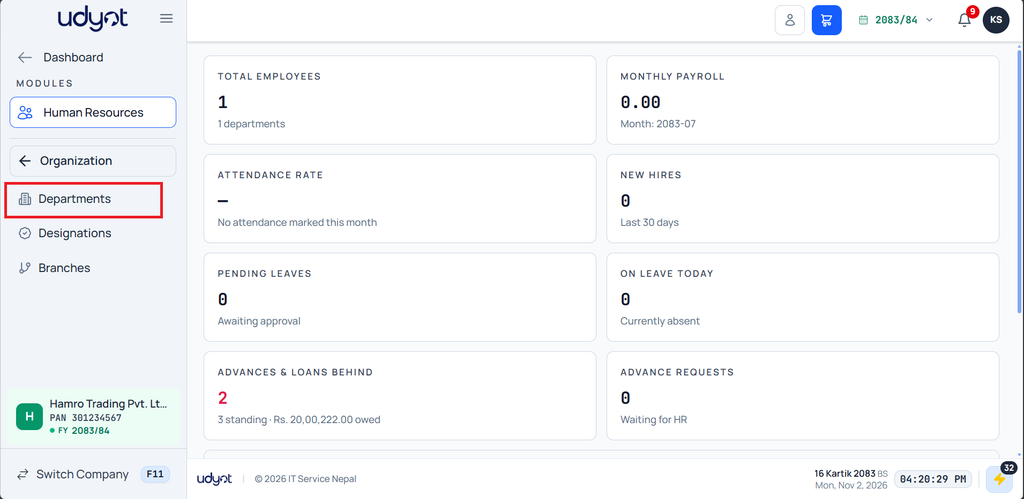
- Click on the Human Resources Module

2. Click on Organization

3. Click on Department
4. Click on the + icon in the top-right corner.

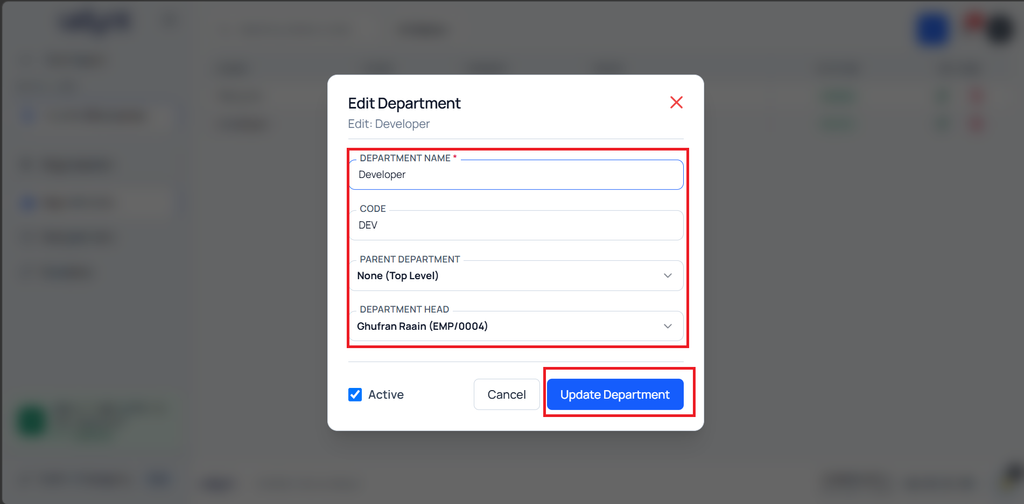
5. Enter the Department Name, Department Code, Parent Department (if any), and Department Head, and click Save Department