Updated
Check TDS Return Report
TDS Return is a tax report that summarizes the Tax Deducted at Source (TDS) deducted from payments made to suppliers, contractors, employees, or other parties during a specific period. It helps businesses comply with TDS regulations and file accurate tax returns.
In Udyot ERP, the TDS Return report automatically compiles TDS deductions, taxable amounts, deductee details, and TDS payable for the selected period. It helps businesses prepare accurate TDS returns, ensure tax compliance, and simplify TDS filing.
See TDS Return report
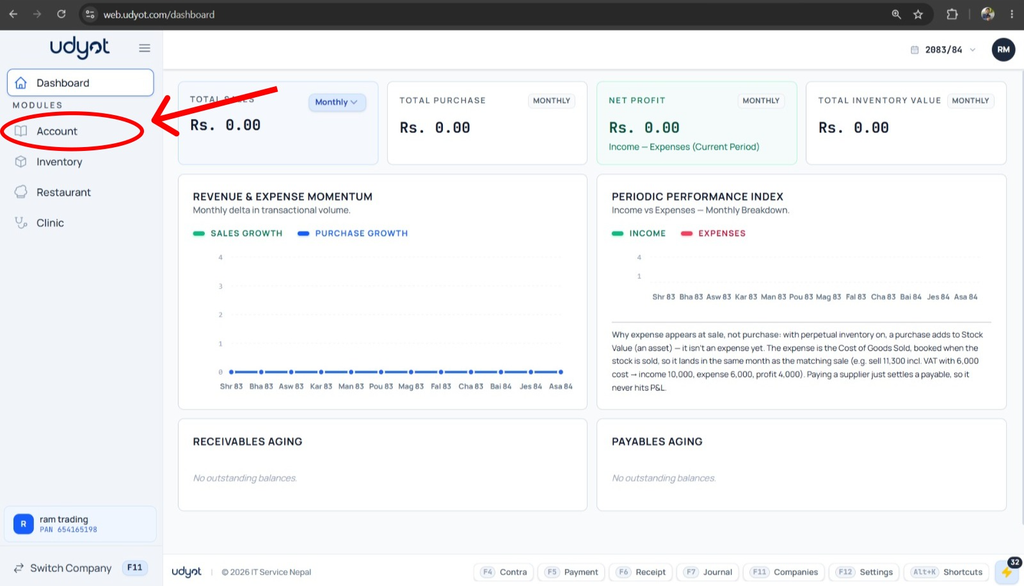
1. Select the Account Module
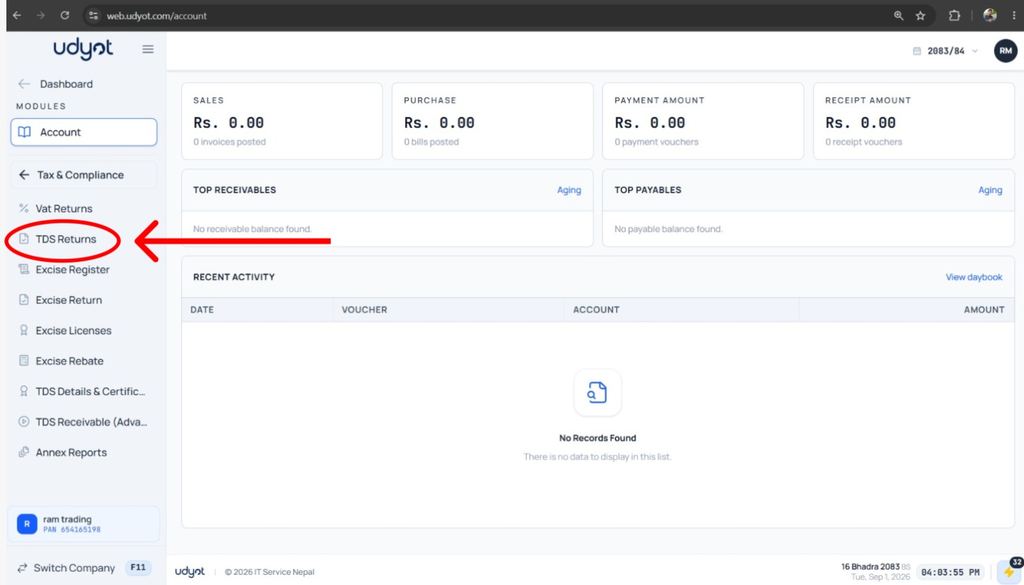
2. Select Tax and Compliance

3. Click on TDS Returns
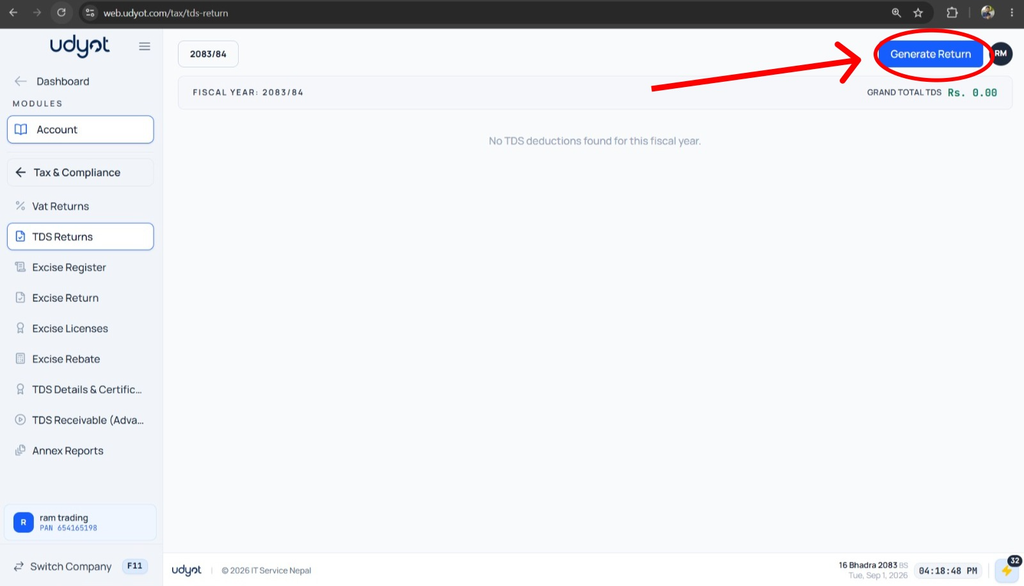
4. The TDS report will appear; click on Generate Return to see current data
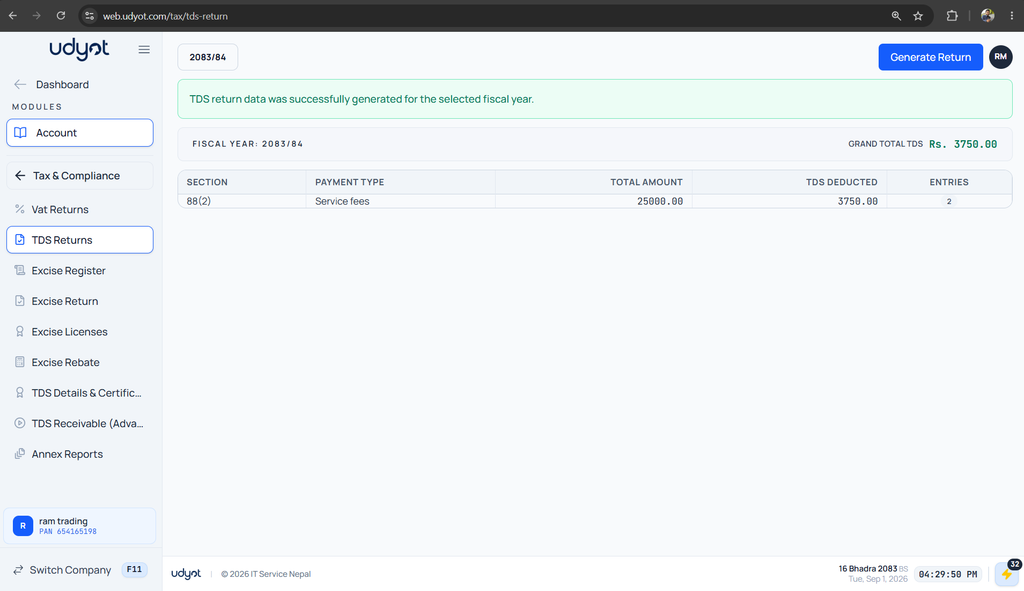
5. TDS Return Report Current Data shown