Updated
How to Generate Confirmation Letter
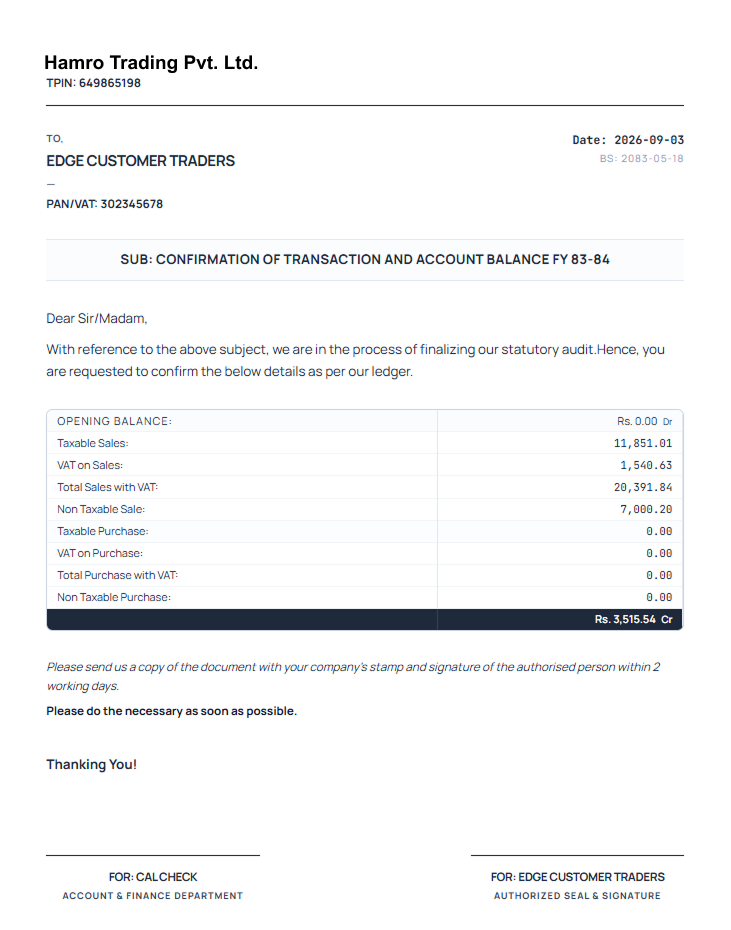
Confirmation Letter in Udyot ERP generates a formal statement for a selected party to confirm transaction details and account balance. It provides information such as opening balance, sales, purchases, VAT, taxable and non-taxable amounts, and closing balance, along with space for the party’s stamp and authorized signature for verification and confirmation.
Generate Confirmation Letter
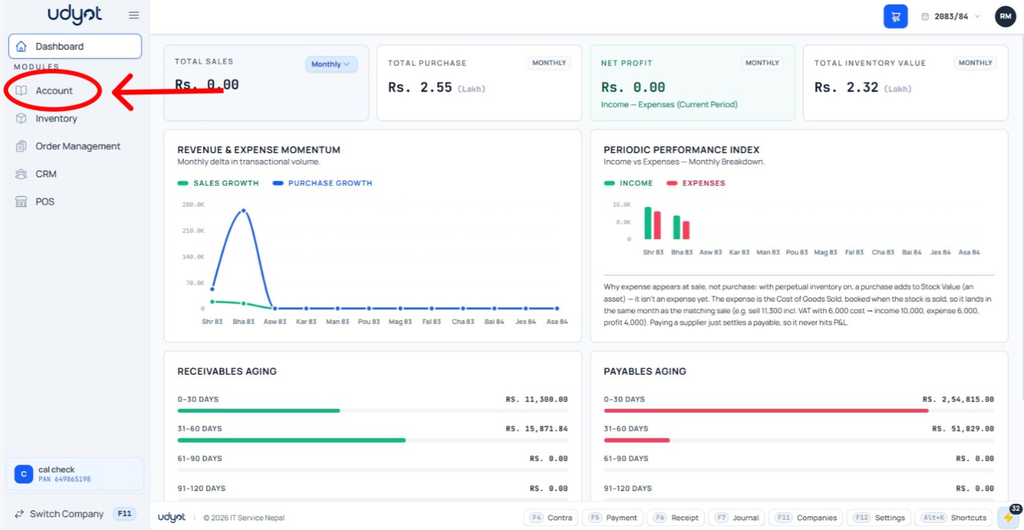
1. Select Account Module
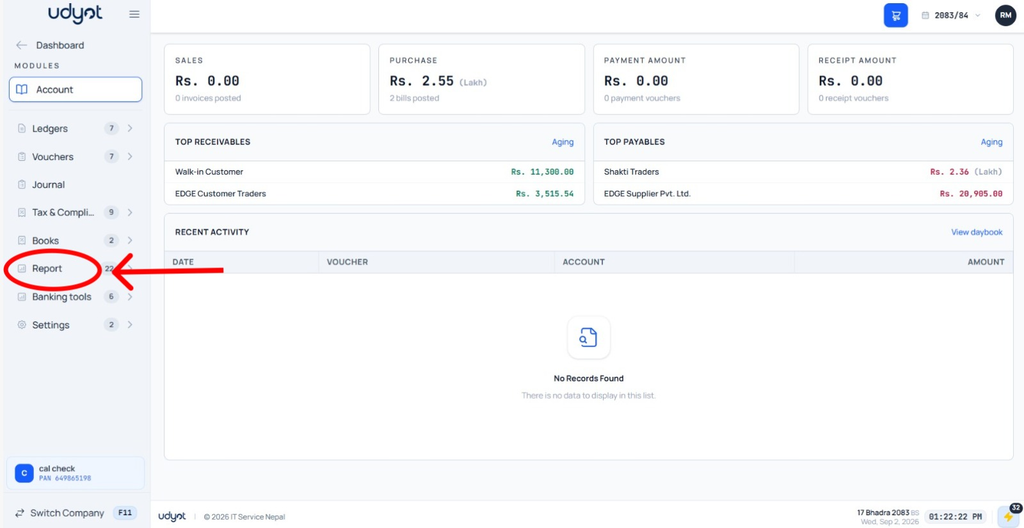
2. Select Reports
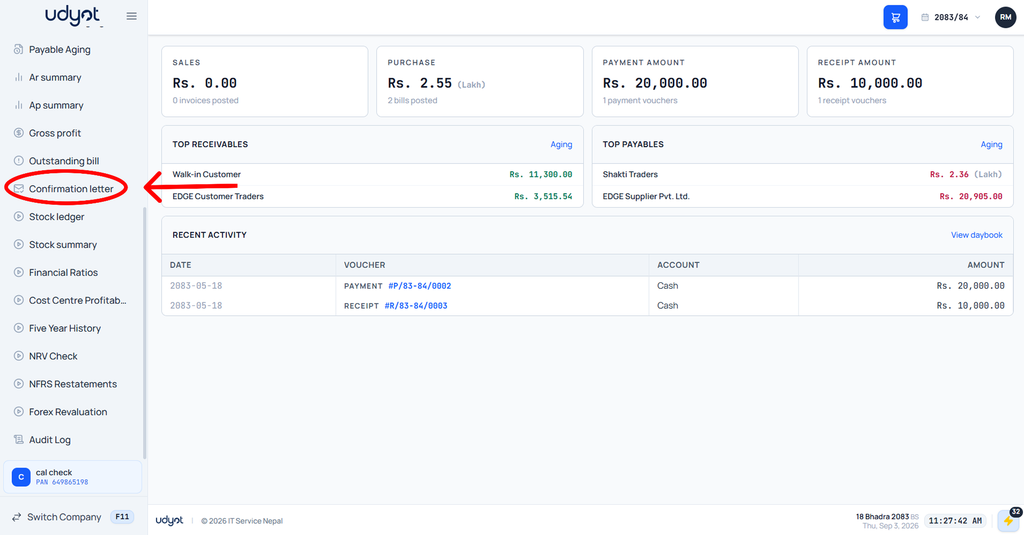
3. Select Confirmation Letter
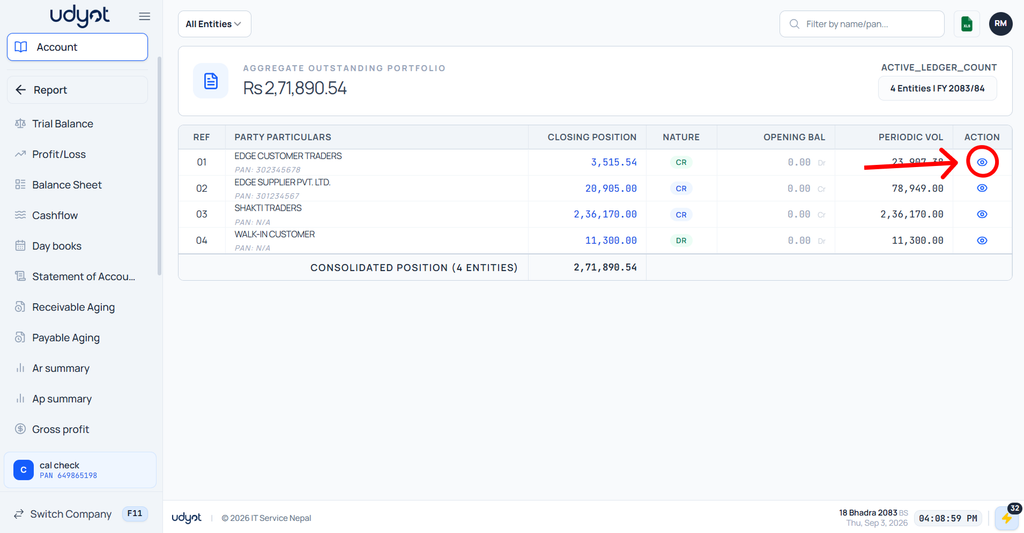
4. The Confirmation Letter page will appear; click on the View icon of the party to generate their confirmation letter
5. The confirmation letter will be generated