Updated
Purchase with Transportation/freight and transport details
Purchase with Transportation / Freight and Transport Details in Udyot ERP allows users to record transportation and freight charges along with transport-related information while creating a purchase transaction. Users can enter details such as transporter, vehicle number, transport mode, and freight/transport charges, helping maintain complete purchase and delivery records and properly account for applicable transportation costs.
Purchase with Transportation / Freight
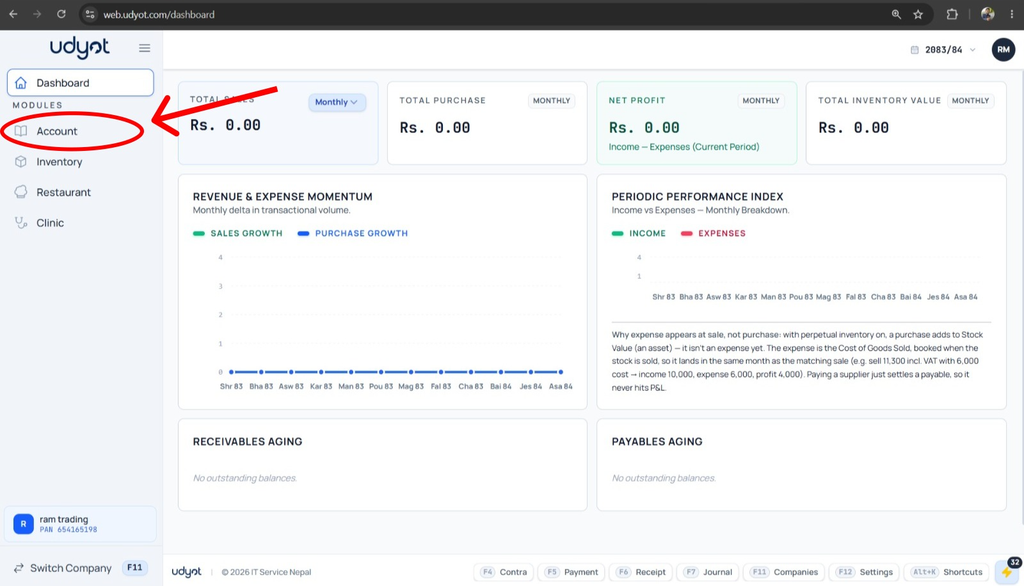
1. Select the Account Module
2. Select Settings
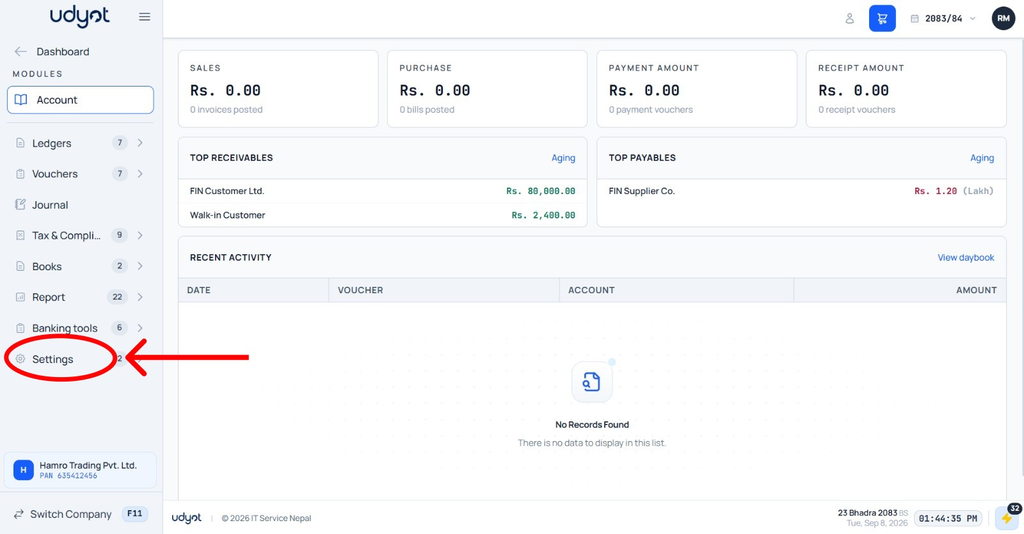
3. Select Account Settings

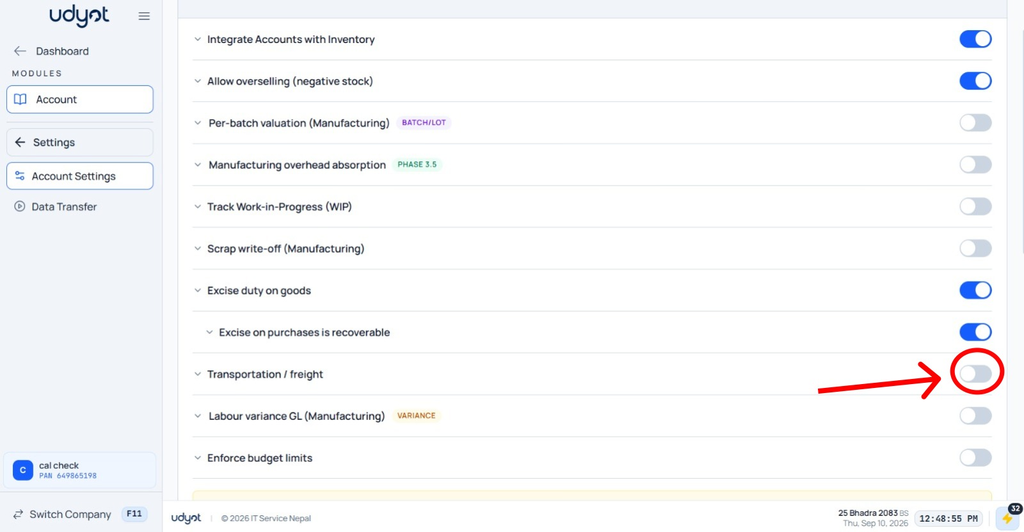
4. Mark Excise duty on goods
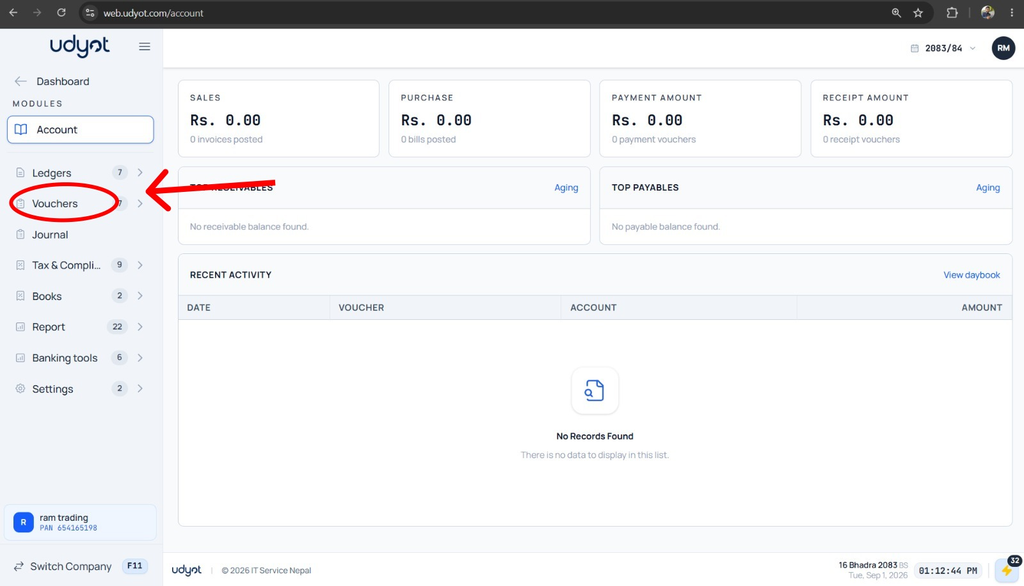
5. Select Account

6. Select Vouchers
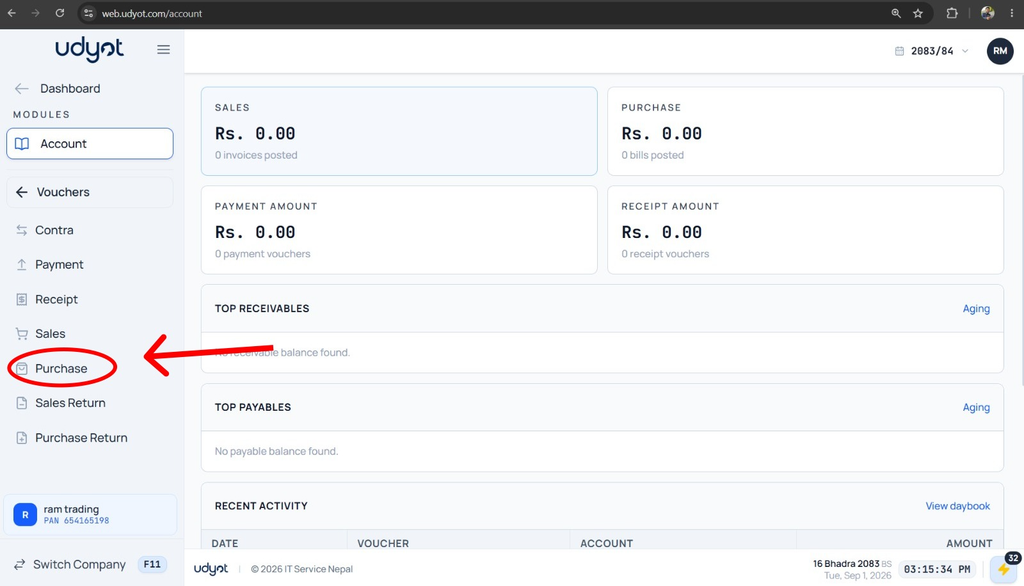
7. Select Purchase
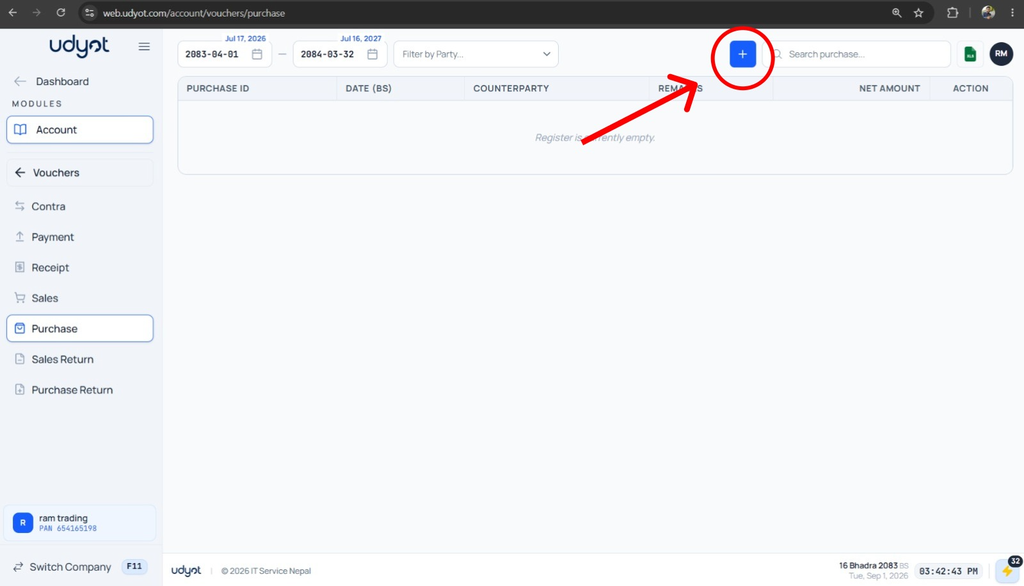
8. A Purchase page will appear. Click on +
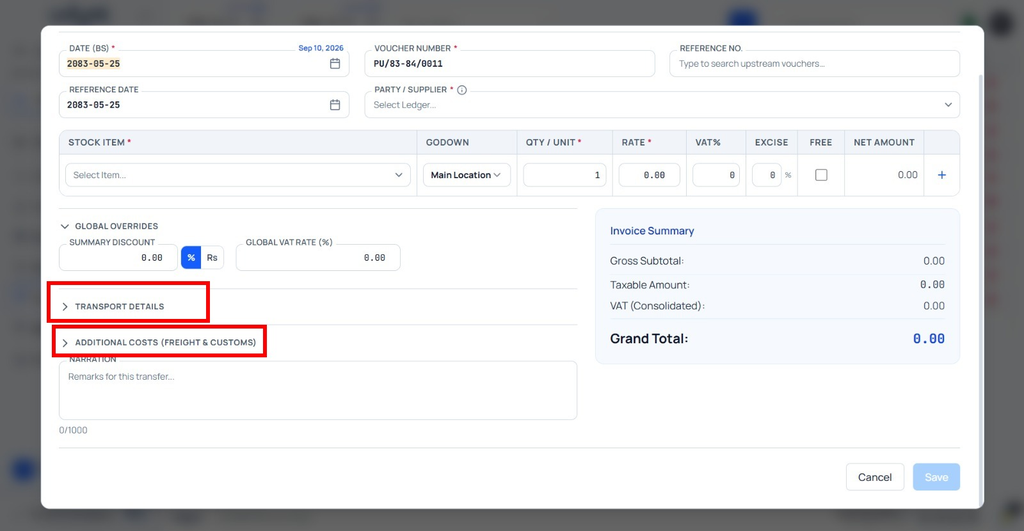
9. The Purchase Registration form will appear. Click on Transport details to add transport details, and click on Additional cost (freight $ customs ) to add freight and customs on purchase
10. Click on + Add cost line to add customs

11. Fill in the information and
