Updated
Hw to add Excise License
Excise License in Udyot ERP is used to maintain and manage the excise-related license details of a business for applicable goods and transactions. It helps store license information, validity details, and other required excise records, making it easier to manage excise compliance and accurately apply excise-related information in purchasing, sales, and inventory transactions.
Add Excise License
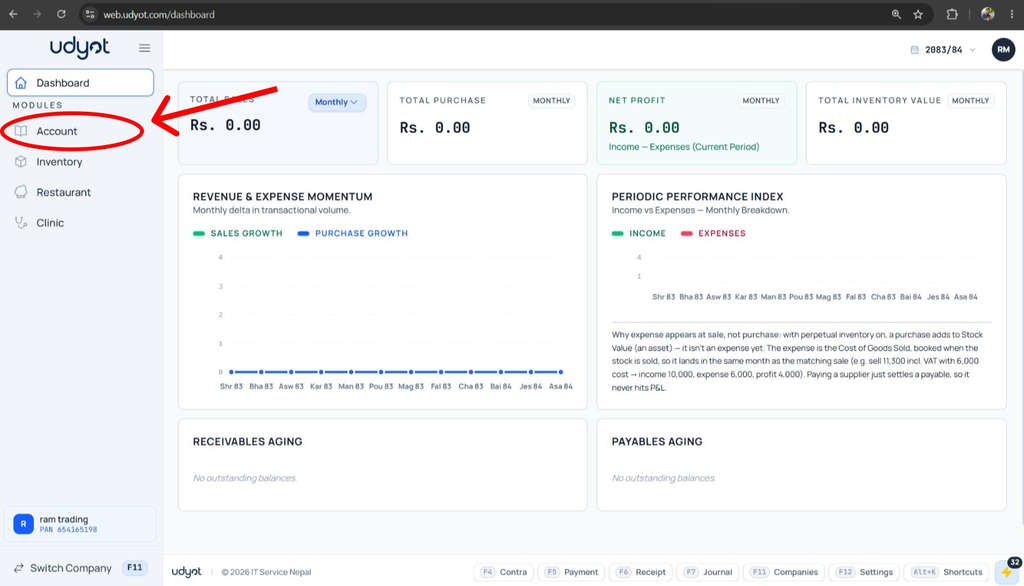
1. Select the Account Module
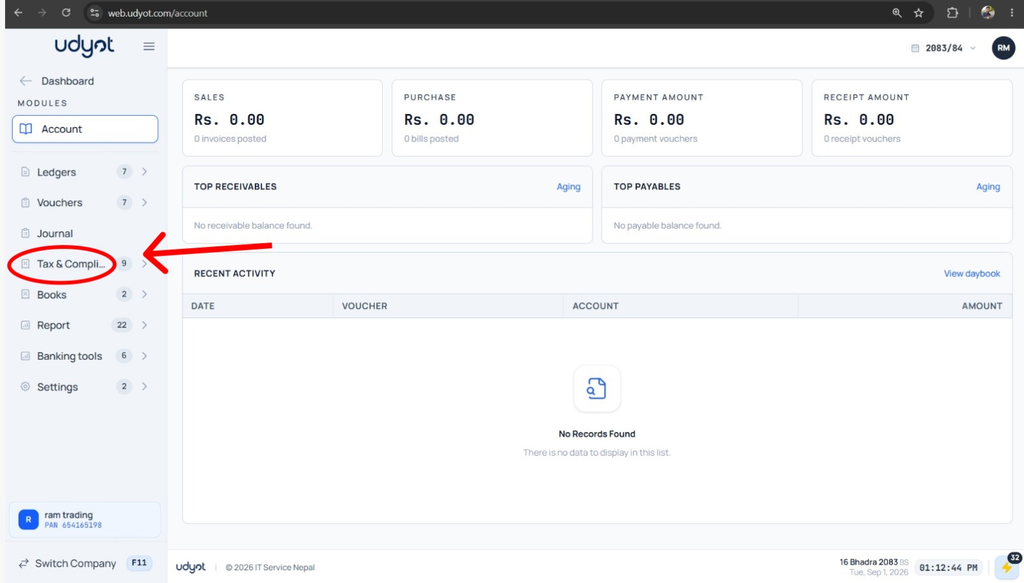
2. Select Tax and Compliance
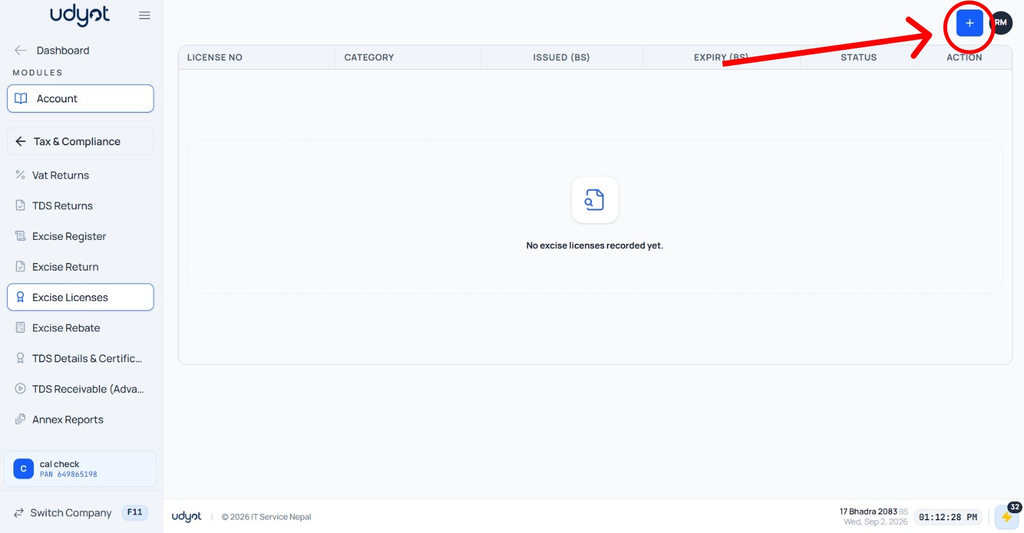
3. Select Excise License and Click on +
4. Excise License form will appear
