Updated
How to Create Ledger Group
Ledger Group
Ledger Group: A classification that groups similar ledger accounts together for accurate accounting, reporting, and financial statement generation.
A Ledger Group in Udyot ERP is a master classification used to organize related ledger accounts. It helps categorize ledgers for accurate financial reporting, including the Trial Balance, Profit & Loss Statement, and Balance Sheet. Transactions are recorded in individual ledgers, while ledger groups are used only for classification, organization, and reporting.
Create Ledger Group
1. Select the Account Module
2. Select Ledgers
3. Select Ledger Group
4. A Ledger Group page will appear
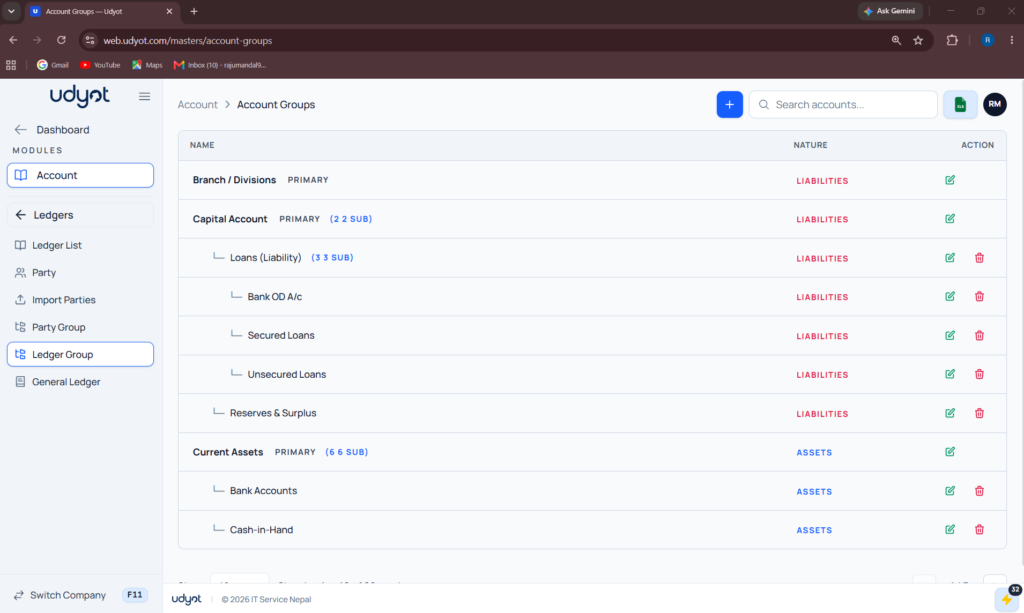
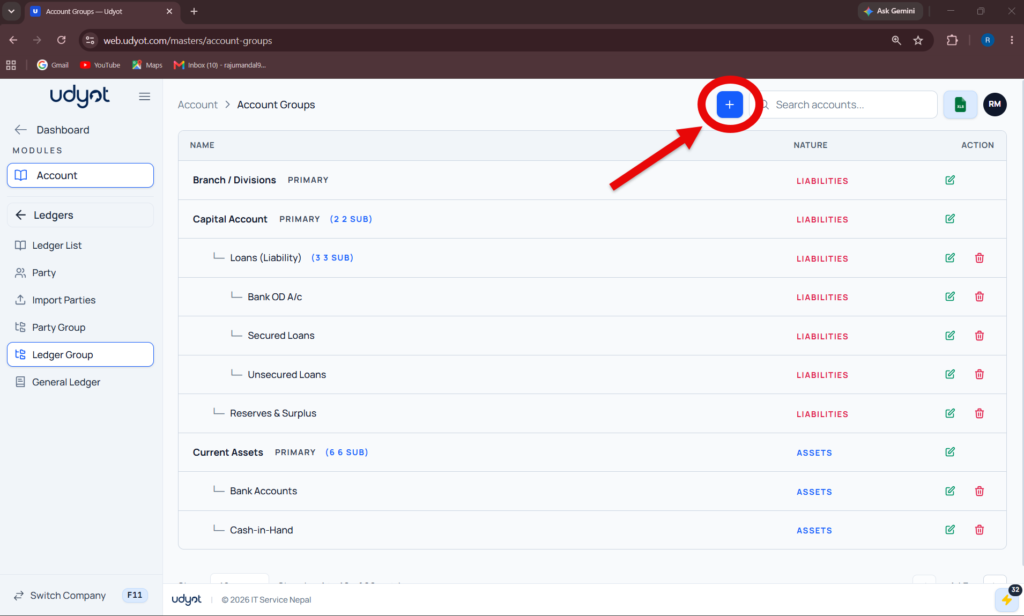
5. Click on +
6. Ledger Group Register form will appear
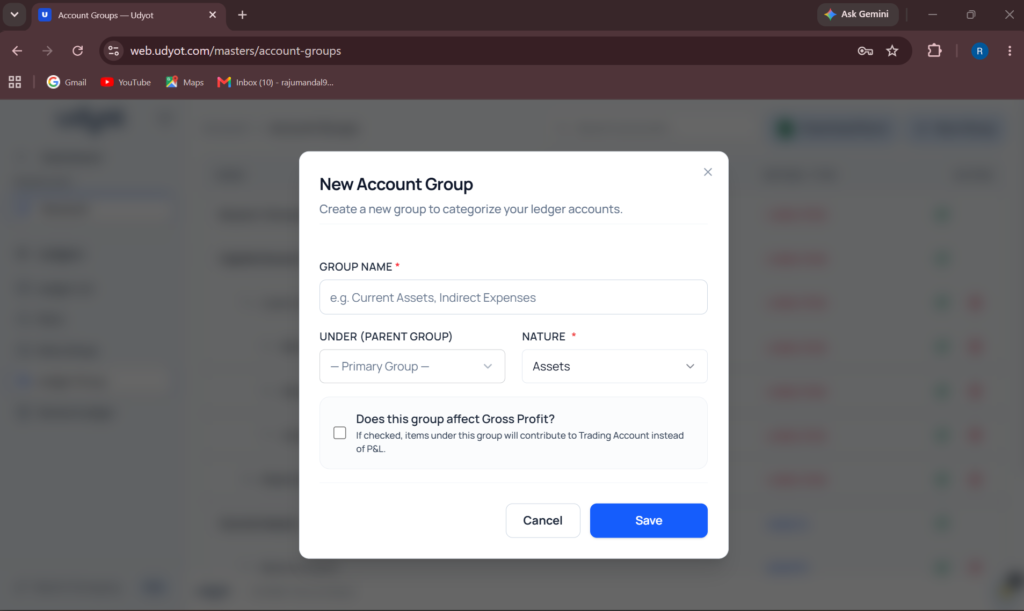
7. Fill in all the information and click on Save