Updated
Check Audit Log Report
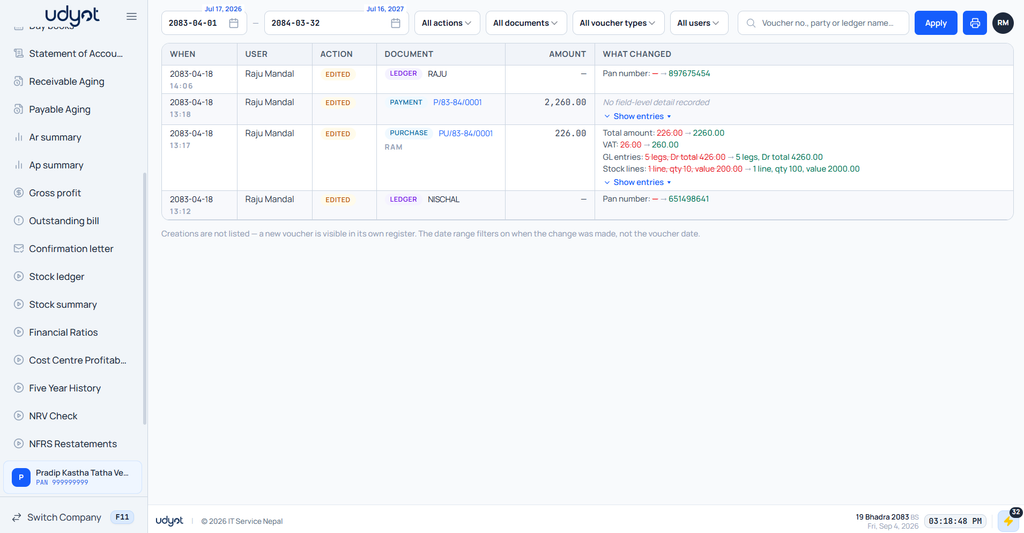
Audit Log in Udyot ERP records and tracks important activities performed by users within the system. It captures details such as user, date and time, action performed, affected module or record, and changes made, helping businesses monitor user activities, maintain transparency, trace changes, and support security and accountability.
See The Audit Log
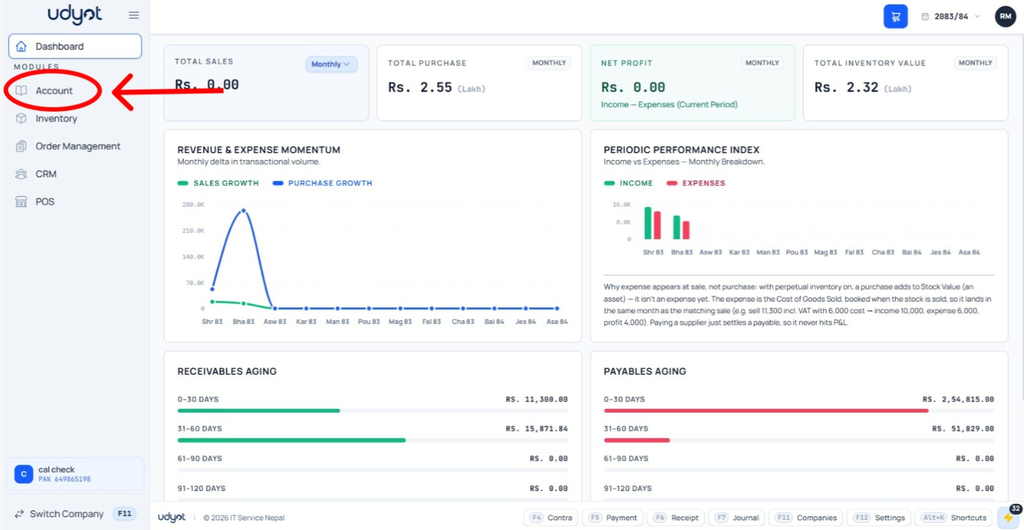
1. Select Account Module
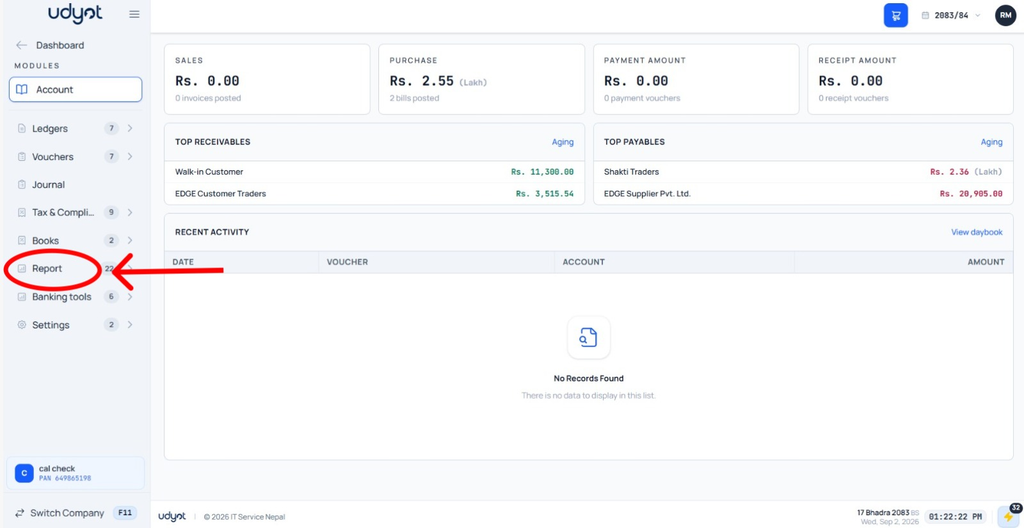
2. Select Reports
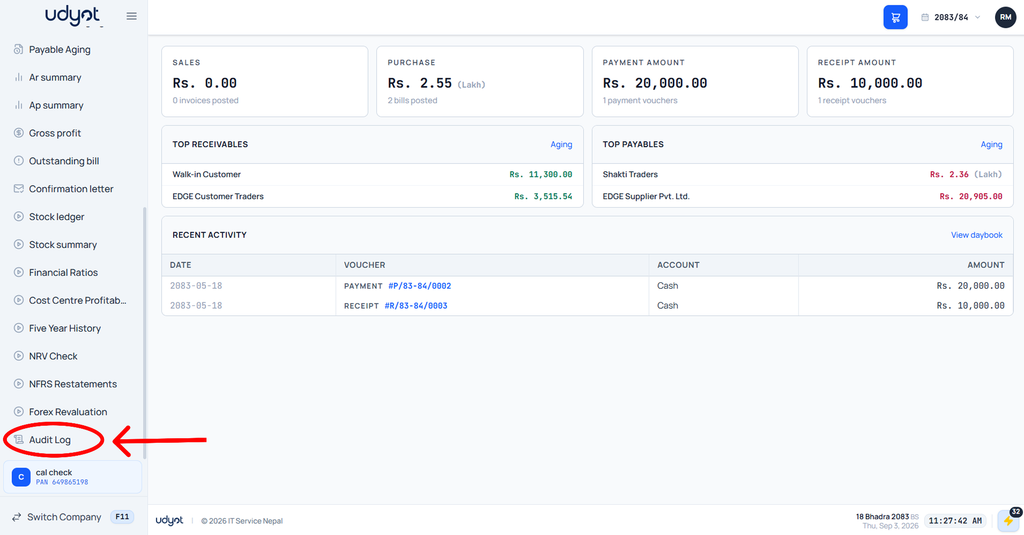
3. Select Audit Log
4. The Audit Log page will appear