How to Create a Company
A company in Udyot ERP represents your business and serves as the foundation for managing all accounting and business operations. After creating a company, you can record transactions, manage customers and suppliers, track inventory, generate invoices, maintain accounts, and produce financial reports. Each company stores its own financial data, settings, fiscal year, tax information, and user permissions securely and independently.
To create a Company and go to the Dashboard in Udyot ERP, follow the steps below:
1. Click on + New Company
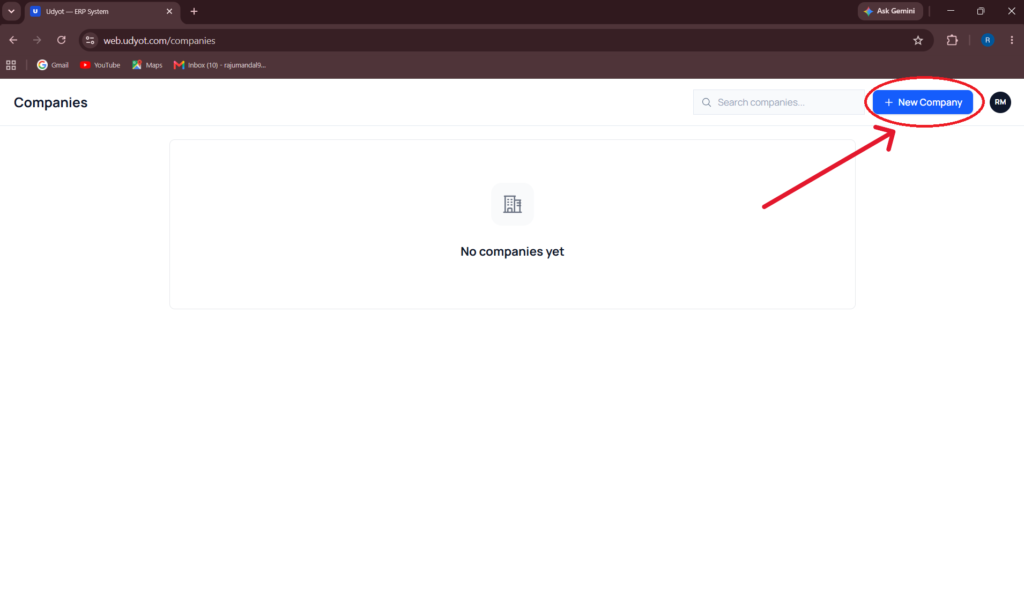
2. A Company Registration window will appear.

Enter the required details:
- Company Name
- Select Legal Entity Type
- PAN
- Select Province
- Address
- Select Modules
3. Click on Create
4. A Select Company page will appear.

5. Click on Select to select a company
6. A Select Plan page will appear

7. Select the plan
8. A Company Dashboard will appear

If you already have a company, then create another company
1. Click on the profile icon and Switch Company

2. Scroll down and Click on Switch Company
OR Press F11
3. A company page will appear. Click on + New Company
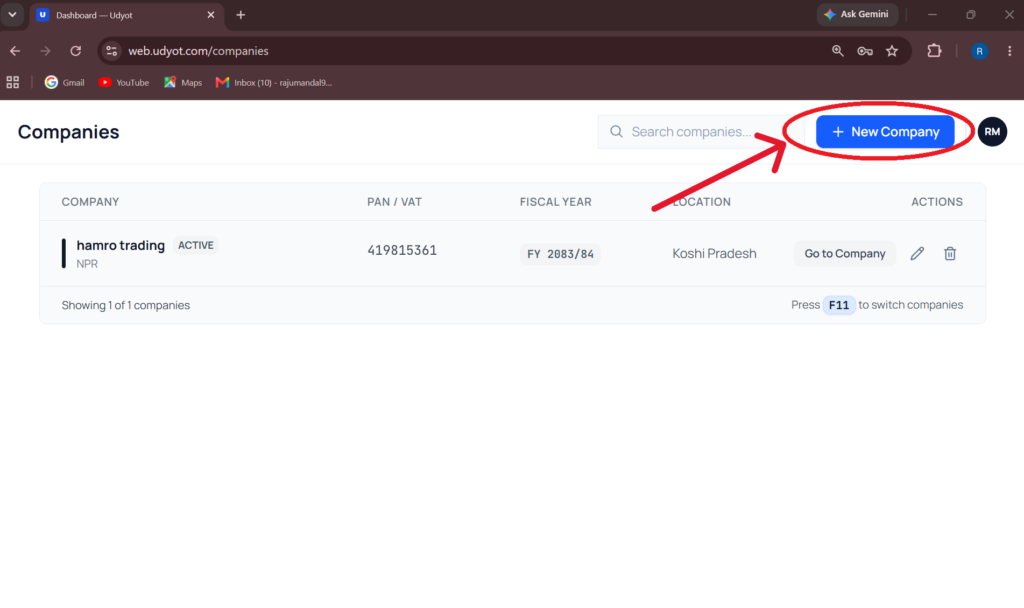
4. A Company Registration window will appear.

Enter the required details:
- Company Name
- Select Legal Entity Type
- PAN
- Select Province
- Address
- Select Modules
5. Click on Create
6. A select company page will appear.
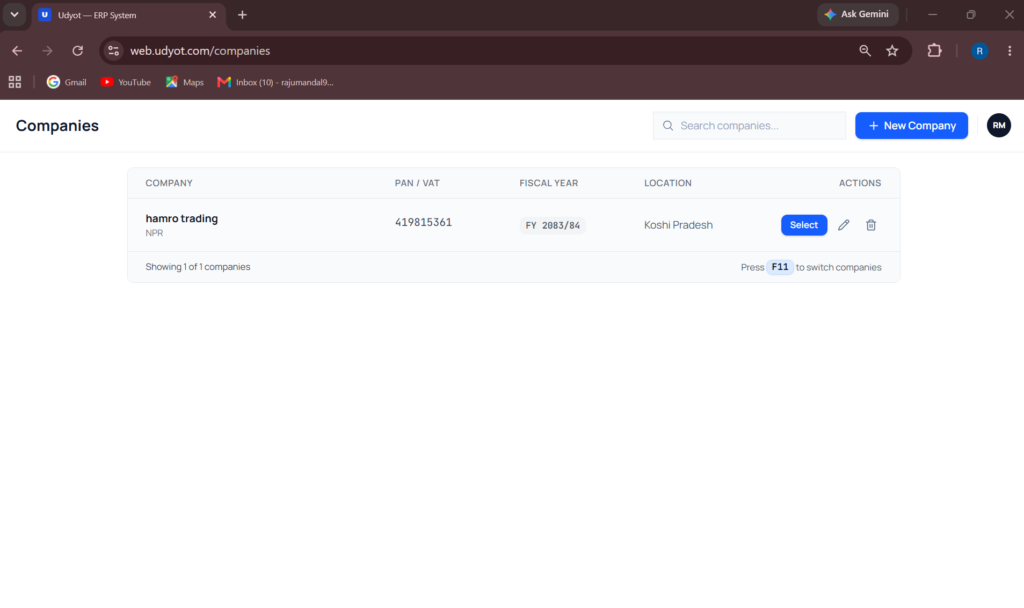
7. Click on Select to select a company
8. A Company Dashboard will appear
