Updated
Create Sales with Excise Duties
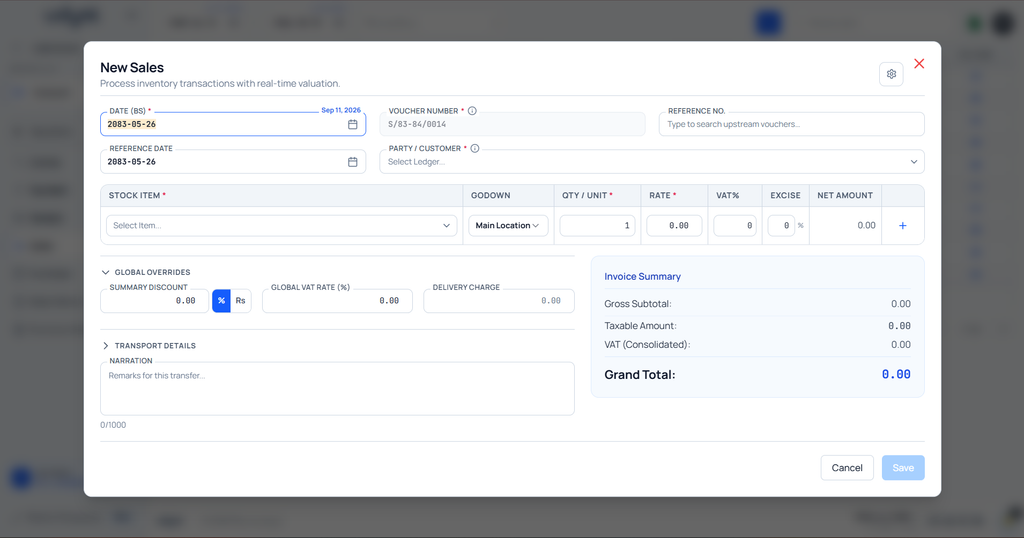
Sales with Excise Duties in Udyot ERP allows users to apply and calculate excise duties on sales transactions. Users can add the applicable excise duty for individual products while creating a sales invoice, ensuring that the duty amount is accurately calculated and included in the transaction total. This feature helps maintain accurate product-wise excise duty calculation, invoice values, and accounting records.
Sales with excise duties
1. Select the Account Module
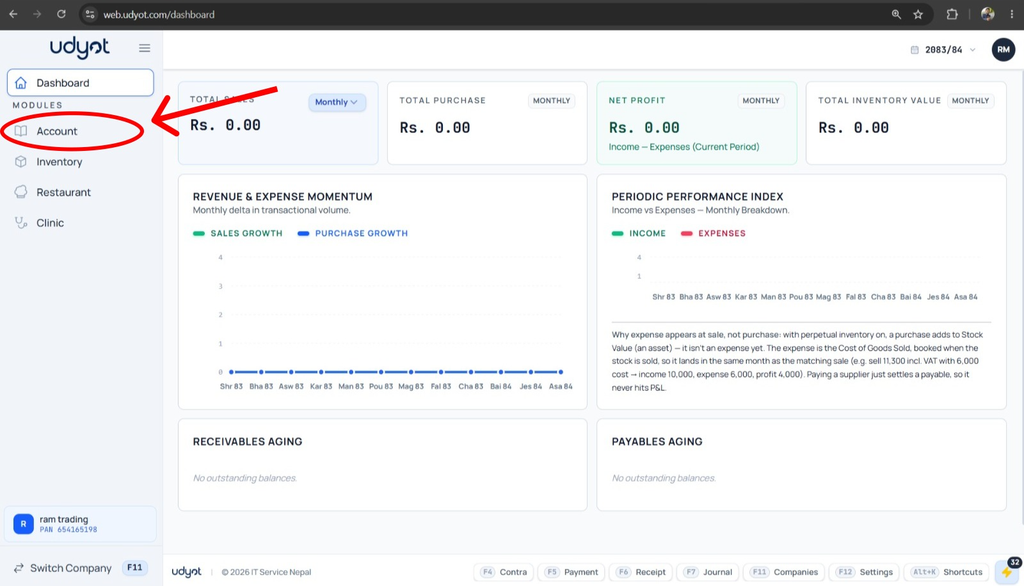
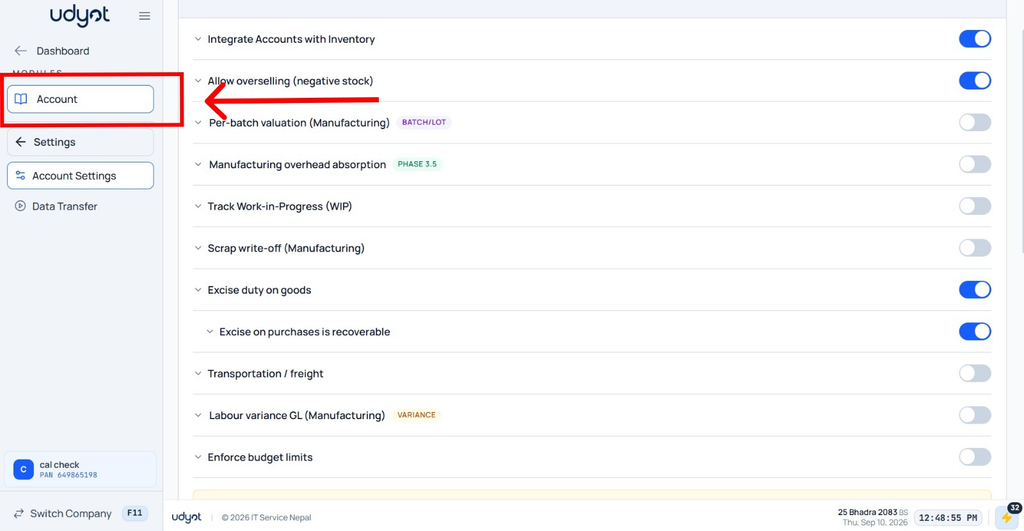
2. Select Settings

3. Select Account Settings
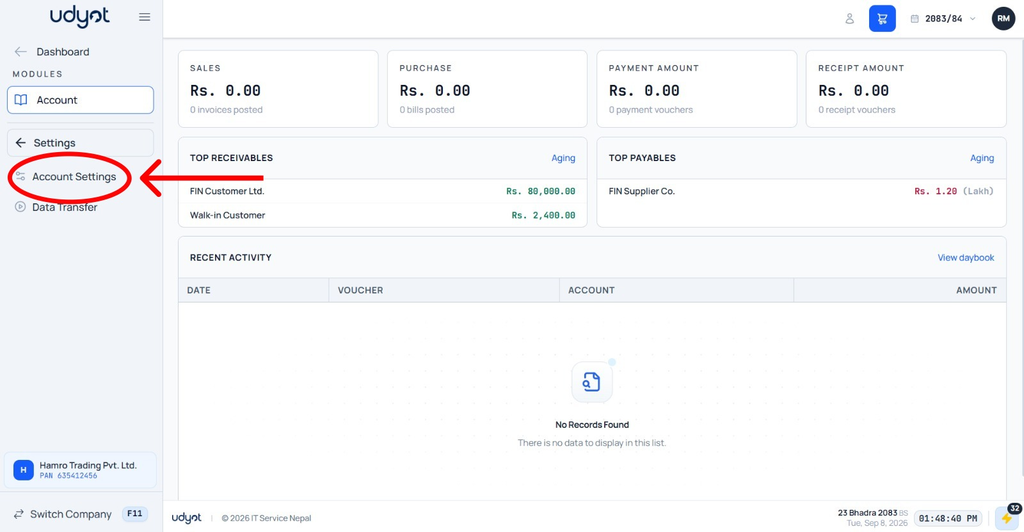
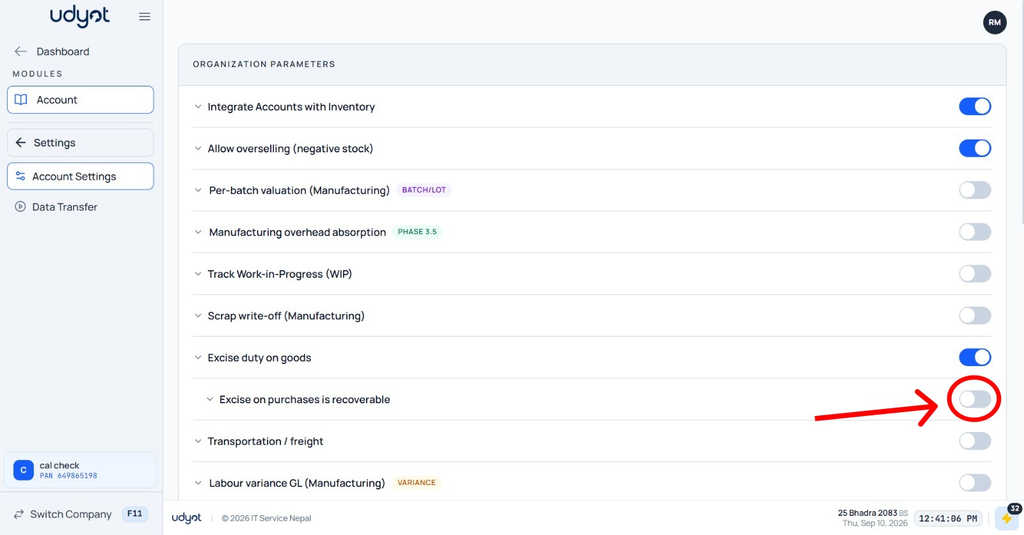
4. Mark Excise duty on goods

5. Mark excise duty on purchases as recoverable
6. Select Account
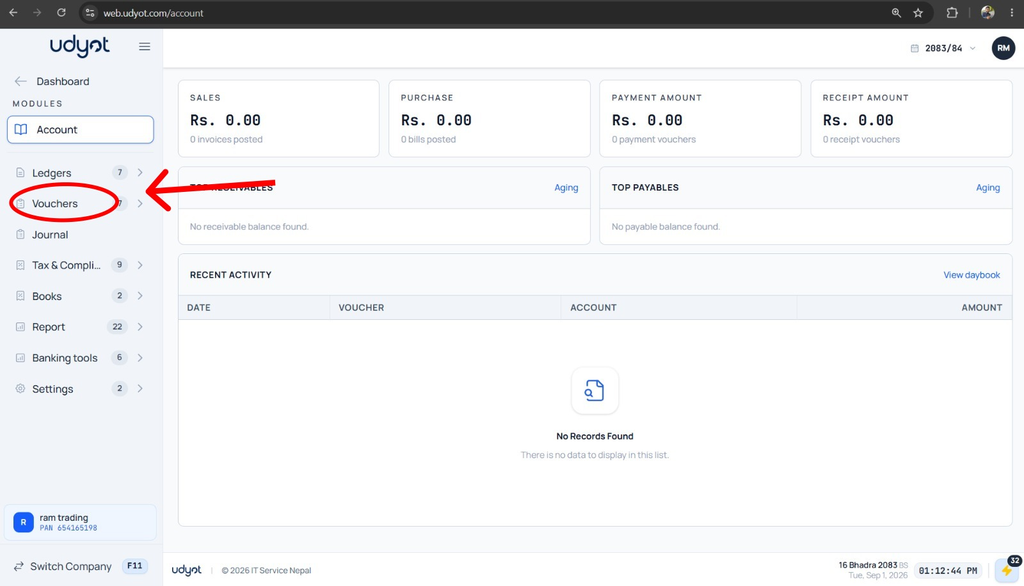
7. Select Vouchers
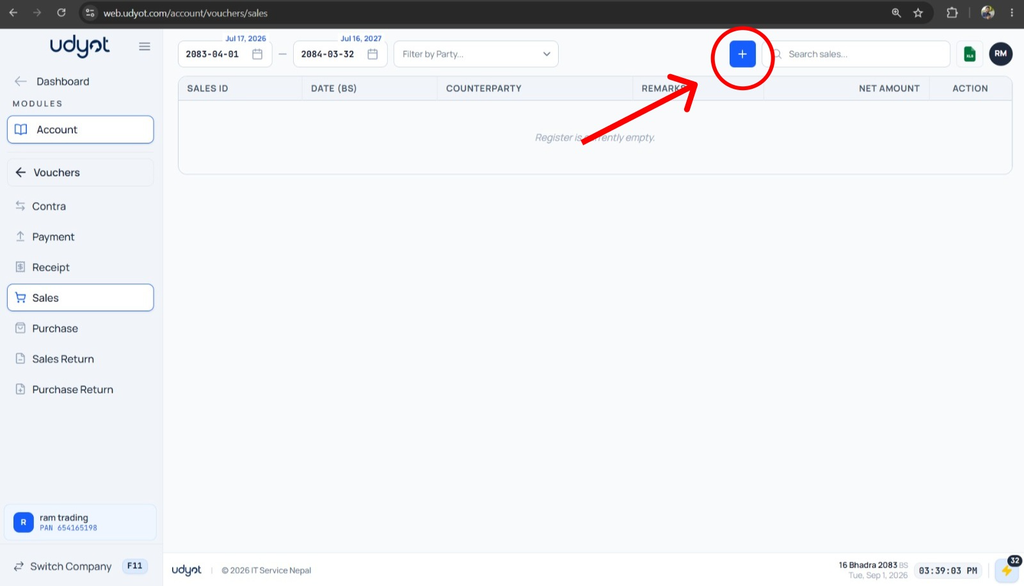
8. Select Sales

9. A Sales page will appear; click on +
10. The Sales Registration form will appear