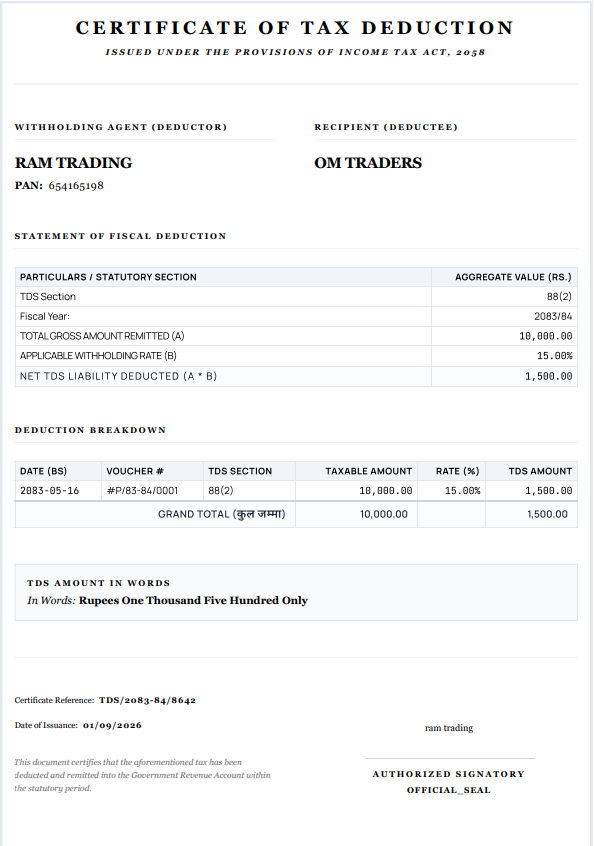
Updated
Check TDS details and Certificate
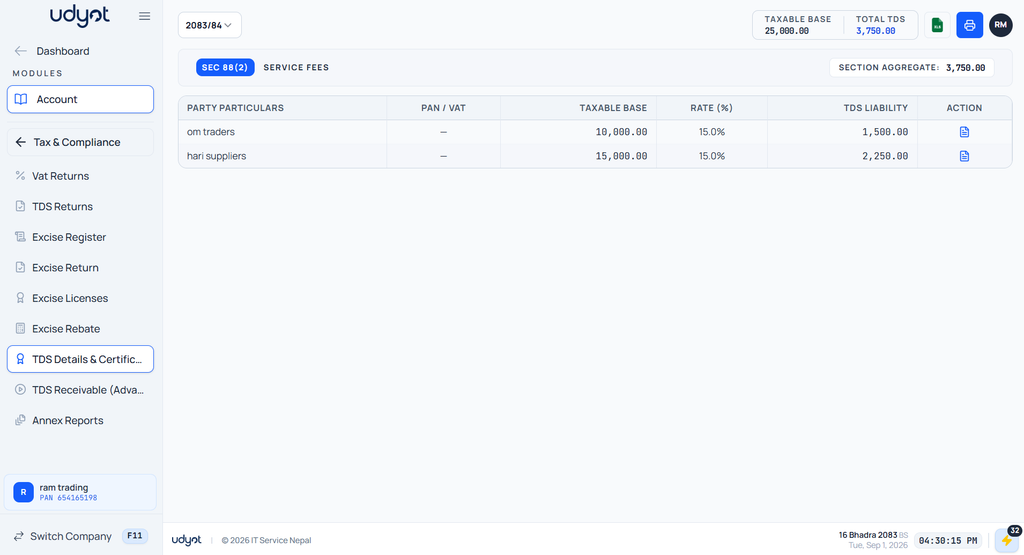
TDS Details and Certificate in Udyot ERP provides a centralized view of TDS deductions recorded under a specific tax section, such as Section 88(2). It displays party-wise TDS information including Party, PAN/VAT, Taxable Base, TDS Rate, and TDS Liability, helping users review and track tax deductions for applicable transactions. It also supports managing TDS-related details and certificates for proper tax records and compliance.
See TDS Details and Certificate
1. Select the Account Module
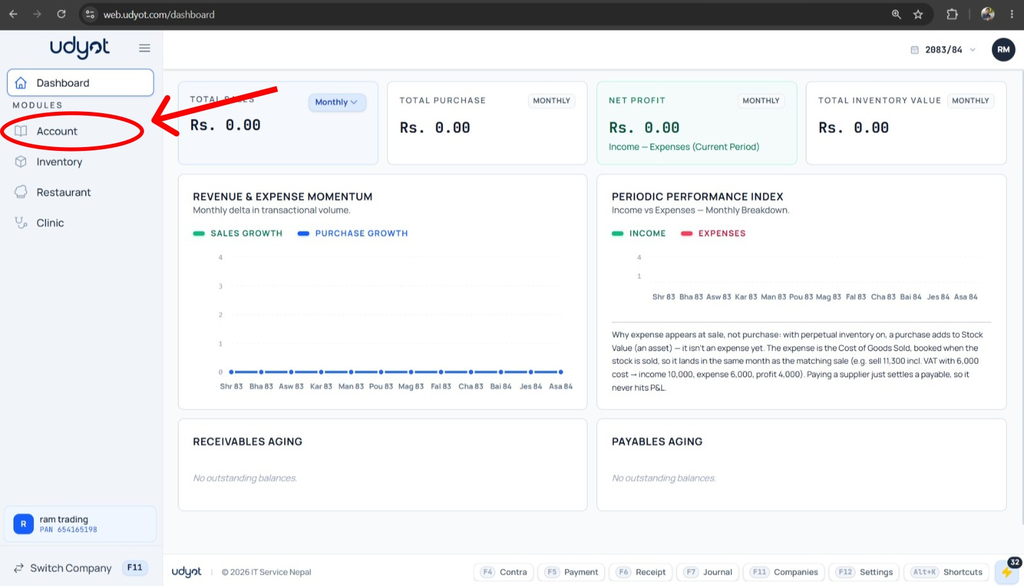
2. Select Tax and Compliance
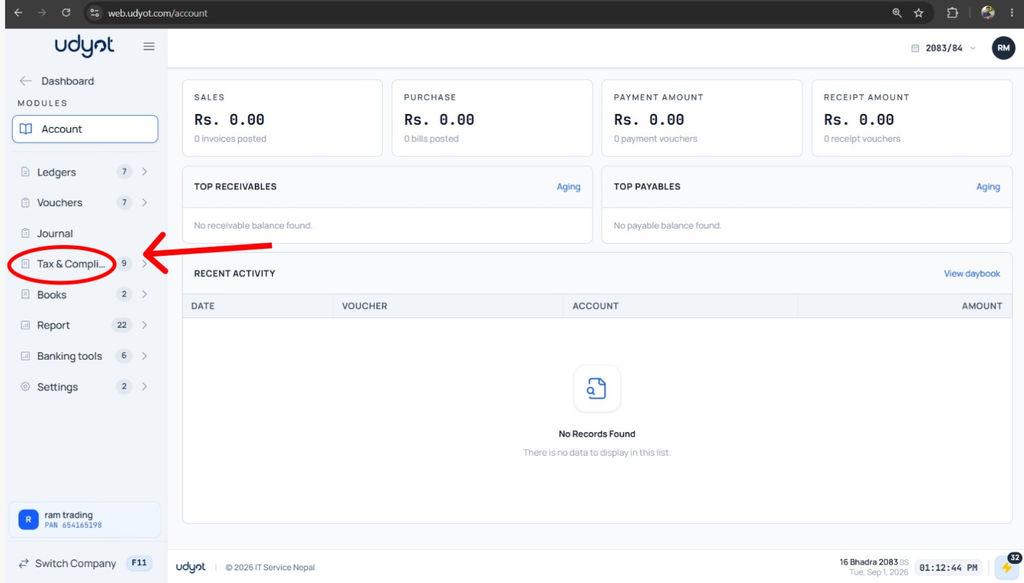
3. Click on TDS Details and Certificate
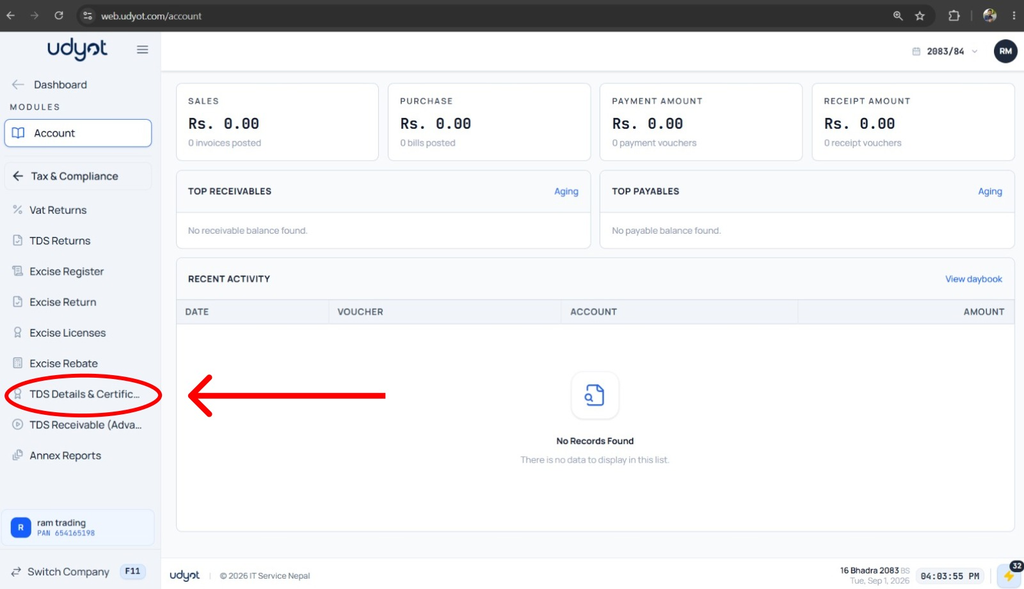
4. See the report and click on the Action button to generate the Certificate of Tax Deduction
5. See or print the certificate