How to Create Purchase Return Voucher
Purchase Return Voucher is an accounting voucher used to record goods that are returned to a supplier after a purchase. It serves as the official record of returned items and includes details such as the supplier, returned products, quantity, value, and the reason for the return.
In Udyot ERP, a Purchase Return Voucher is used to record returns to suppliers, reduce inventory stock, decrease the amount payable to the supplier or adjust the original purchase invoice, reverse applicable taxes (such as VAT), and automatically update the purchase ledger, inventory records, and financial reports for accurate accounting and stock management.
Create Purchase Return
1. Select the Account Module
2. Select Vouchers
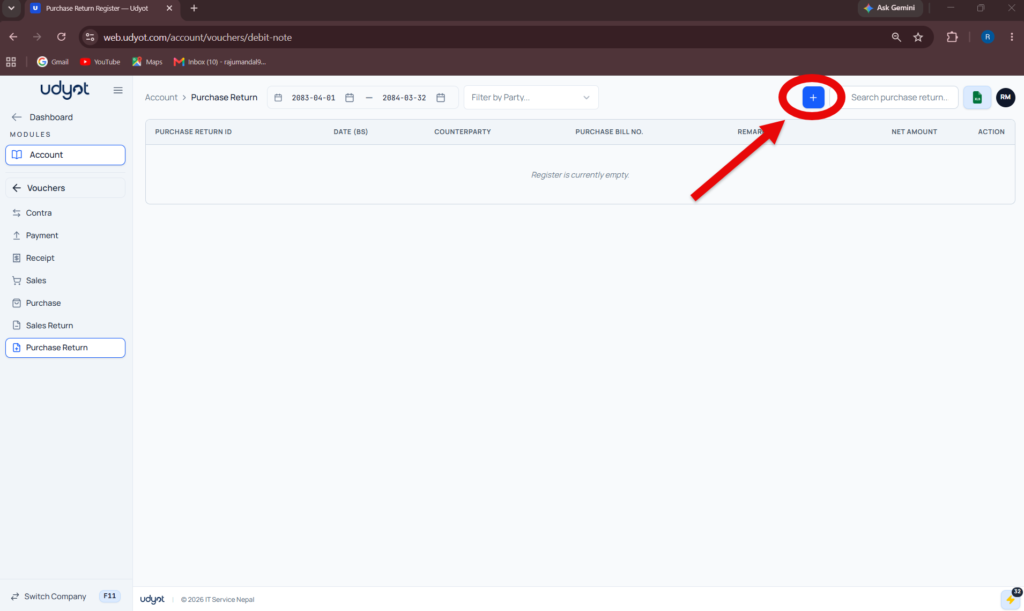
3. Select Purchase Return
4. A Purchase Return page will appear

5. Click on +
6. Purchase Return Registration form will appear
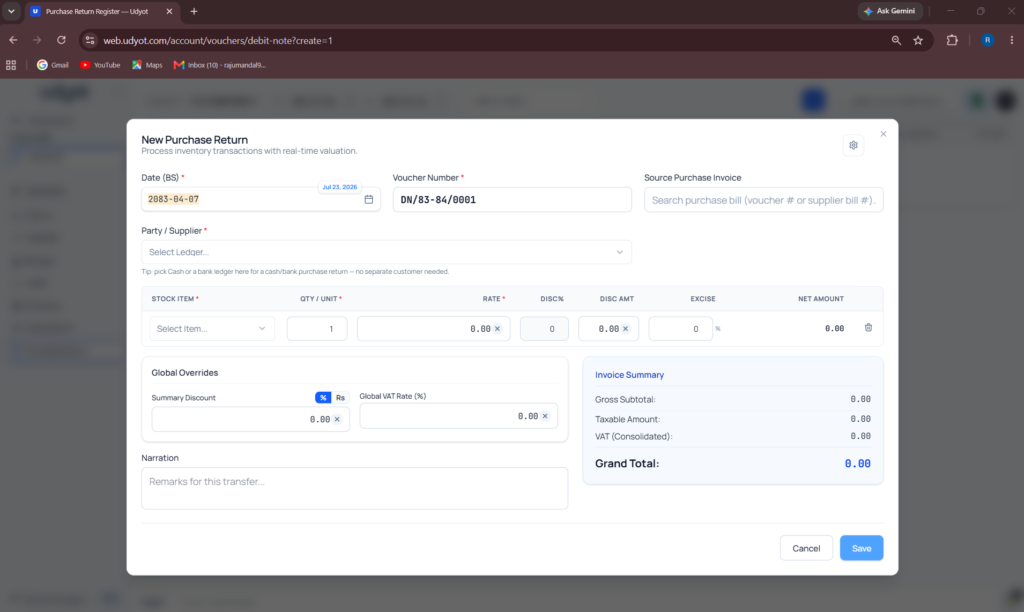
7. Fill in the information, scroll down, and
8. Click on Save