Updated
Check VAT Return Report
VAT Return is a tax report that summarizes the VAT collected on sales (Output VAT) and the VAT paid on purchases (Input VAT) during a specific tax period. It helps businesses calculate their VAT liability and comply with tax regulations.
In Udyot ERP, the VAT Return report automatically compiles taxable sales, taxable purchases, Output VAT, Input VAT, and the net VAT payable or refundable. It helps businesses prepare accurate VAT returns, meet tax compliance requirements, and simplify VAT filing.
See VAT Return Report
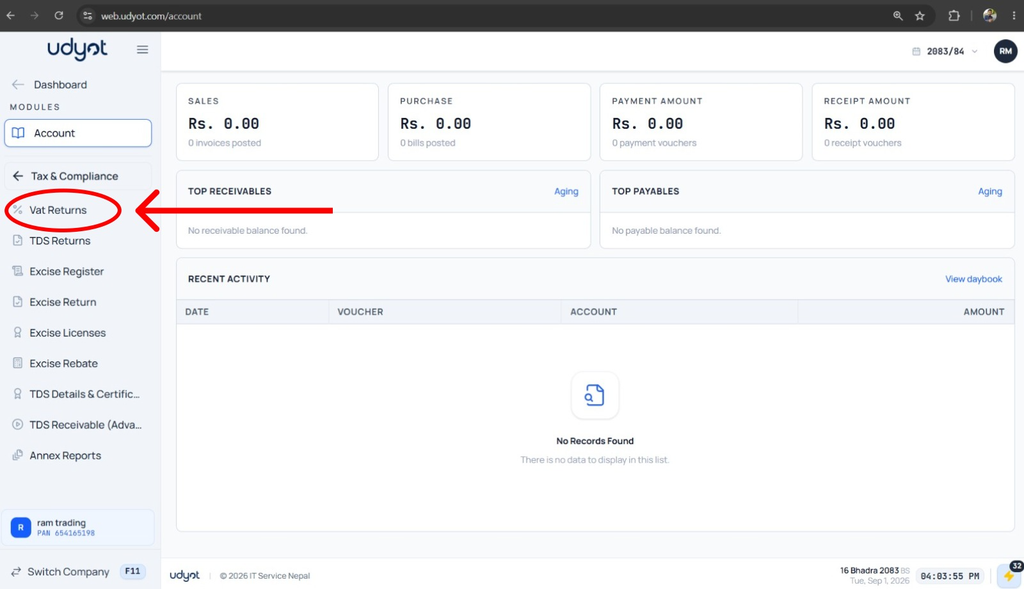
1. Select the Account Module

2. Select Tax and Compliance

3. Click on VAT returns
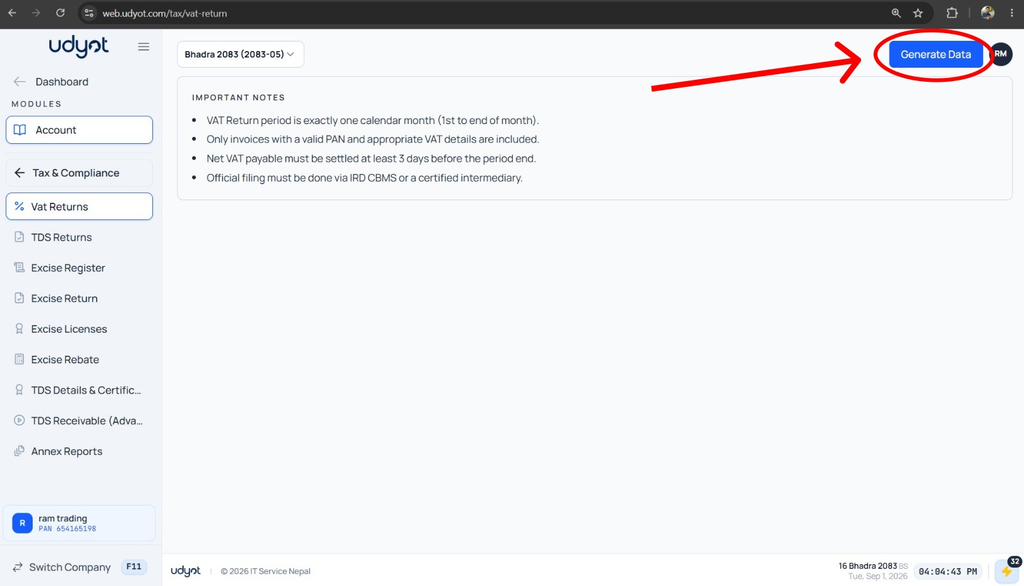
4. The VAT Return report will appear, and to get data, click on Generate Data
5. VAT Return Report Data is shown.
