Updated
Create Sales with Transportation Details and Charges
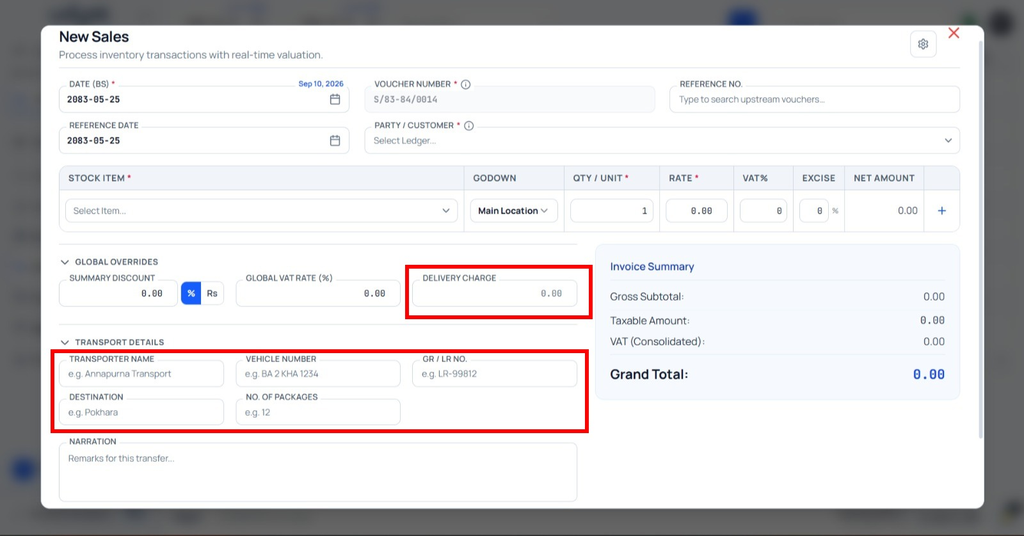
Sales with Transportation Details and Charges in Udyot ERP allows users to record transportation details and transportation charges while creating a sales transaction. Users can enter relevant transport information such as the transporter, vehicle details, and transportation charges, helping maintain complete delivery records and include applicable transportation costs in the sales transaction.
Sales with Transportation Detail and Charge
1. Select the Account Module
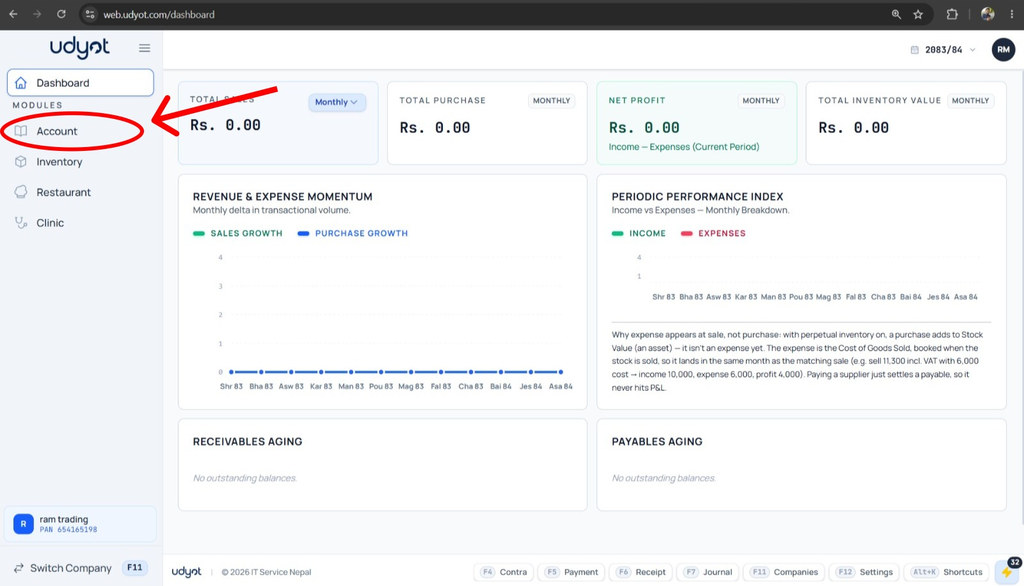
2. Select Settings

3. Select Account Settings
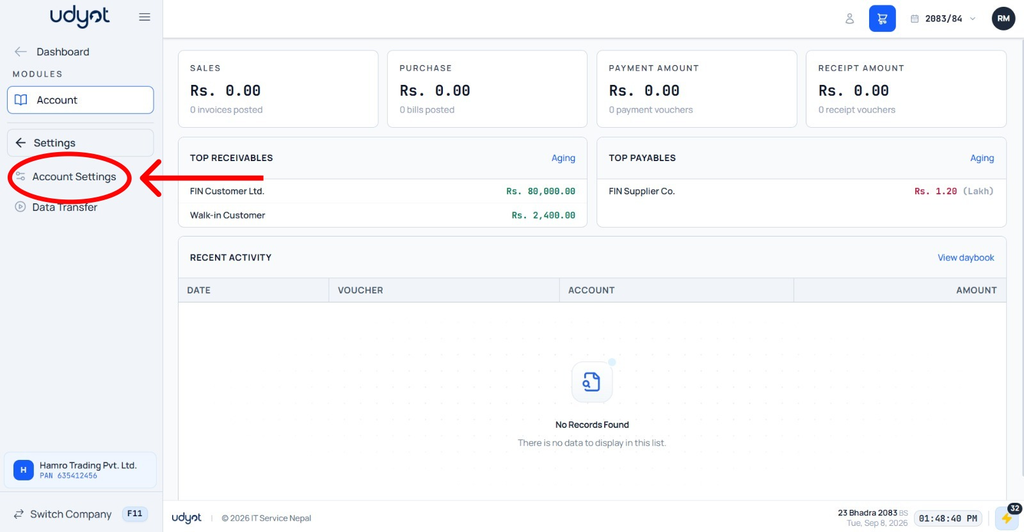
4. Account Settings will appear; scroll down and enable Transportation/freight
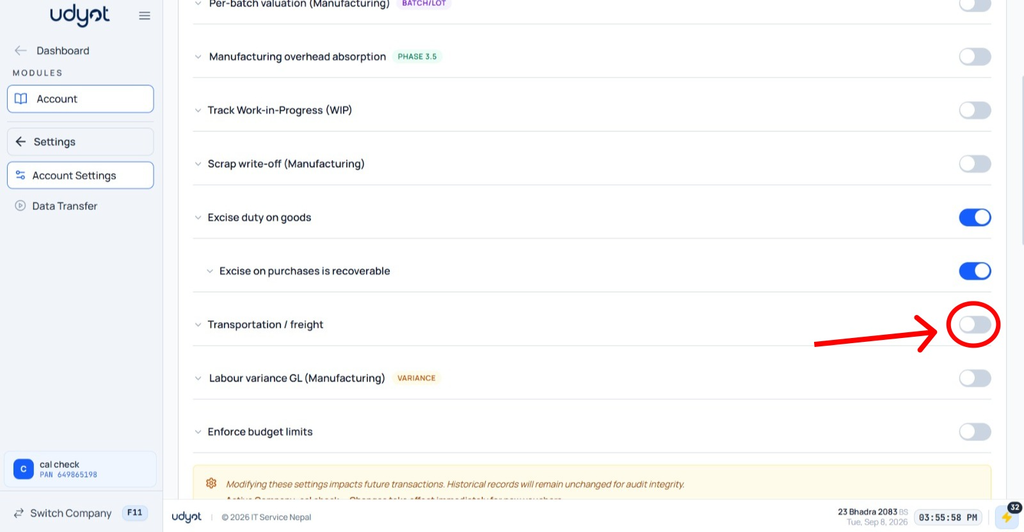
5. Select the Account
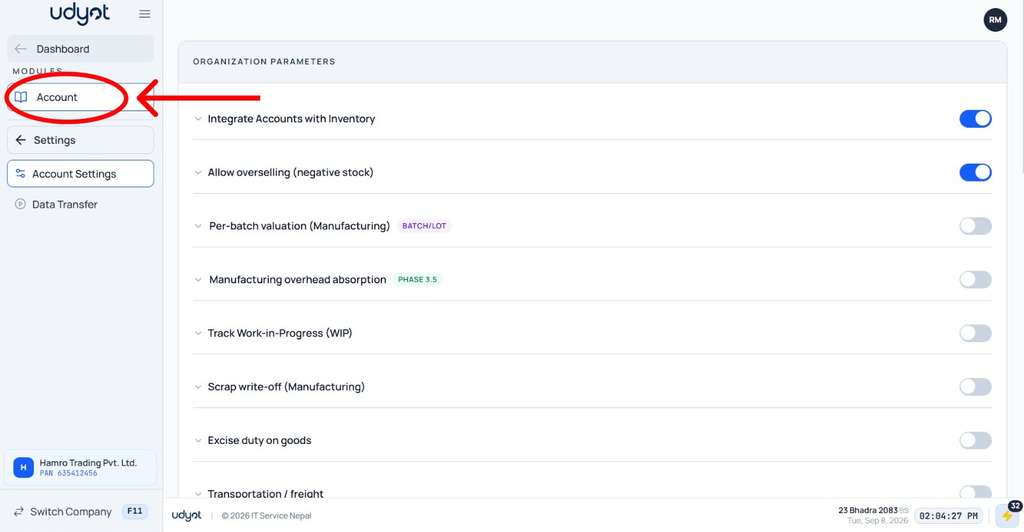
6. Select Vouchers
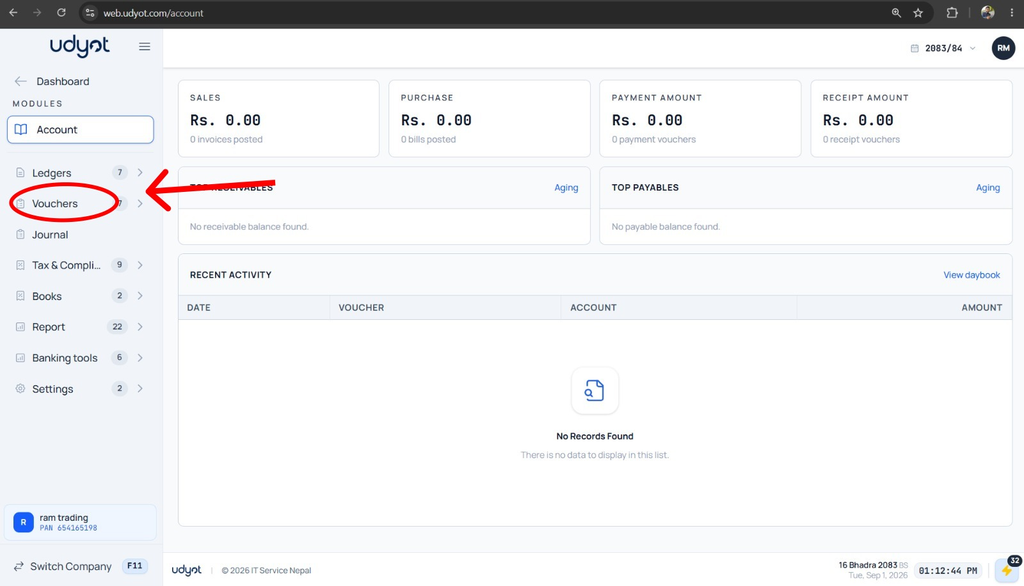
7. Select Sales
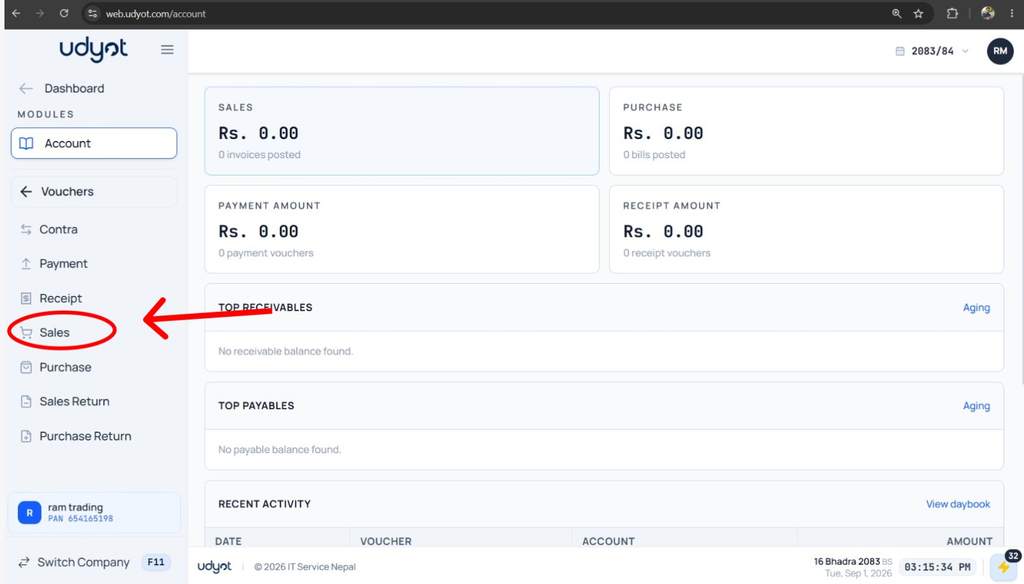
8. A Sales page will appear; click on +
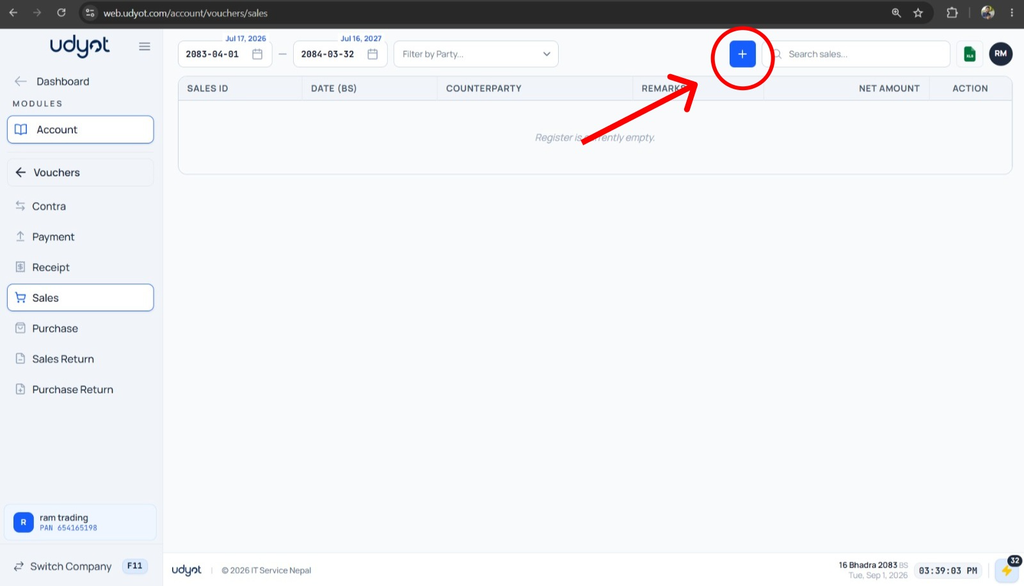
9. The Sales Registration form will appear

10. Click on Transport Detail
11. Fill in the information, delivery charge, and transport details too.