Updated
Add Opening Stock
Opening Stock is the quantity and value of inventory available at the beginning of an accounting period or when a business starts using an inventory management system. It serves as the starting balance for all future inventory transactions.
In Udyot ERP, the Opening Stock feature allows users to enter the initial quantity and value of each stock item. This establishes the starting inventory balance, ensuring accurate stock tracking, inventory valuation, and financial reporting from the beginning.
1. Click on the Inventory module

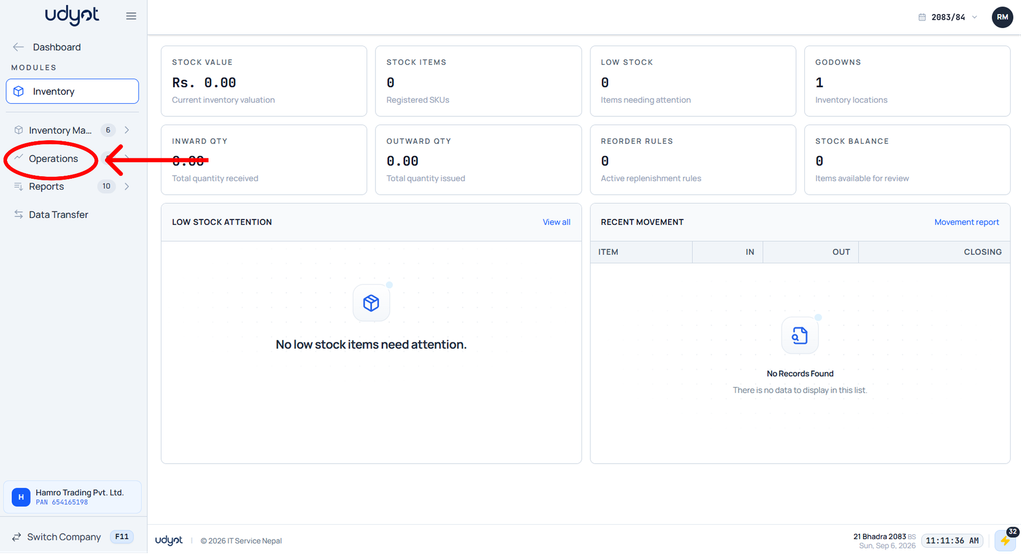
2. The inventory dashboard will appear; click on Operations.
3. Select Opening stock

4. The Opening stock dashboard will appear
