Updated
How to Create Stock Items
Stock Items
A stock item is an individual product or inventory item that a business buys, sells, manufactures, or stores. It represents a physical item whose quantity, value, and movement are tracked for effective inventory management.
In Udyot ERP, stock items manage inventory by recording purchases, sales, stock transfers, and stock adjustments. This ensures accurate stock balances, simplifies inventory tracking, and provides reliable inventory reports.
Create a stock item
1. Click on the Inventory module
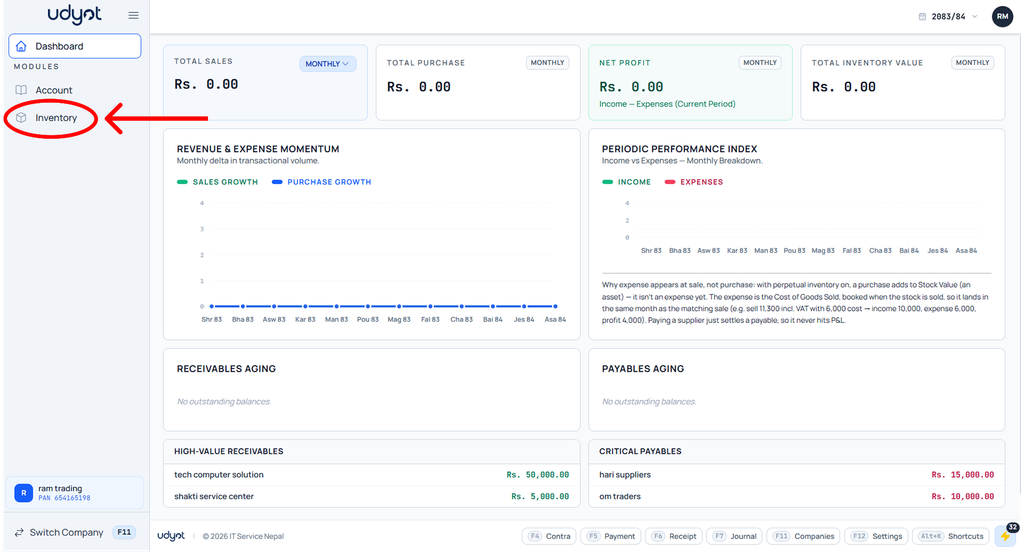
2. The inventory dashboard will appear; click on inventory master

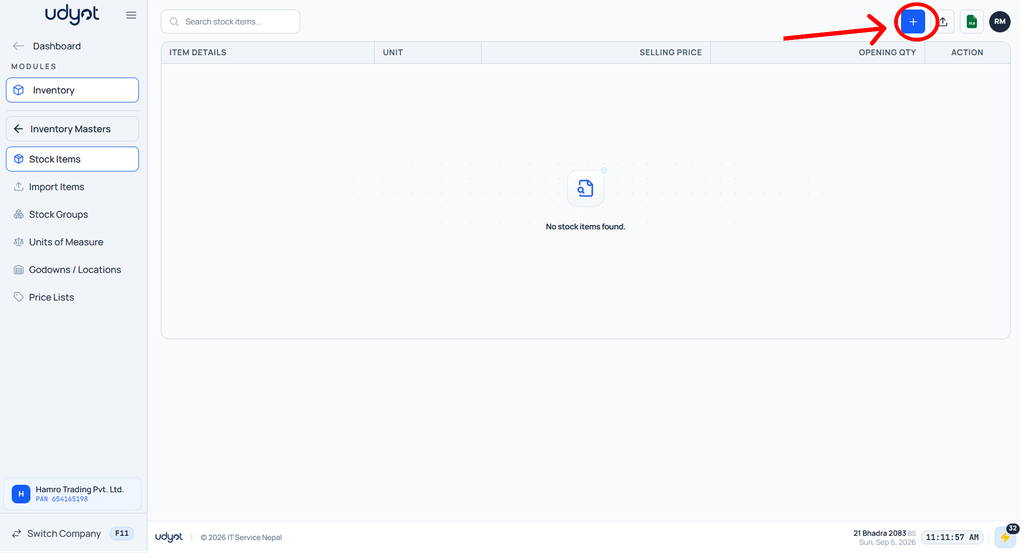
3. Now the Inventory Master menu will open; select Stock Item

4. The Stock Item dashboard will appear; click on +
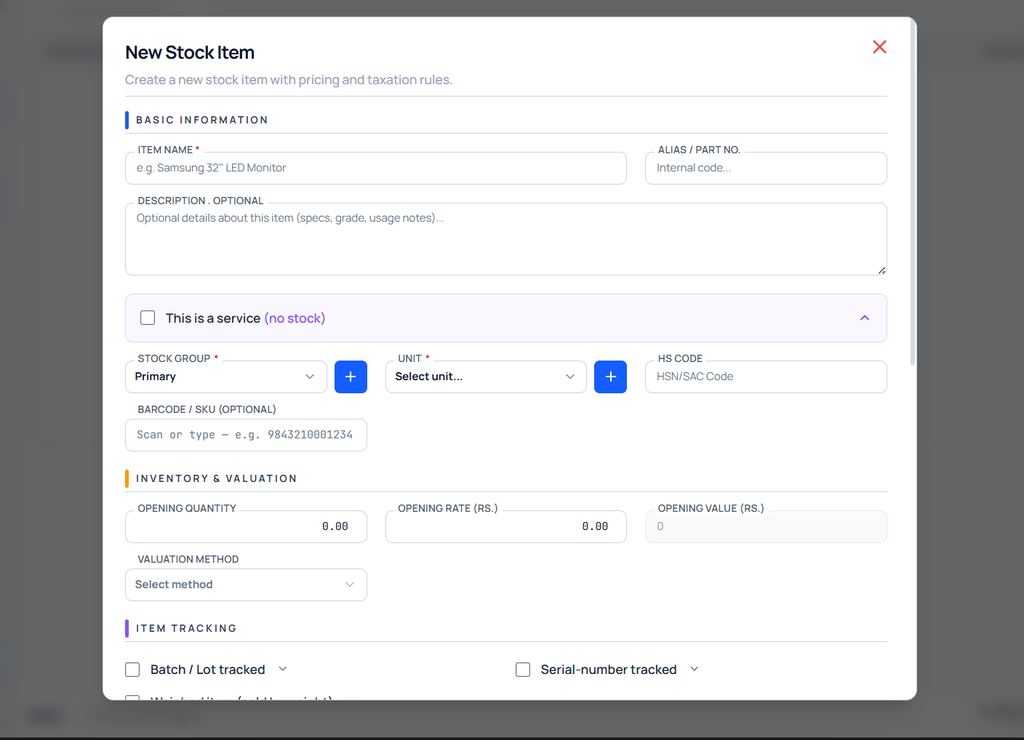
5. The Stock Item form will appear