Updated
How to Import Stock Items
Import Stock Items
Import Stock Items allows businesses to add multiple stock items into the system at once using an Excel or CSV file, instead of entering each item manually. This saves time, reduces data entry errors, and simplifies inventory setup.
In Udyot ERP, the Import Stock Items feature lets users upload product details such as item name, stock group, unit, price, opening stock, and opening price information in bulk. This enables quick inventory creation and ensures accurate and efficient stock management.
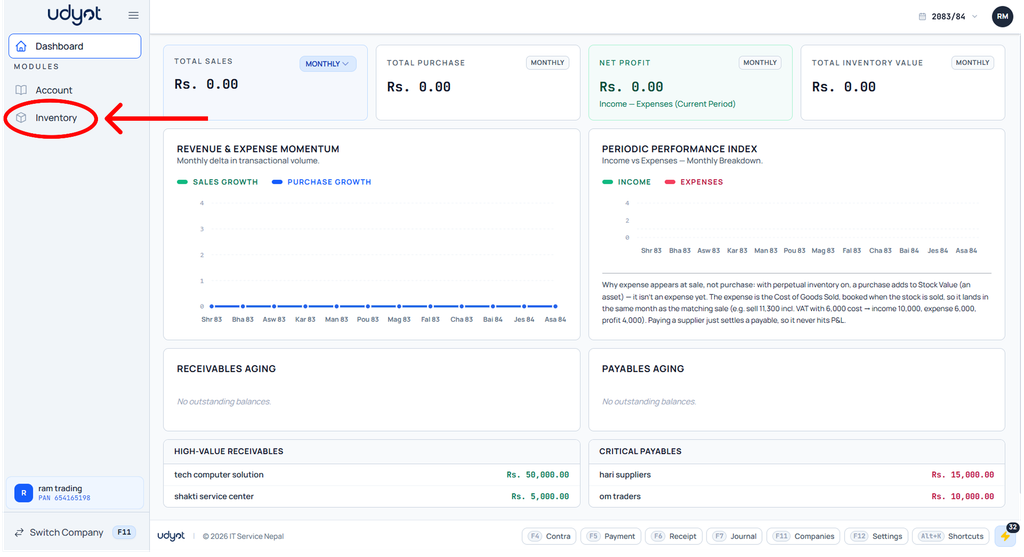
1. Click on the Inventory module
2. The inventory dashboard will appear; click on inventory master

3. Now the Inventory Master menu will open; select Import Items

4. The Import Items dashboard will appear; select the source format the import file belongs to and select the file, then click on Upload & Preview

5. The preview dashboard will open
