Updated
Check Stock Ledger
Stock Ledger is a detailed record of all inventory transactions for a stock item, including purchases, sales, transfers, adjustments, and the resulting stock balance. It provides a complete history of stock movements over a specific period.
In Udyot ERP, the Stock Ledger feature records every inventory transaction and displays the opening balance, stock in, stock out, and closing balance for each item. This helps users track stock movements, verify inventory records, and generate accurate inventory reports.
See Stock Ledger Report
1. Click on the Inventory module

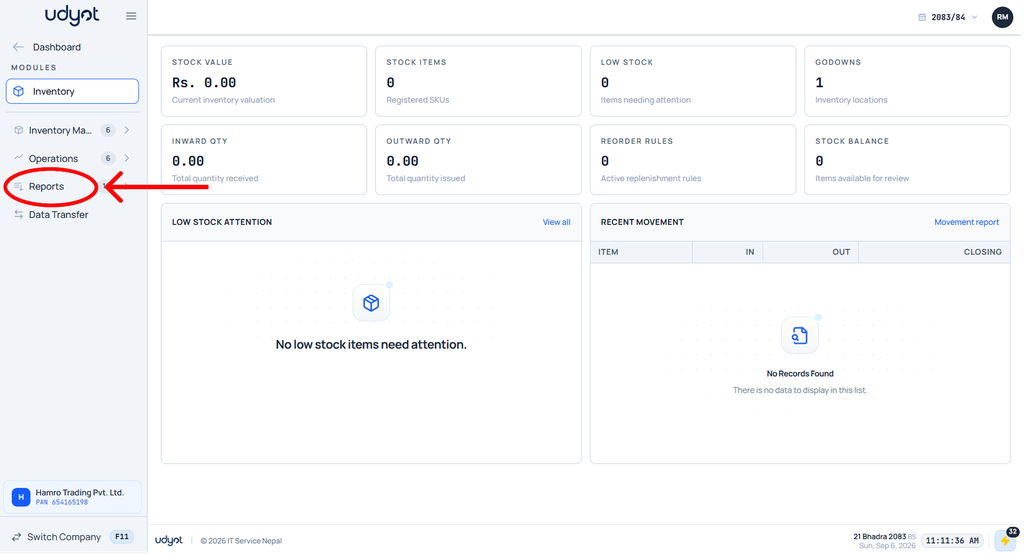
2. The inventory dashboard will appear; click on Reports
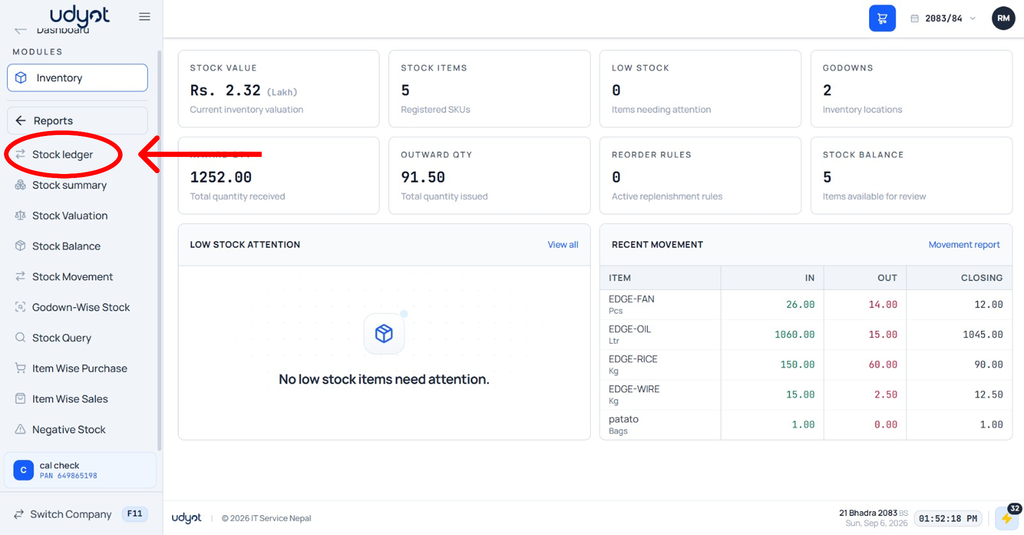
3. Select Stock Ledger
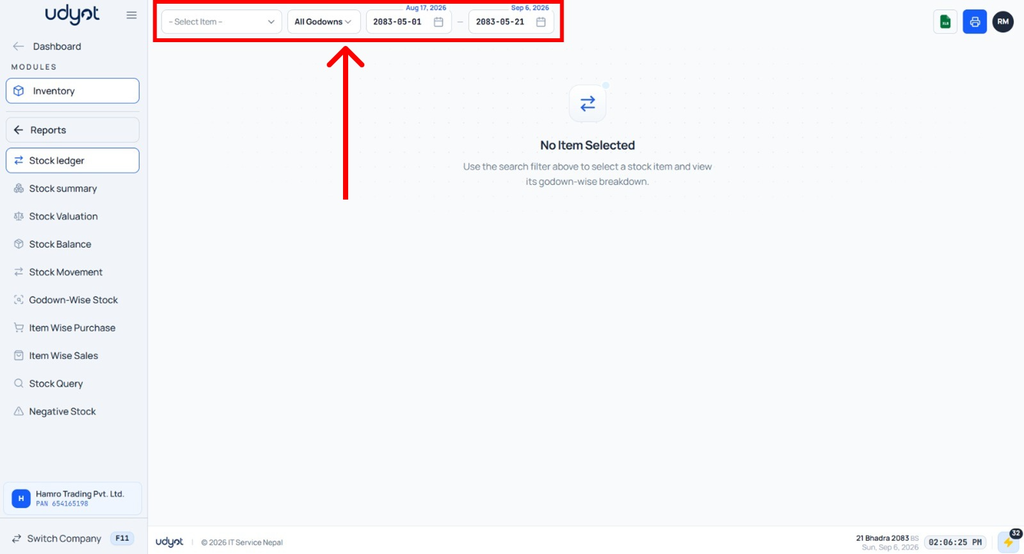
4. The Stock Ledger dashboard will appear; select filters like item, godowns, and date
5. Stock ledger data will be seen according to the filters
