Updated
How to Create a stock item with compound units
Stock Item with Compound Units in Udyot ERP allows users to create a stock item using multiple related units of measurement. If the required unit is not available in the unit list, the user must first create the required unit and then configure it as a compound unit for the stock item. This helps maintain accurate unit conversion, quantity, rate, and stock calculations when the same product is purchased, sold, or managed using different units.
1. Click on the Inventory module

2. The inventory dashboard will appear; click on inventory master
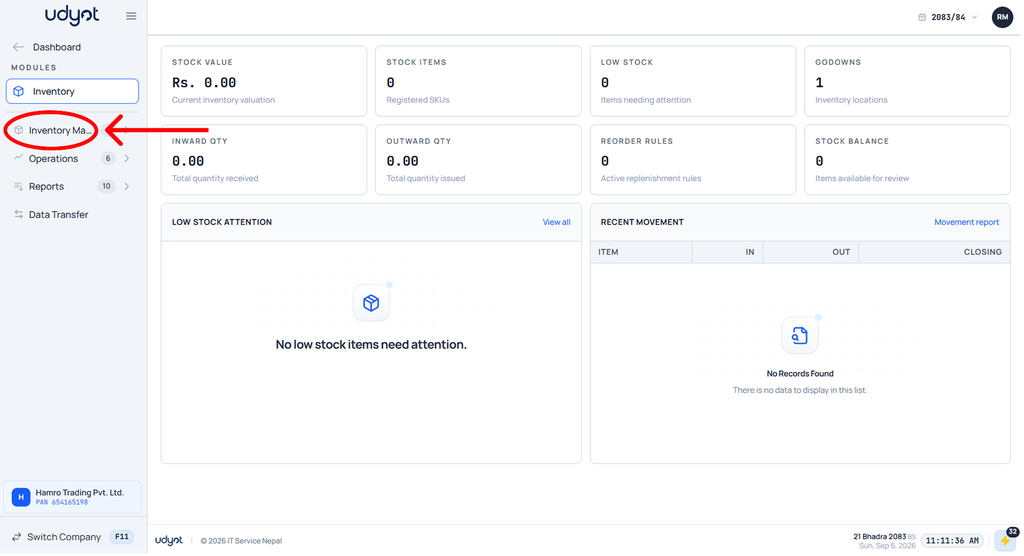
3. Now the Inventory Master menu will open; select Stock Item

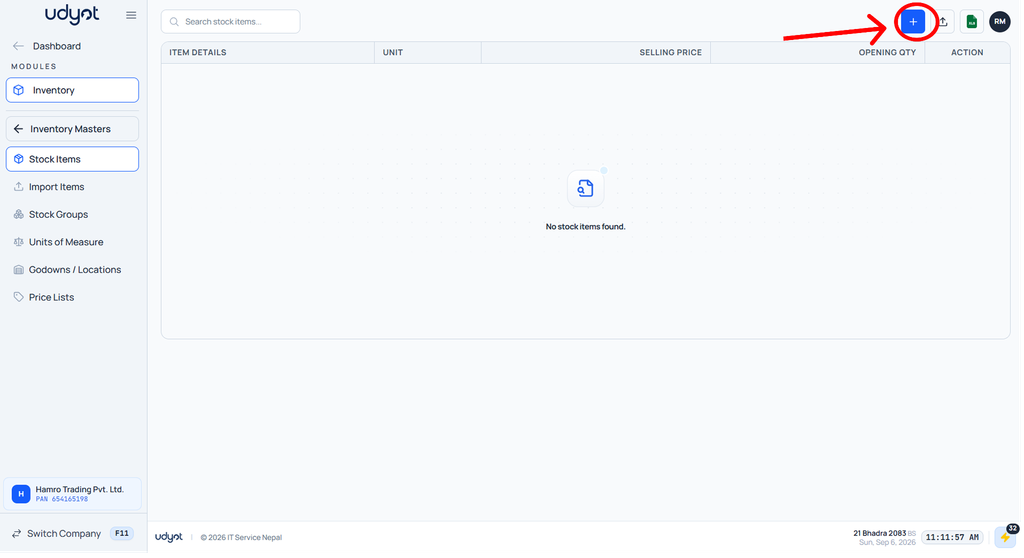
4. The Stock Item dashboard will appear; click on +
5. Stock item form will appear; scroll down and click on + to add compound unit
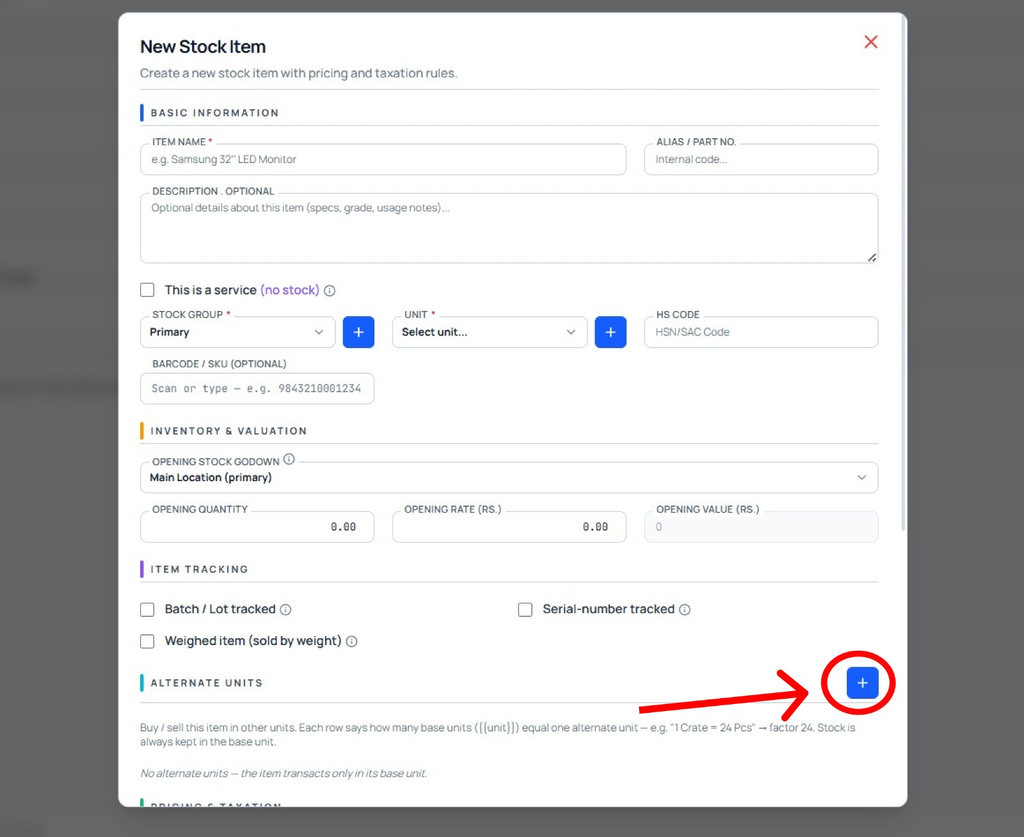
6. Select the unit and set the base unit quantity equal to the selected unit
