Updated
How to create units of measures
Unit of measures
Units are the standard measurements used to define the quantity of a stock item, such as Pieces (PCS), Kilograms (KG), Liters (LTR), Boxes, or Dozens. They ensure that inventory is measured and recorded consistently.
In Udyot ERP, units are assigned to stock items and are used in all inventory transactions, including purchases, sales, transfers, and stock adjustments. This helps maintain accurate quantities, simplifies inventory management, and ensures correct stock reporting.
1. Click on the Inventory module

2. The inventory dashboard will appear; click on inventory master

3. Now the Inventory Master menu will open; select Units of Measure

4. The Units of Measure dashboard will appear; click on +
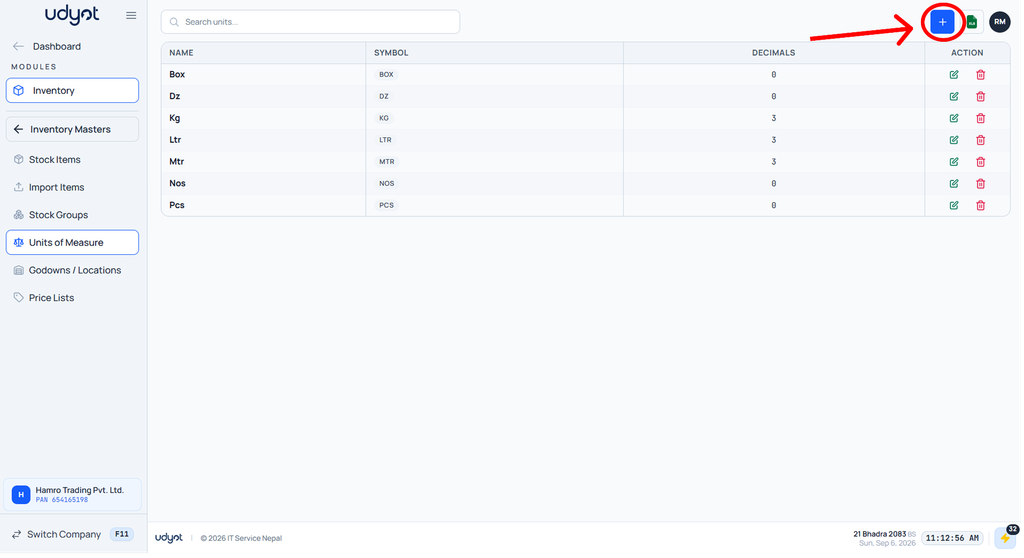
5. The Unit of Measure form will appear
