Updated
How to Create Godowns
Godowns
A godown is a storage location or warehouse where a business keeps its inventory or stock items. It helps organize and store products safely while tracking the quantity available at each location.
In Udyot ERP, Godowns are used to manage inventory across one or multiple storage locations. They help track stock availability, record stock transfers between godowns, and generate location-wise inventory reports for better stock control.
1. Click on the Inventory module

2. The inventory dashboard will appear; click on inventory master

3. Now the Inventory Master menu will open; select Godowns / Locations
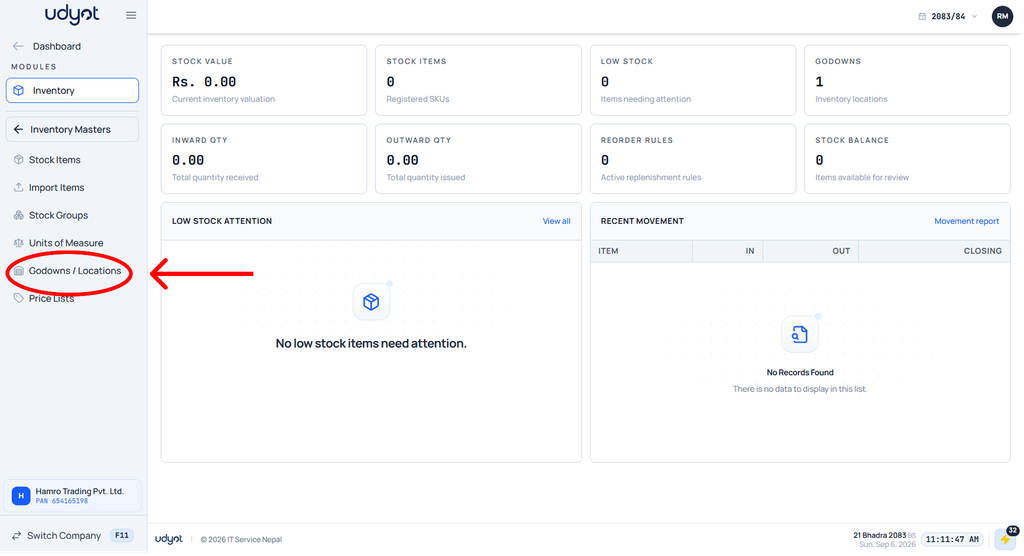
5. The Godowns dashboard will appear; click on +

6. The Godowns form will appear
