Updated
How to Export and Import Data
Data Transfer in Udyot ERP allows users to export inventory master data from one company and import it into another company. It helps transfer required inventory masters such as Stock Items, Stock Groups, Units, and other related inventory configurations from the source company to the destination company, reducing duplicate data entry and ensuring consistency between companies.
Transfer Data
To export
1. Click on the Inventory module
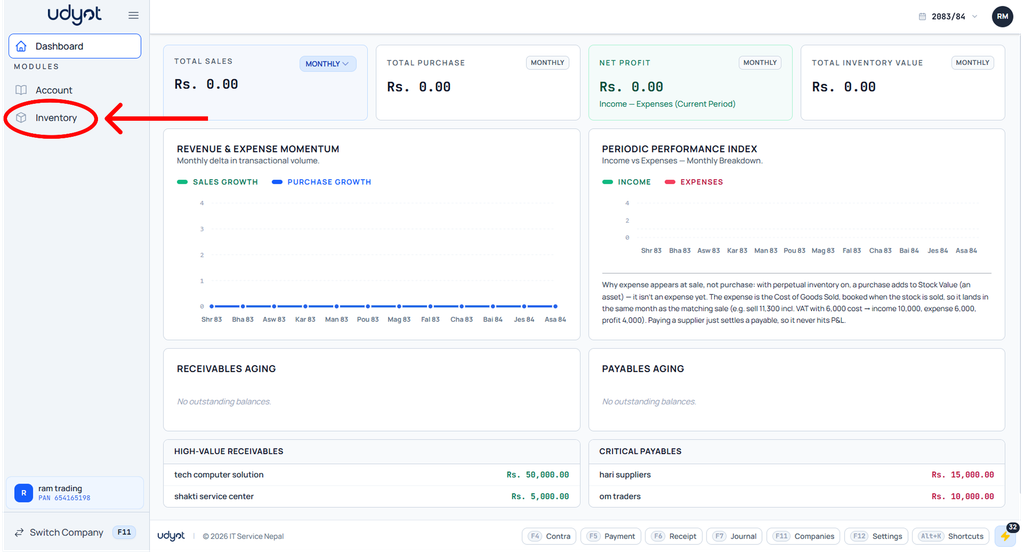
2. Select Data Transfer

3. The data transfer page will appear; click on Download XML Export
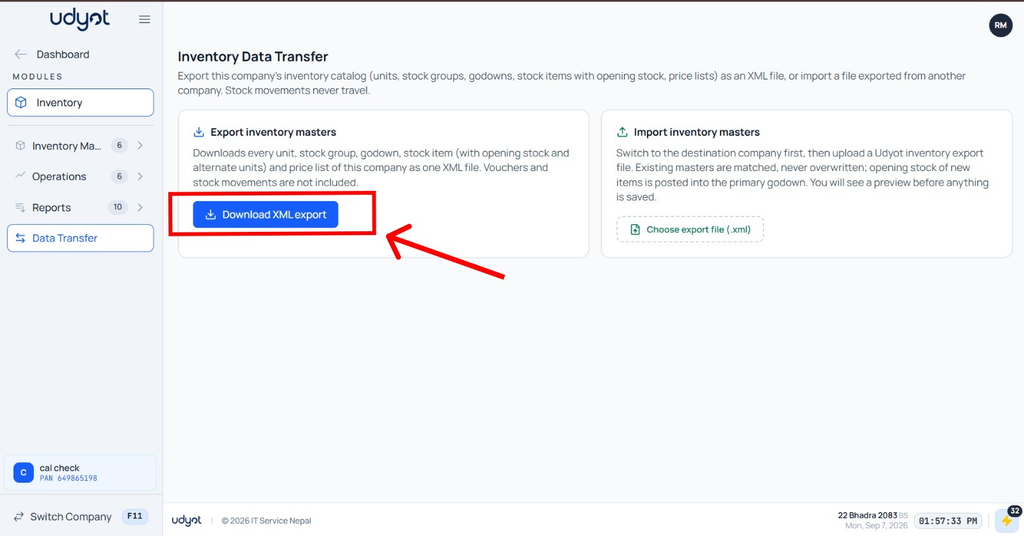
4. The file gets downloaded
To import
1. Click on the Inventory module
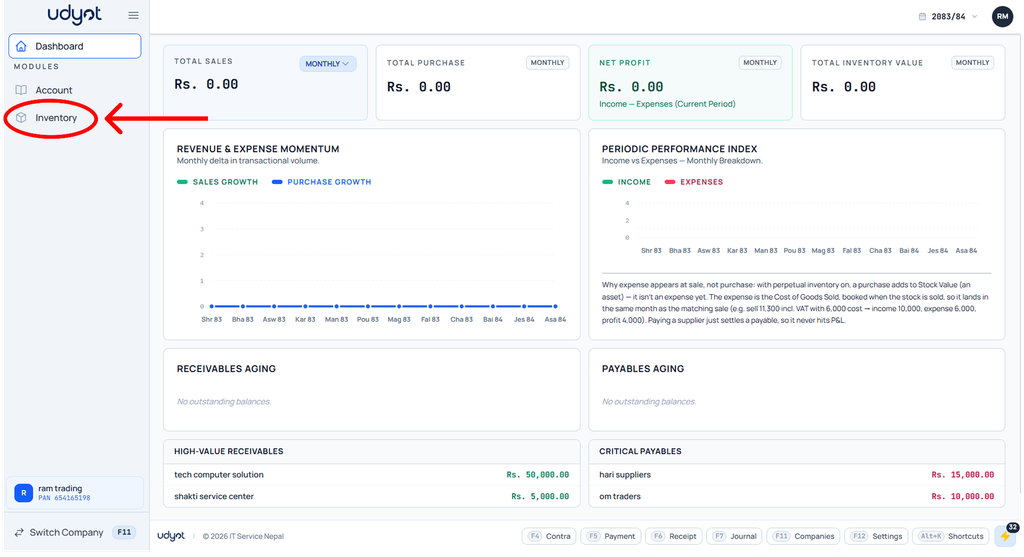
2. Select Data Transfer

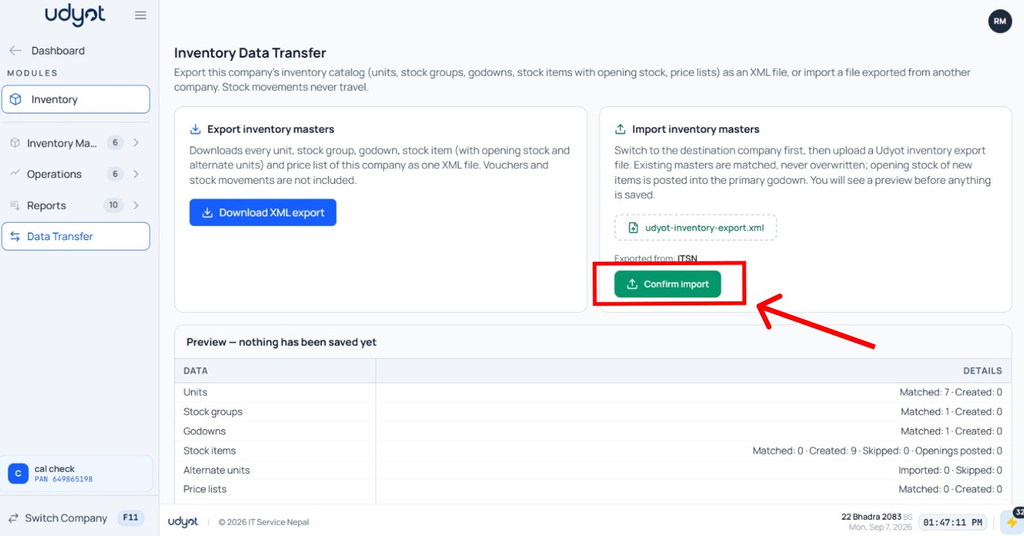
3. The data transfer page will appear; click on Choose Export File and choose the file

4. A preview will be shown on the page; click on Confirm Import