Updated
Check Godown-Wise Stock
Godown-Wise Stock is a report that shows the quantity and value of inventory available in each godown or warehouse. It helps businesses track stock distribution across multiple storage locations and monitor inventory availability at each location.
In Udyot ERP, the Godown-Wise Stock report displays stock items for each godown along with their Unit, Quantity, Rate, and Total Value. It also shows the total inventory value for each godown, enabling users to monitor stock levels, compare inventory across locations, and manage warehouse operations efficiently.
See Godown-wise Stock Report
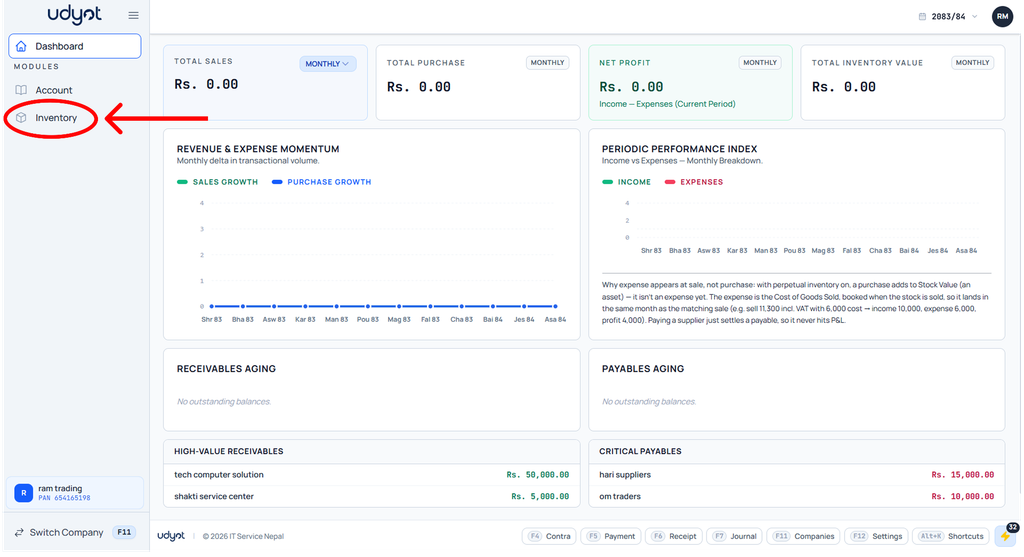
1. Click on the Inventory module
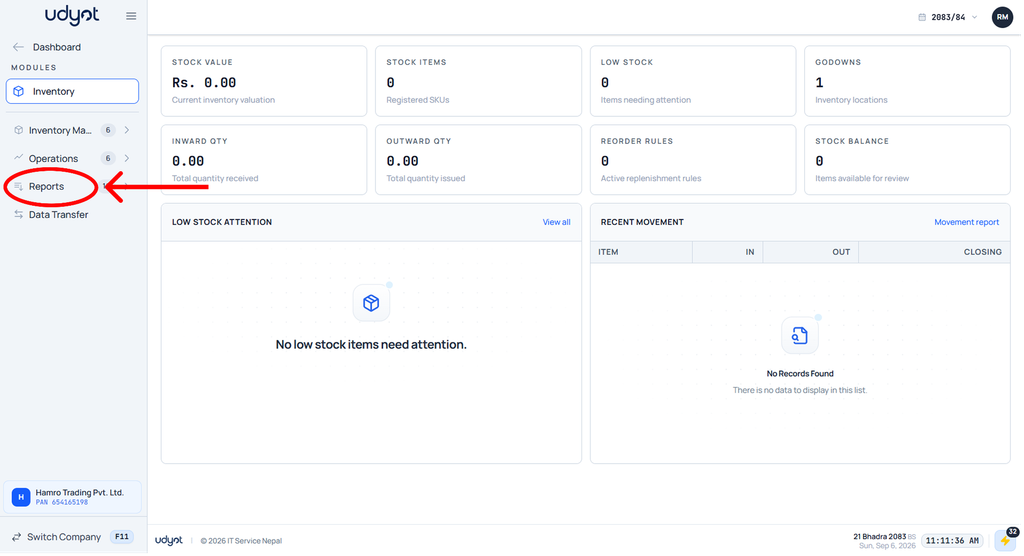
2. The inventory dashboard will appear; click on Reports
3. Select Godown-wise stock

4. The Godown-wise Stock dashboard will appear; select filters like individual and all godowns

5. Godown-wise Stock data will be seen according to the filter
