Updated
How to Create a Stock Write-Off
Stock write-off
Stock Write-Off is the process of removing damaged, expired, lost, stolen, or unusable inventory from stock records. It ensures that inventory quantities and values accurately reflect the actual stock available.
In Udyot ERP, the Stock Write-Off feature reduces the quantity and value of affected stock items while recording the reason for the write-off. This helps maintain accurate inventory records, proper accounting, and reliable stock reports.
1. Click on the Inventory module
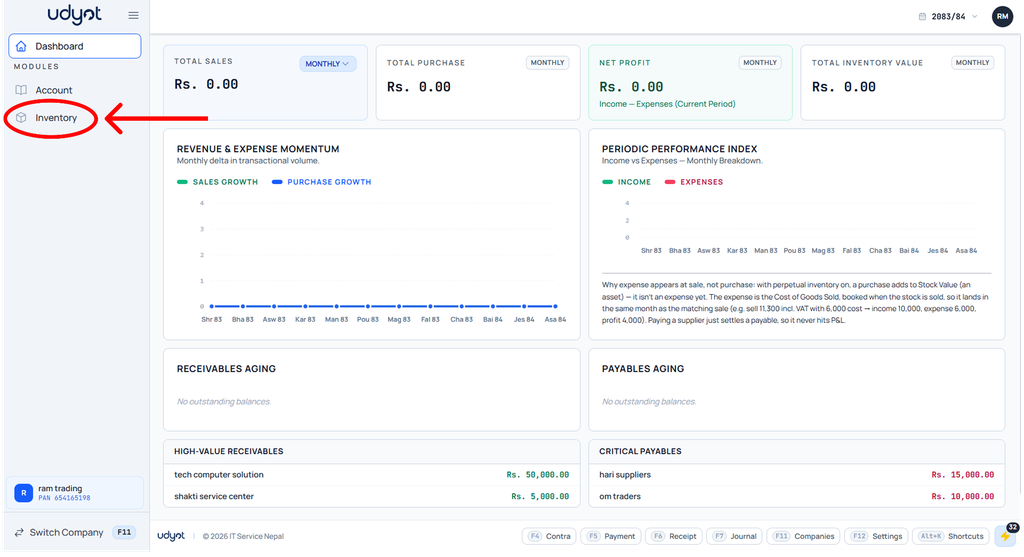
2. The inventory dashboard will appear; click on Operations.

3. Select stock write-off
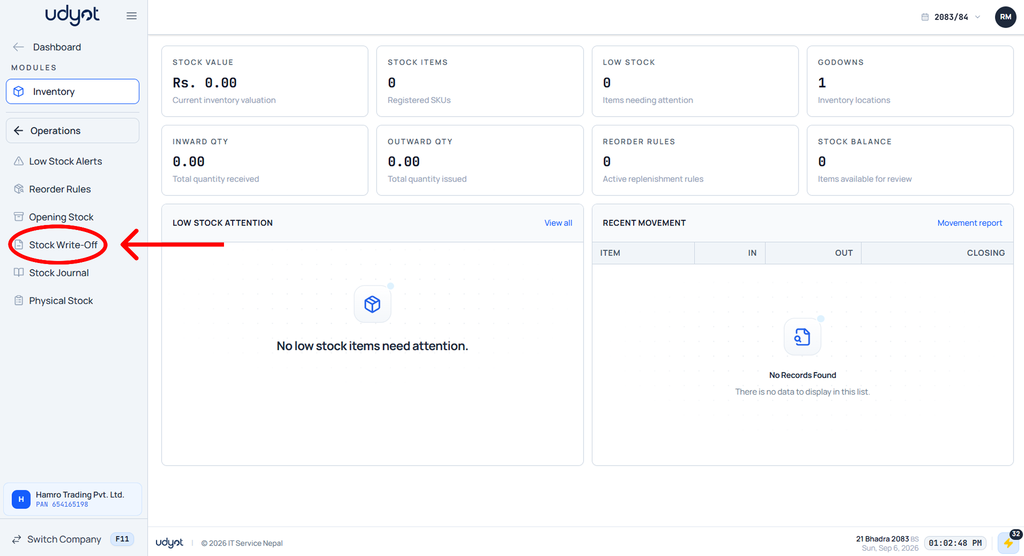
4. The stock write-off dashboard will appear
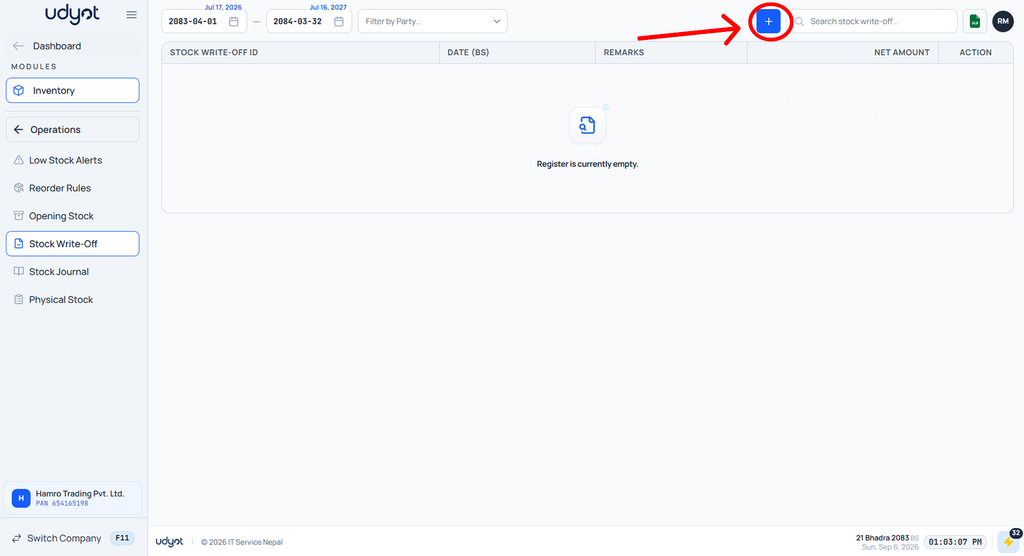
5. The stock write-off form will appear
