Updated
How to apply for leave in HRMS – Udyot ERP
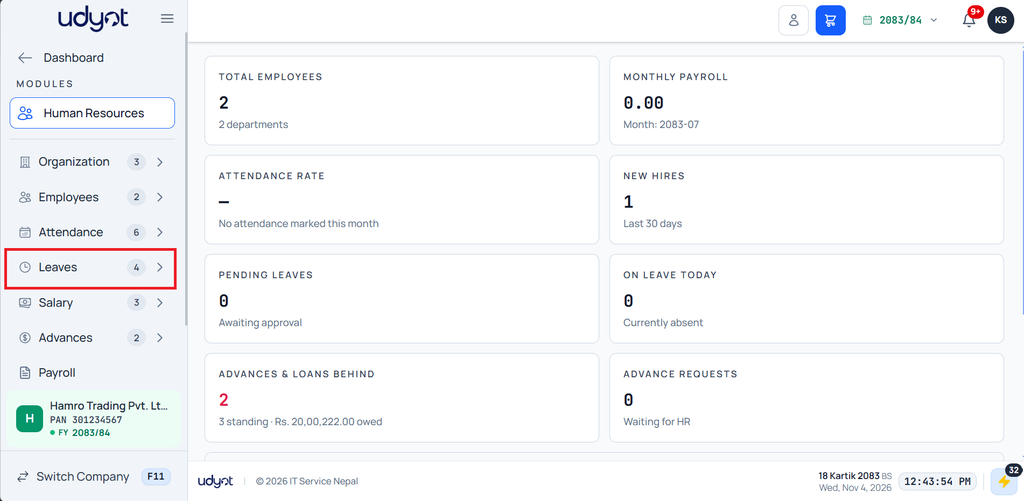
- Click on the Human Resources Module

2. Click on Leaves.
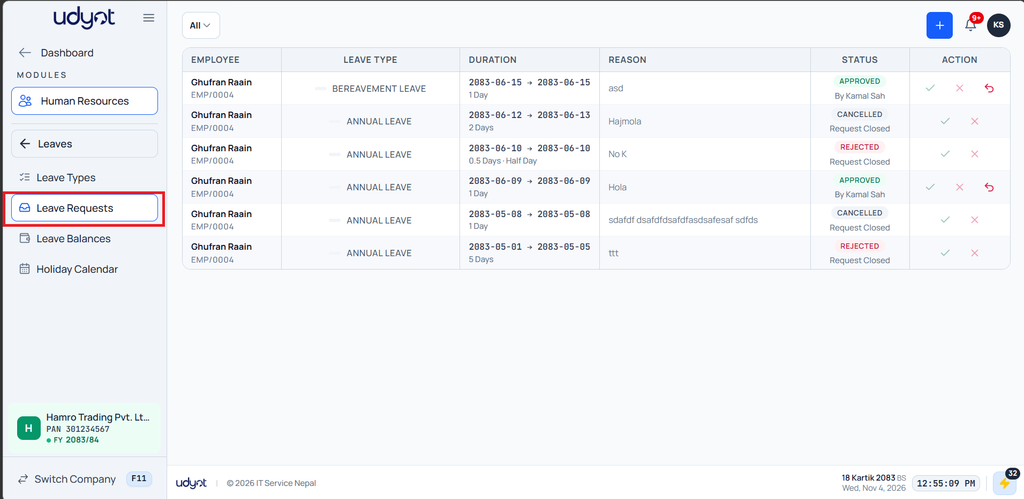
3. Click on Leave Requests.
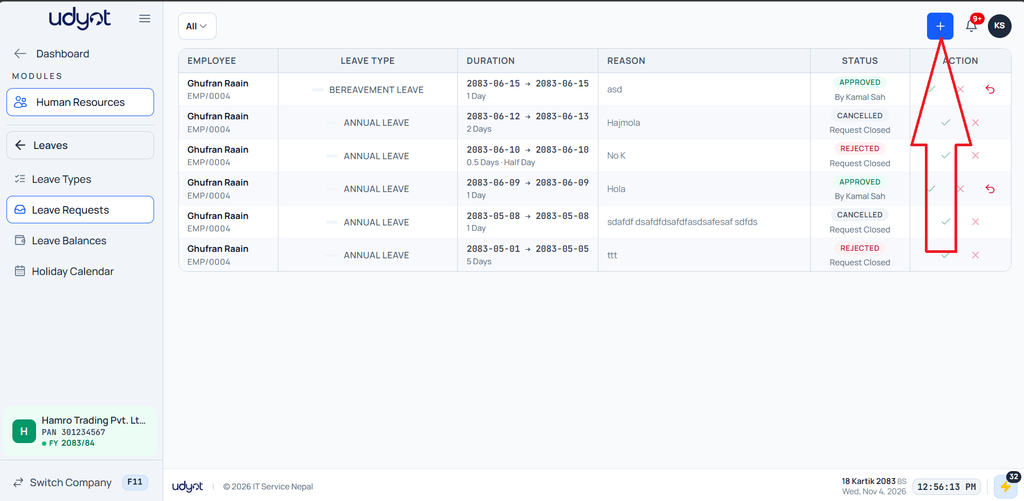
4. Click on the + icon in the top right corner.
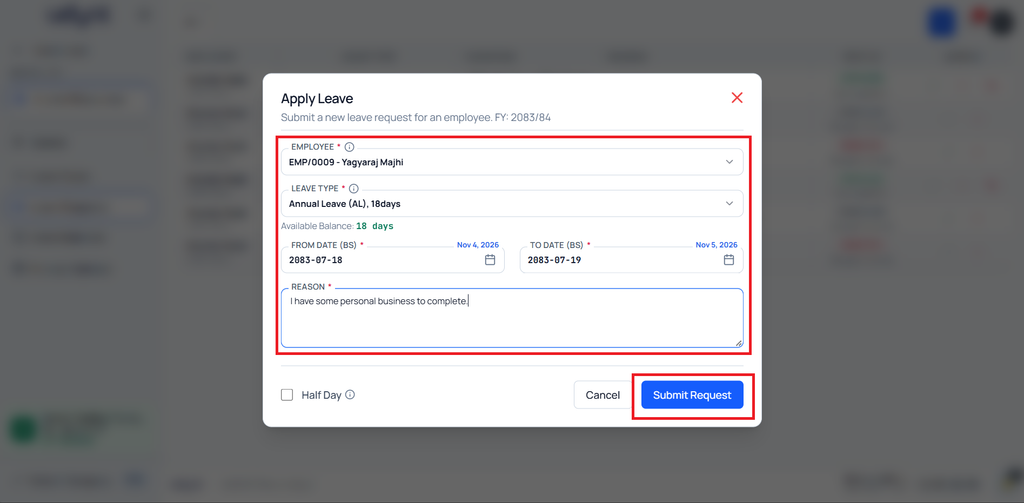
5. Select the Employee name, Leave Type, date, reason, and click on Submit Request.