Updated
How to see the tips report in Restaurant Module – Udyot ERP
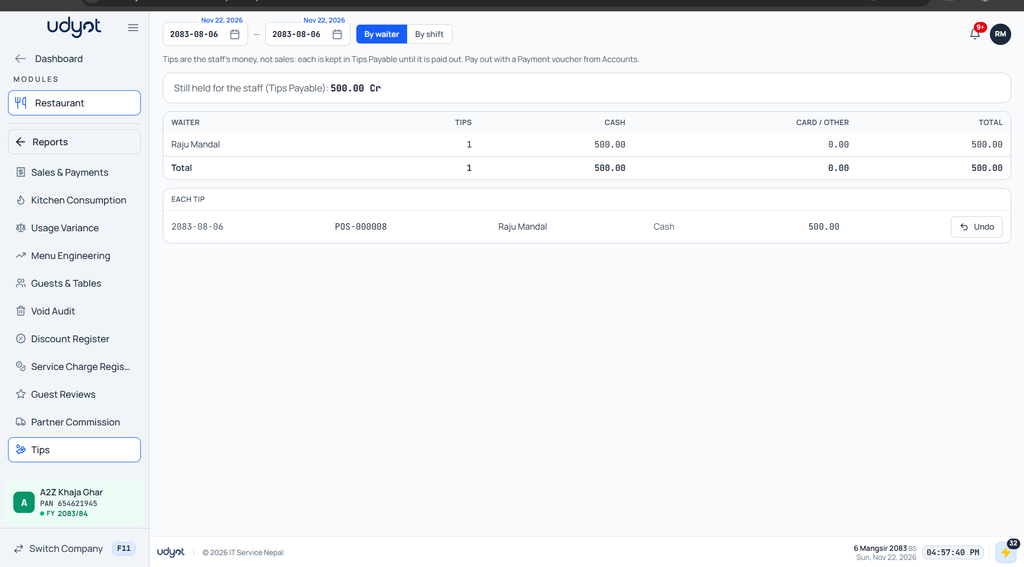
Tips: This section allows users to view and track tips collected from guests within a selected date range. Users can monitor the number of tips, cash and card/other amounts, and total tips received for each waiter, either grouped by waiter or by shift. It helps restaurant owners keep track of the money held for staff in Tips Payable, review each individual tip against its bill, undo incorrect entries, and manage payout obligations through a Payment voucher from Accounts.
How to see the tips report
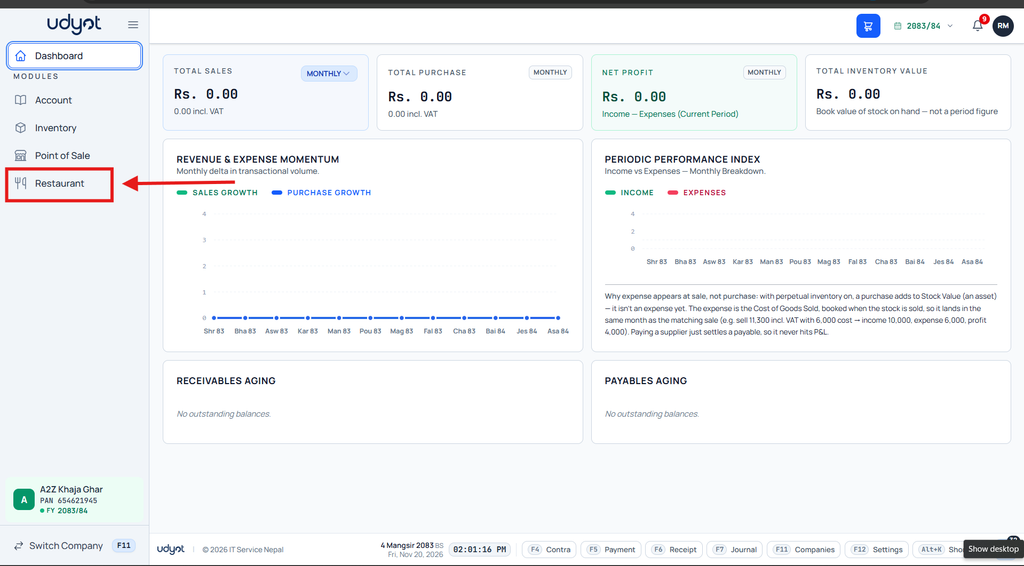
1. Select Restaurant Modules
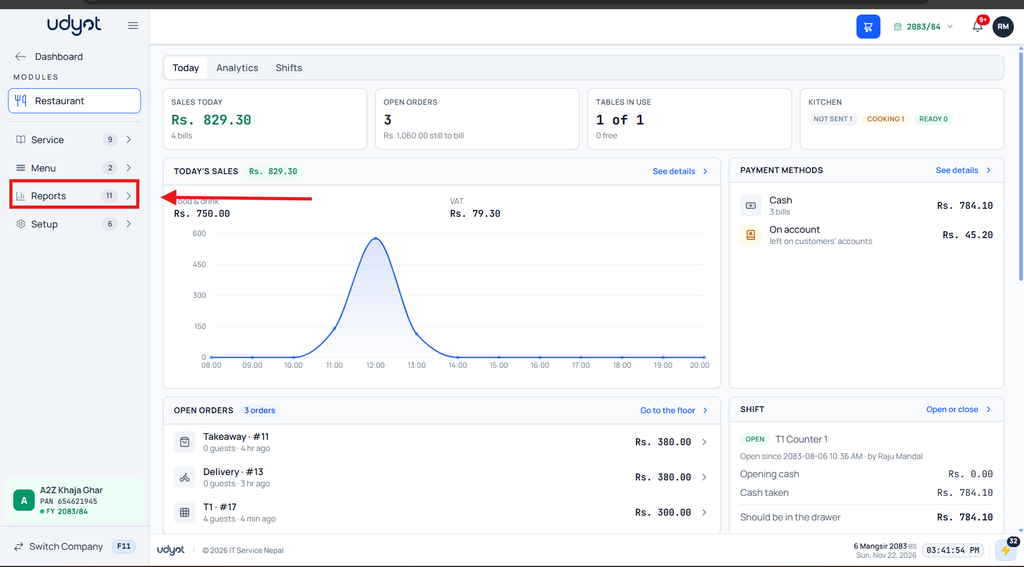
2. Select Reports
3. Select Tips
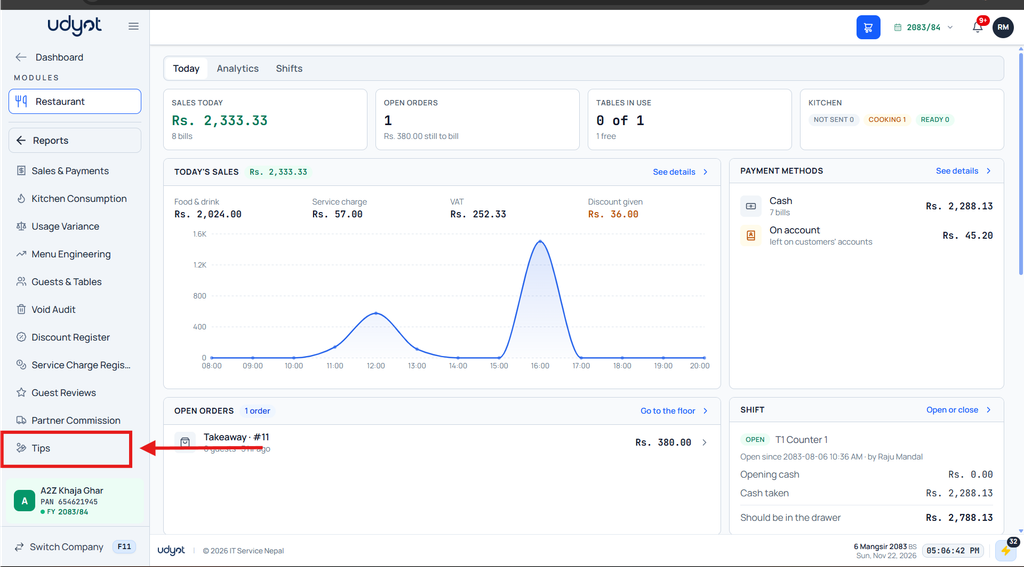
4. See the Reports