Updated
How to Assign Salary to Employees in HRMS – Udyot ERP
Before assigning a salary to any employee, we must add the employee first. To add an Employee, check out How to Add Employees in the HRMS Module – Udyot ERP
- lick on the Human Resources Module

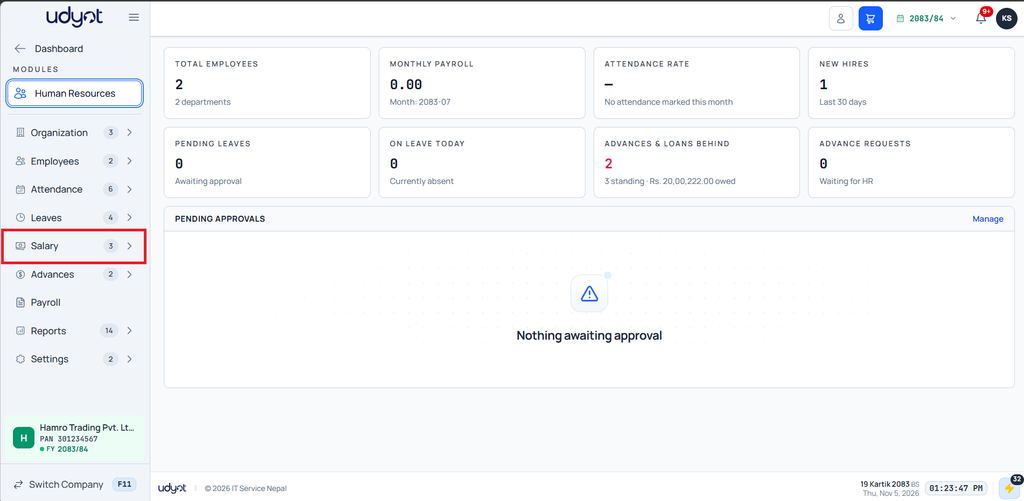
2. Click on Salary.
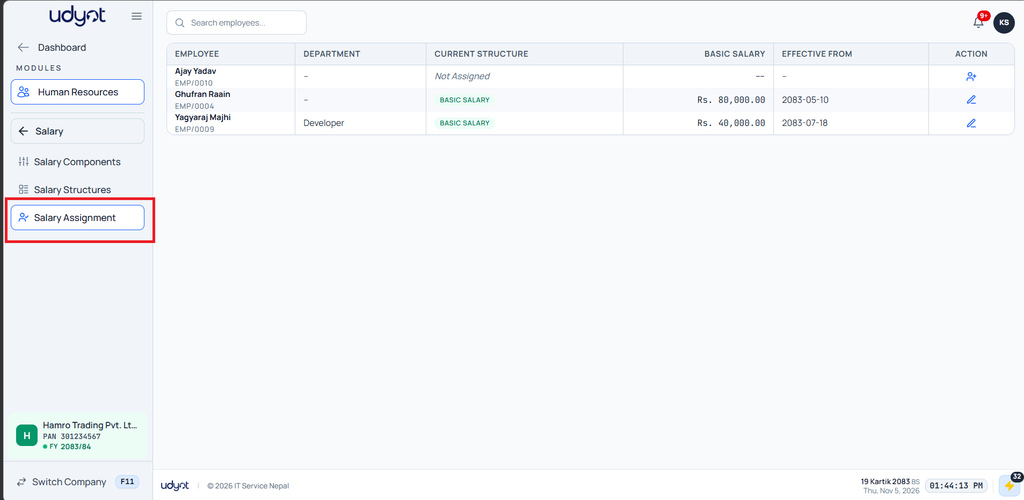
3. Click on Salary Assignment.
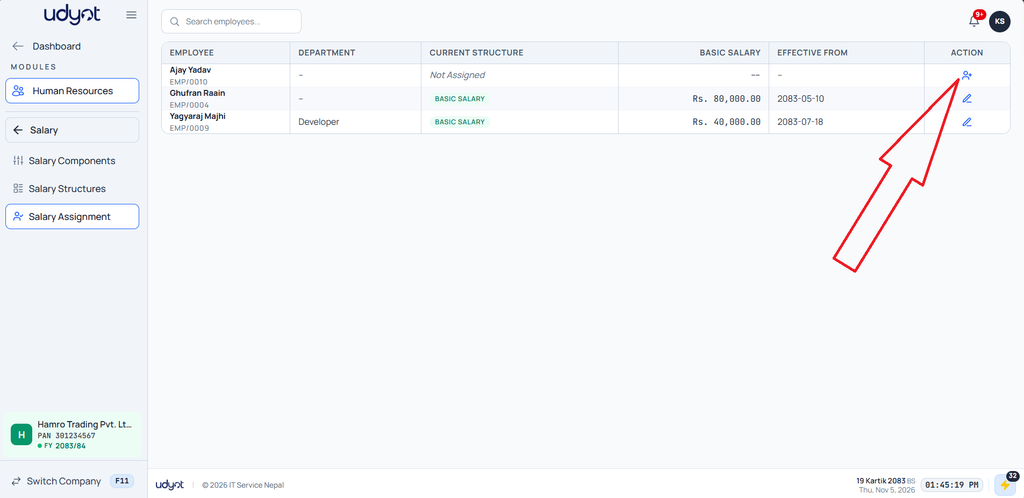
4. Click on the Assign icon for the newly added user in the top-right corner in the Action Column.
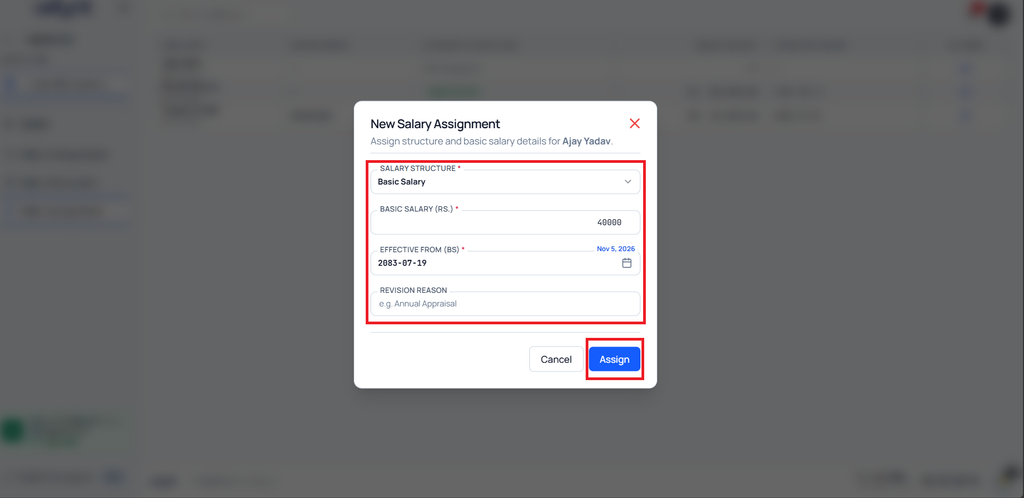
5. Fill in the details and click on Assign.