Updated
How to create Opportunity – CRM Module
Opportunity
An Opportunity in the Udyot ERP CRM Module represents a qualified potential sales deal with a prospective customer who has shown genuine interest in purchasing your products or services. It helps businesses track potential deals by maintaining important details such as expected deal value, expected closing date, and current sales pipeline stage.
Unlike a lead, an opportunity indicates that the prospect has progressed further in the sales process and has a higher potential of converting into a customer. It allows your sales team to monitor deal progress, manage follow-ups, and improve sales conversion.
How to Create an Opportunity (Steps)
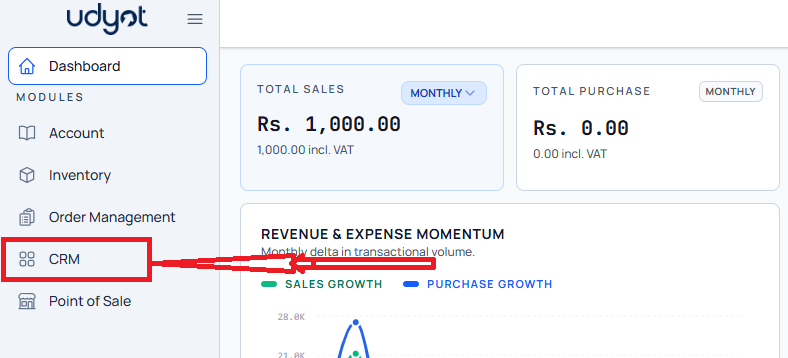
1. Click on the CRM Module
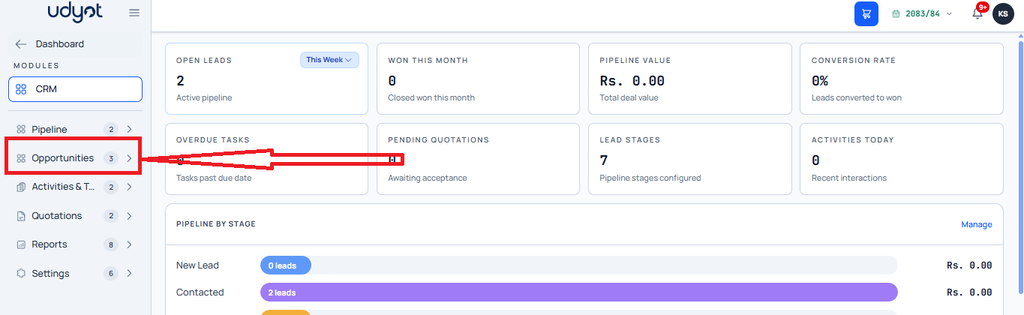
2. Click on Opportunities
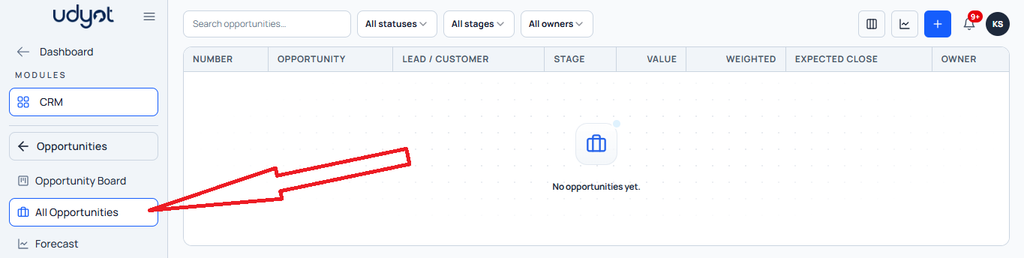
3. Then click All Opportunities
4. Then click the Add Opportunity (+) button at the top right
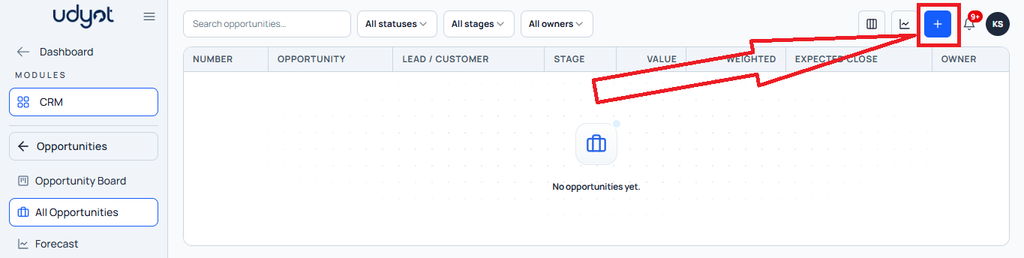
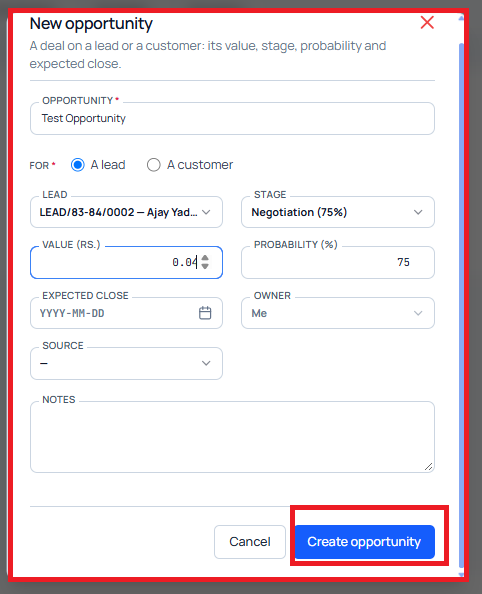
5. The Add Opportunity Screen will appear