Updated
How to create opportunity board – CRM Module
The Opportunity Board in the Udyot ERP CRM Module provides a visual overview of all sales opportunities organized by their respective pipeline stages. It helps businesses track potential deals, monitor their progress, and understand where each opportunity stands in the sales process.
Using the Opportunity Board, sales teams can easily view and manage opportunities, track deal values, monitor expected closing dates, and move opportunities through different stages as they progress toward successful conversion. It helps streamline sales activities, improve follow-ups, and manage the overall sales pipeline more effectively.
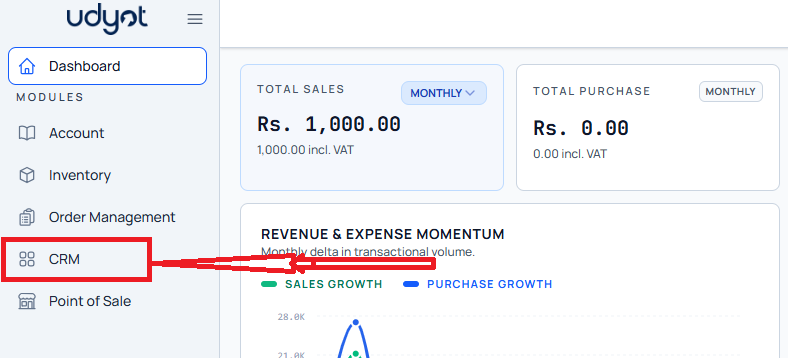
1. Click on the CRM Module
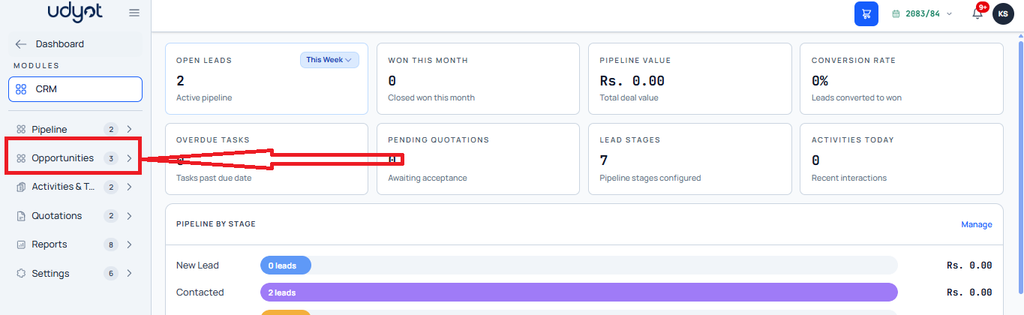
2. Click on Opportunities
3. Then click on the opportunity board
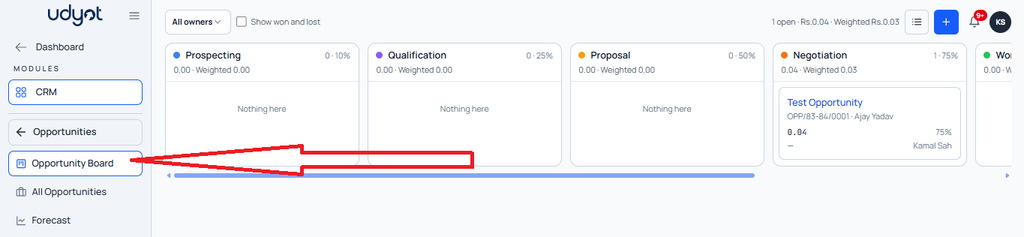
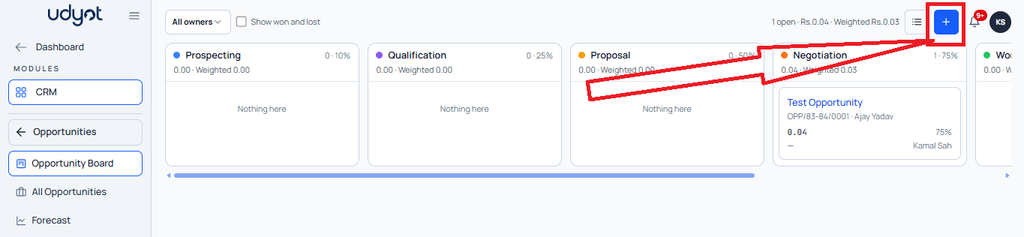
4. Then click on the Add Opportunity (+) icon at the top right
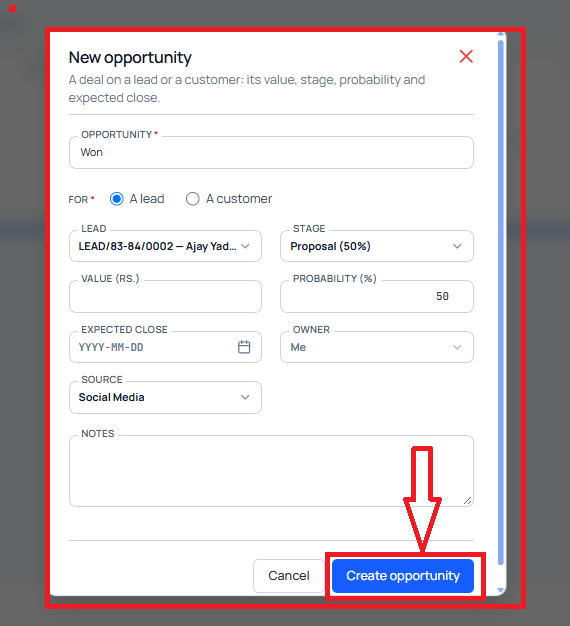
5. The Add Opportunity board screen appears