Updated
How to see Service Charge Register Report in Restaurant Module – Udyot ERP
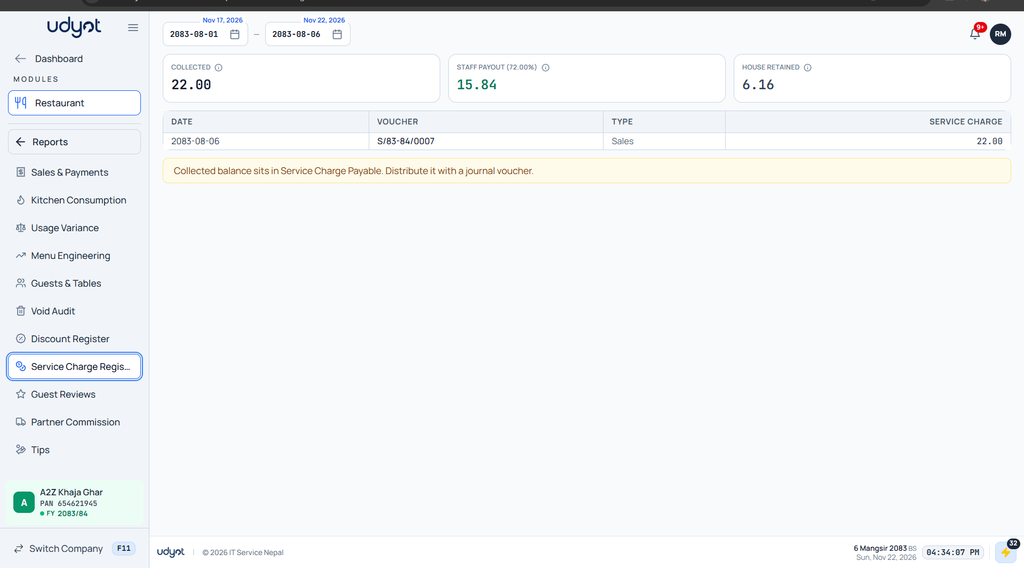
Service Charge Register
Service Charge Register: This section allows users to view and monitor service charges collected from restaurant sales within a selected date range. Users can check the total service charges collected, staff payout amount, and amount retained by the restaurant. It also provides transaction details, including dates, voucher numbers, transaction types, and service charge amounts. It helps restaurant owners track service charge collections, monitor staff distributions, and manage service charge payable balances.
How to see the Service Charge Register Report
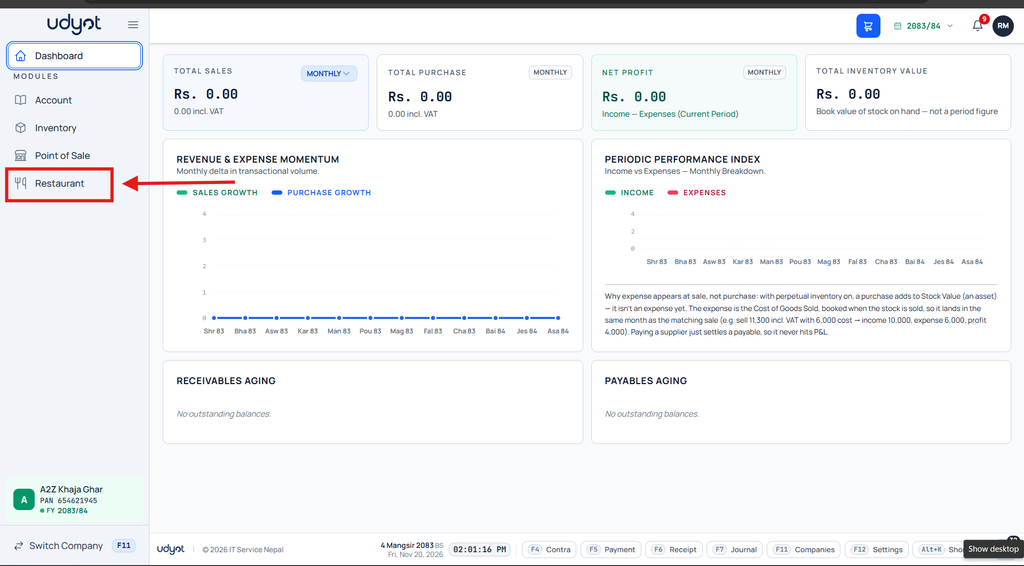
1. Select Restaurant Modules
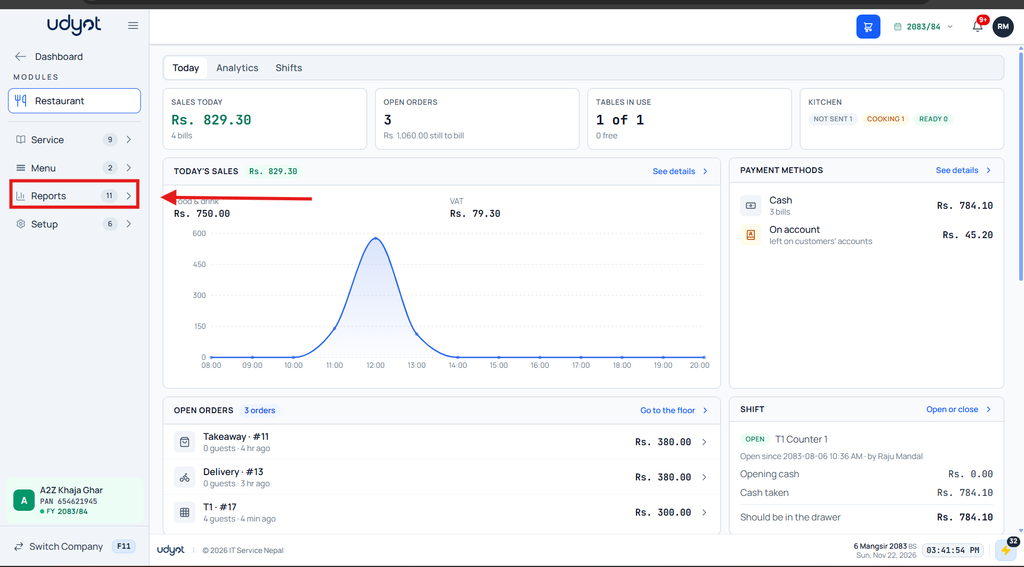
2. Select Reports
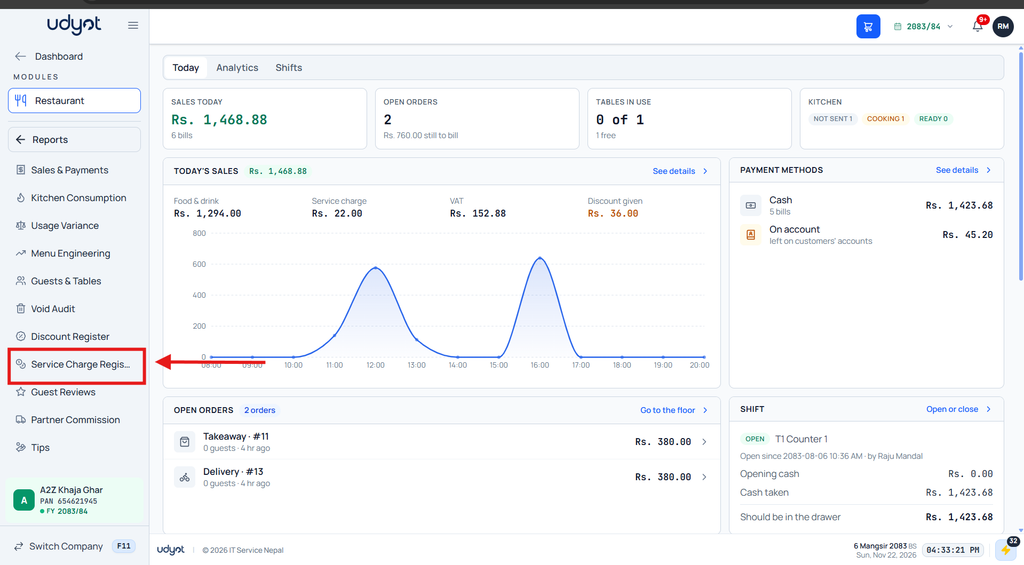
3. Select the Service Charge Register
4. See the Report