Updated
How to create Payment – Pharmacy Module
Payment
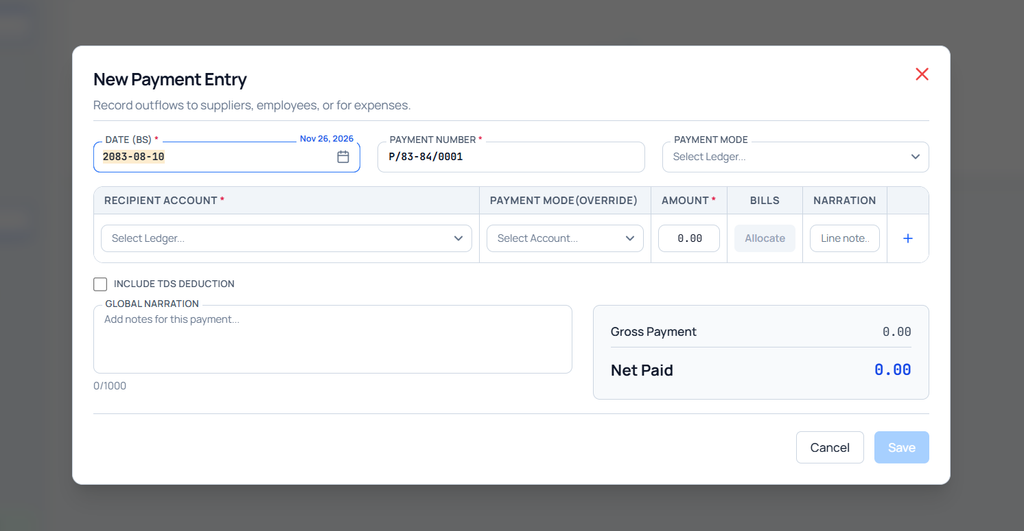
Payment: This section in Udyot Pharmacy Management Software allows users to record and manage payments made to suppliers, manufacturers, and other parties. Users can create payment vouchers, select the relevant ledger or party, enter payment amounts, choose payment methods such as cash, bank, or other modes, and maintain transaction details. It helps pharmacies track outgoing payments, manage supplier outstanding balances, monitor cash and bank transactions, and maintain accurate financial records. This feature simplifies payment processing and improves overall pharmacy accounting management.
How to create Payment
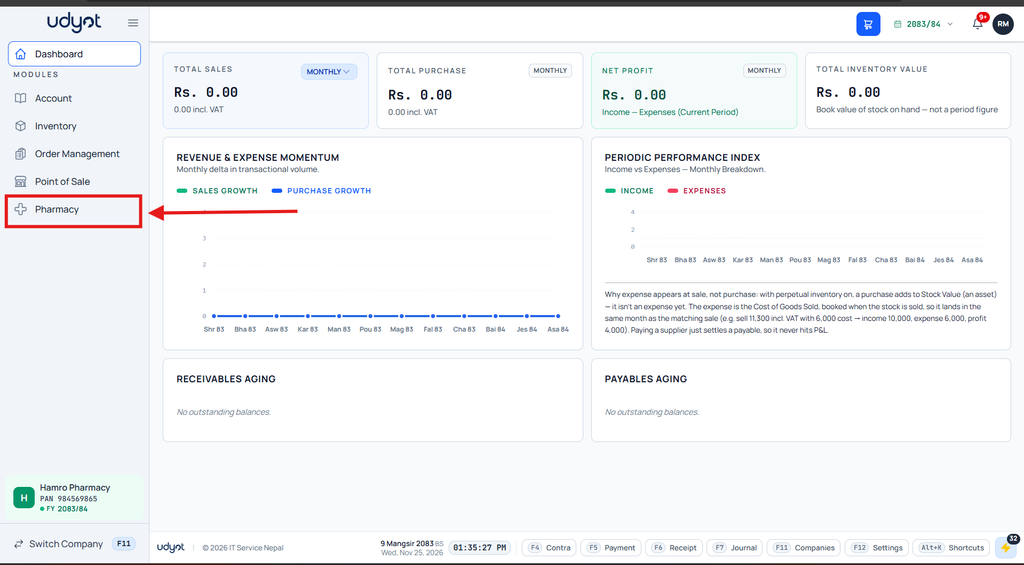
1. Click on Pharmacy Modules
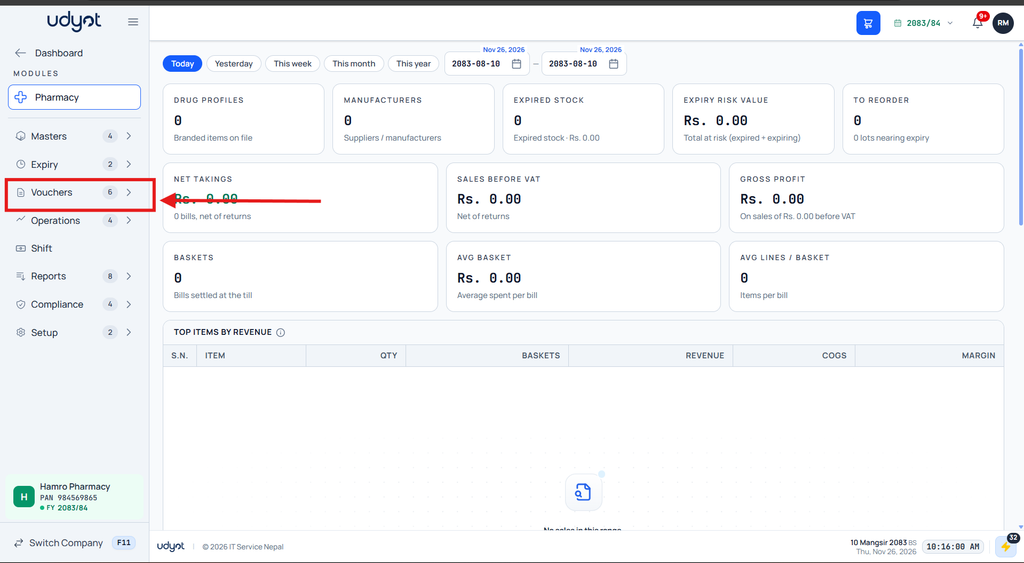
2. Click on Voucher
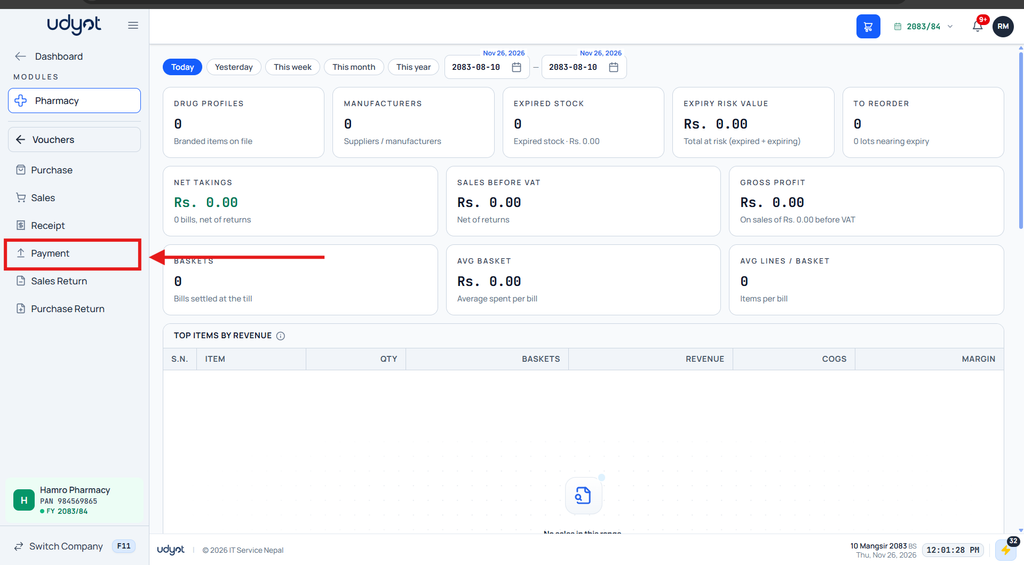
3. Click on Payment
4. Click on the + Icon
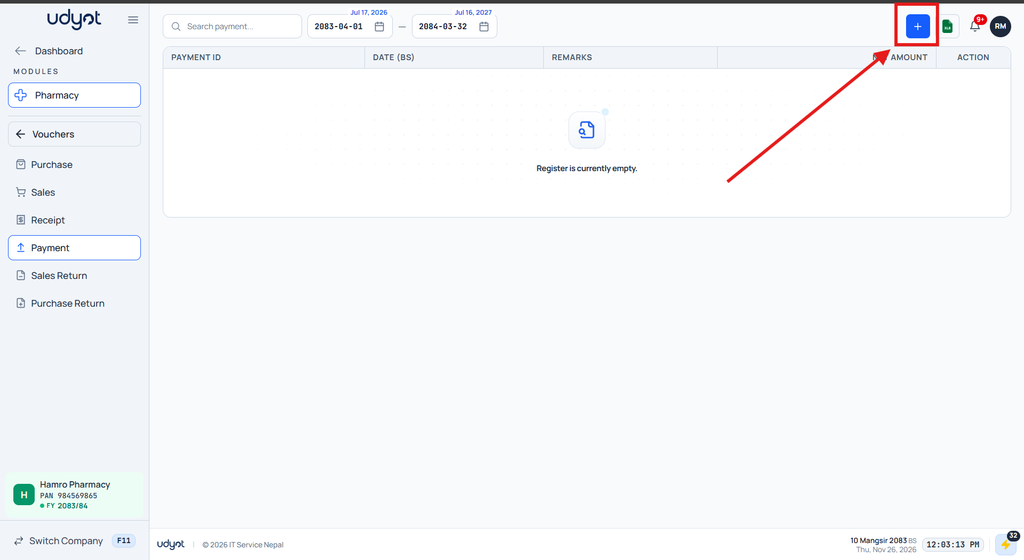
5. Fill the form and save it