Updated
How to Create Quotations – CRM Module
A Quotation in the Udyot ERP CRM Module allows businesses to prepare and share price estimates with potential or existing customers for the products or services they intend to purchase. It includes important details such as customer information, product or service descriptions, quantities, prices, taxes, discounts, and the total estimated amount.
Using the Quotation feature, businesses can create, manage, and track customer quotations efficiently. It also helps streamline the sales process by allowing users to convert approved quotations into sales invoices, reducing manual work and ensuring accurate billing.
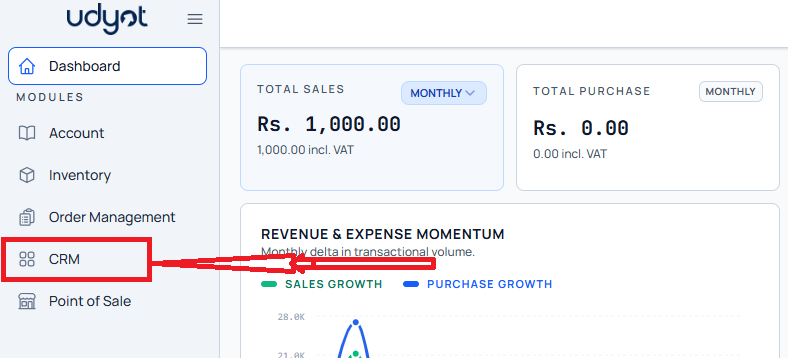
1. Click on the CRM Module
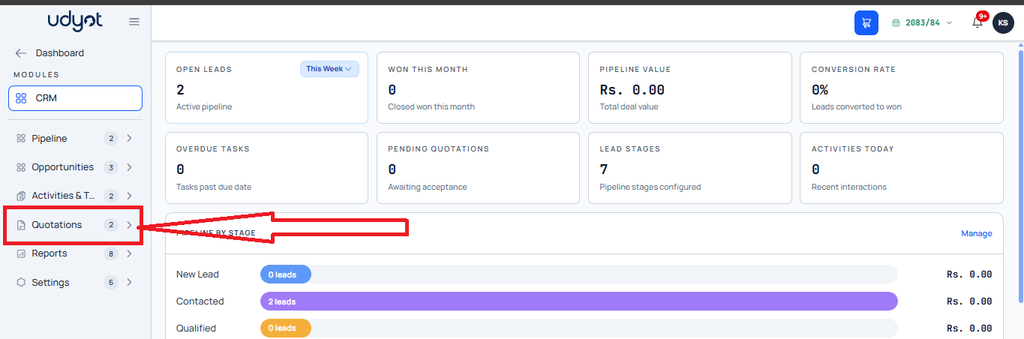
2. Click on Quotations
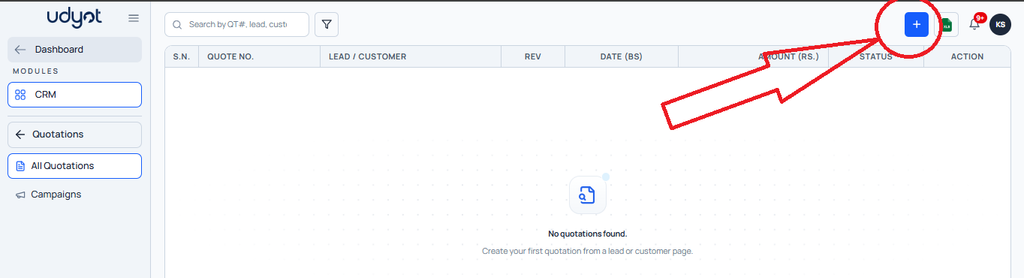
3. Then click on All Quotations
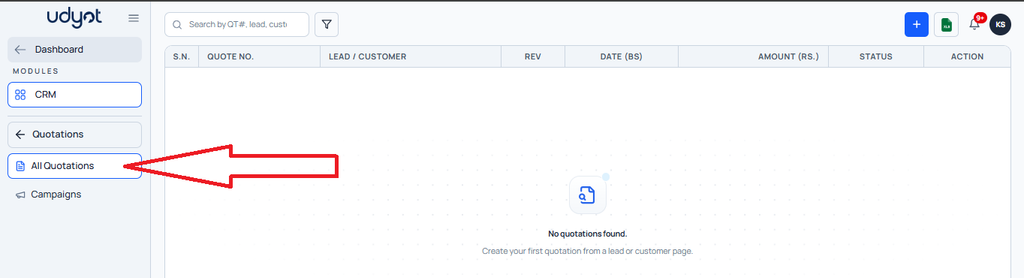
4. Then click the Add New Quotation (+) icon at the top right
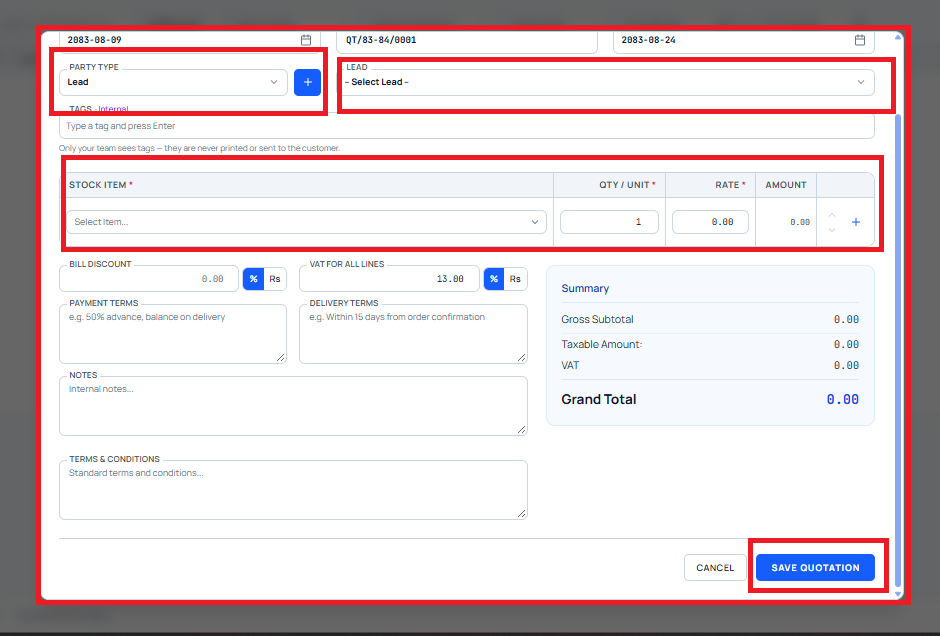
5. The Add New Quotation Screen will appear; fill in all information according to your quotation and scroll down