Updated
How to Check the Customer’s Credit in Restaurant Modules – Udyot ERP
Customer Credit
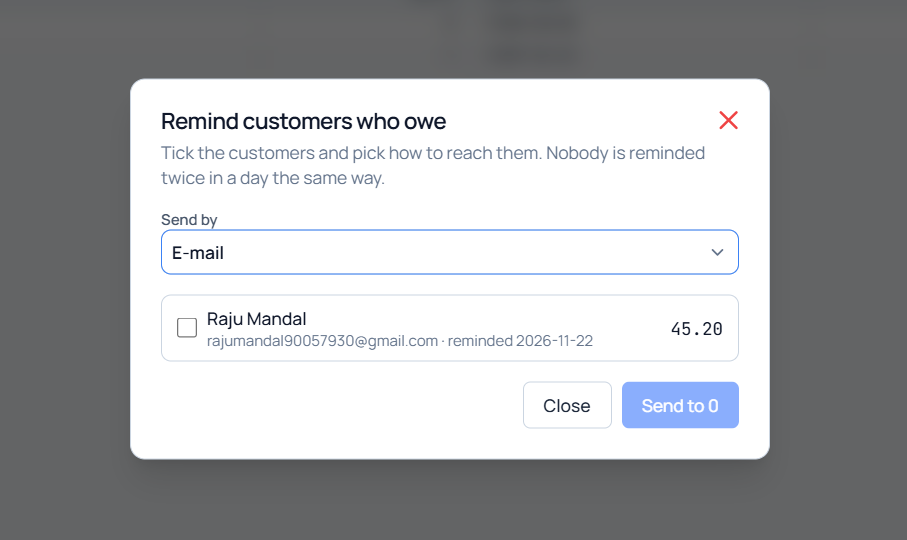
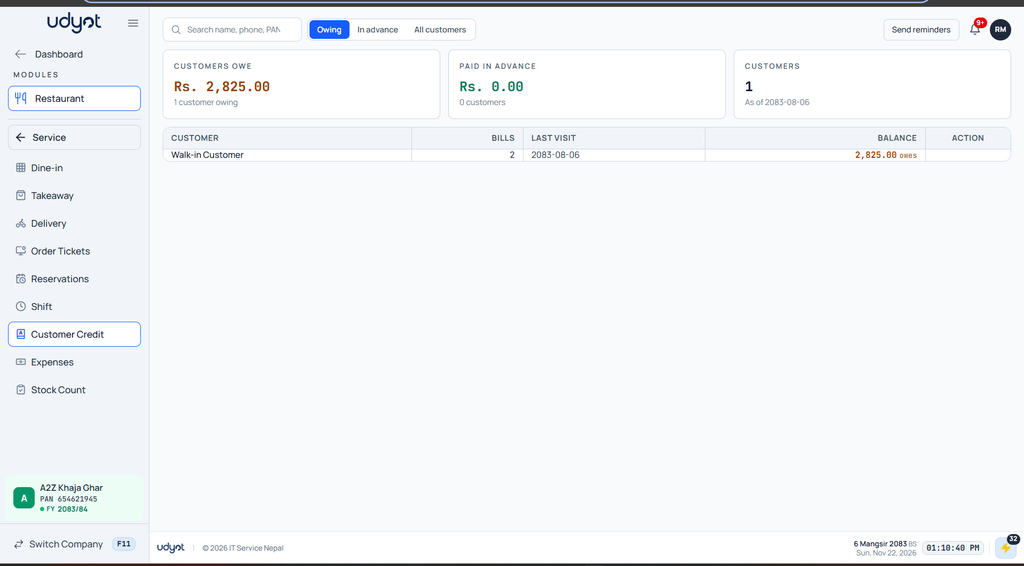
Customer Credit: This section allows users to view and manage customer outstanding balances and advance payments. Users can filter customers by Owing, In Advance, or All Customers, search customers by name, phone number, or PAN, and view details such as total bills, last visit, and current balance. It also provides an option to send payment reminders to customers with outstanding dues, helping the restaurant track and manage customer credit efficiently.
How to see the customer’s credit
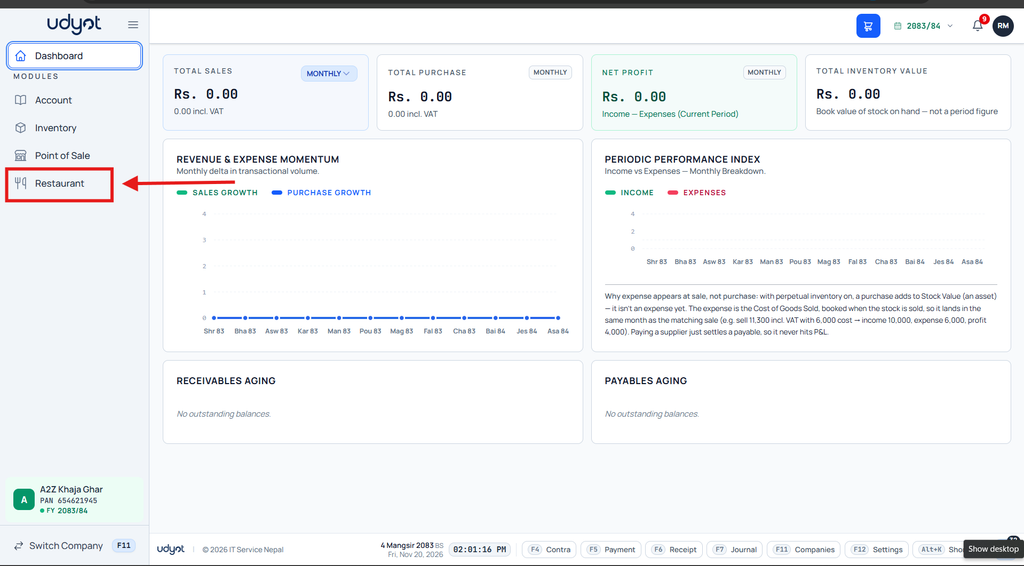
1. Select Restaurant Modules
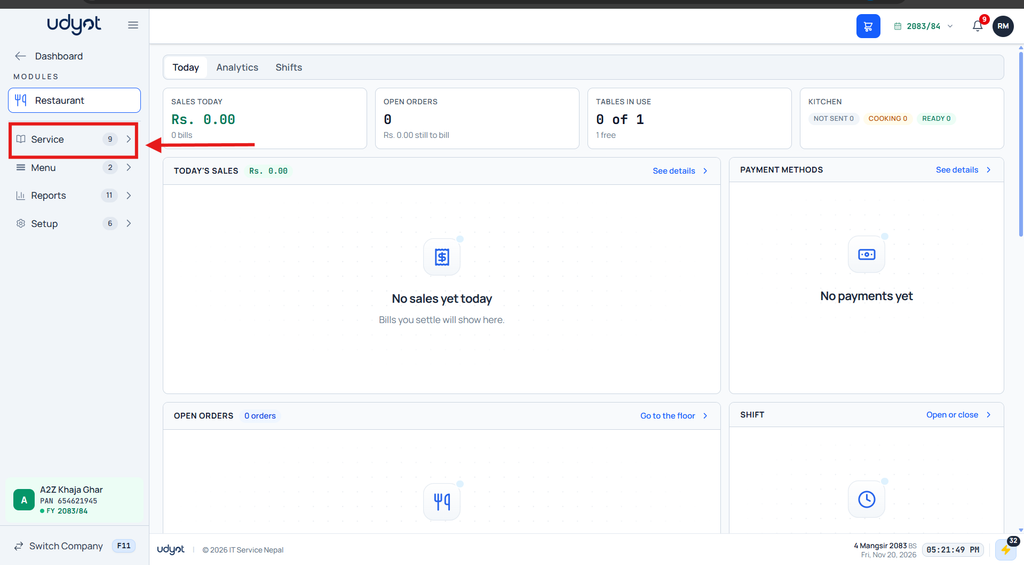
2. Click on Service
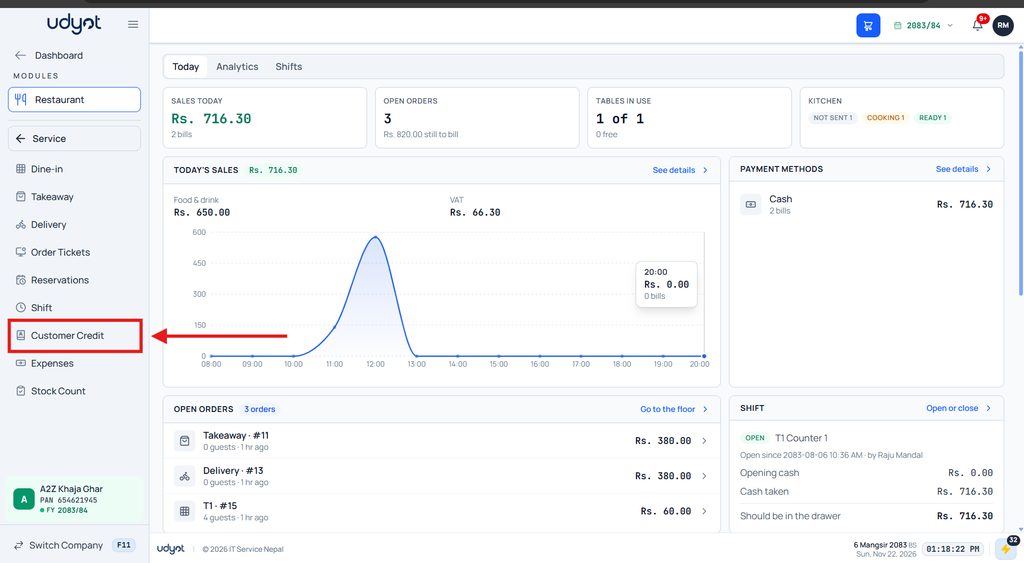
3. Select Customer Credit
4. See the details with filters
5. Send reminder notification
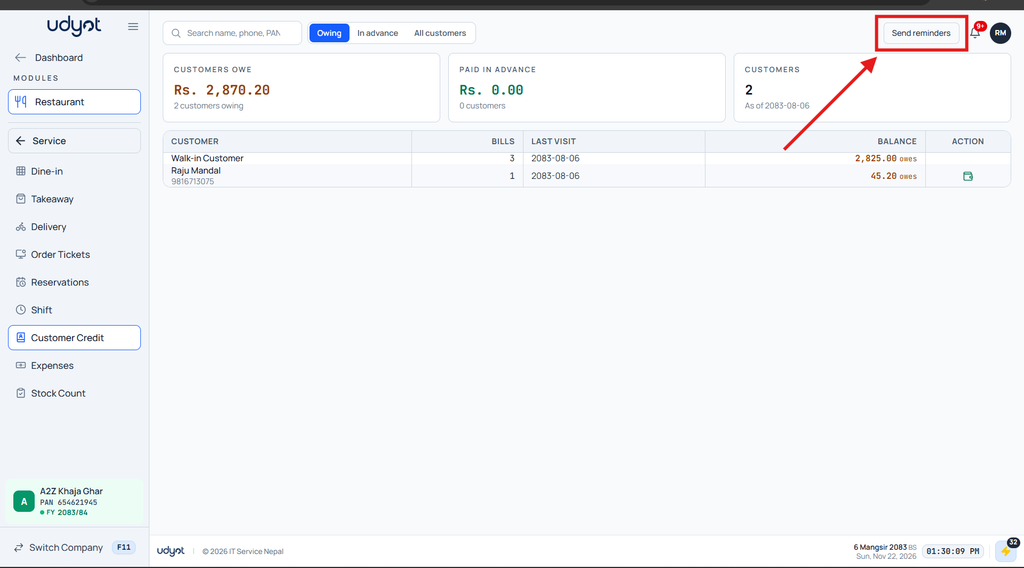
6. Select customer and select sms sources