Updated
How to create Purchase Return – Pharmacy Module
Purchase Return
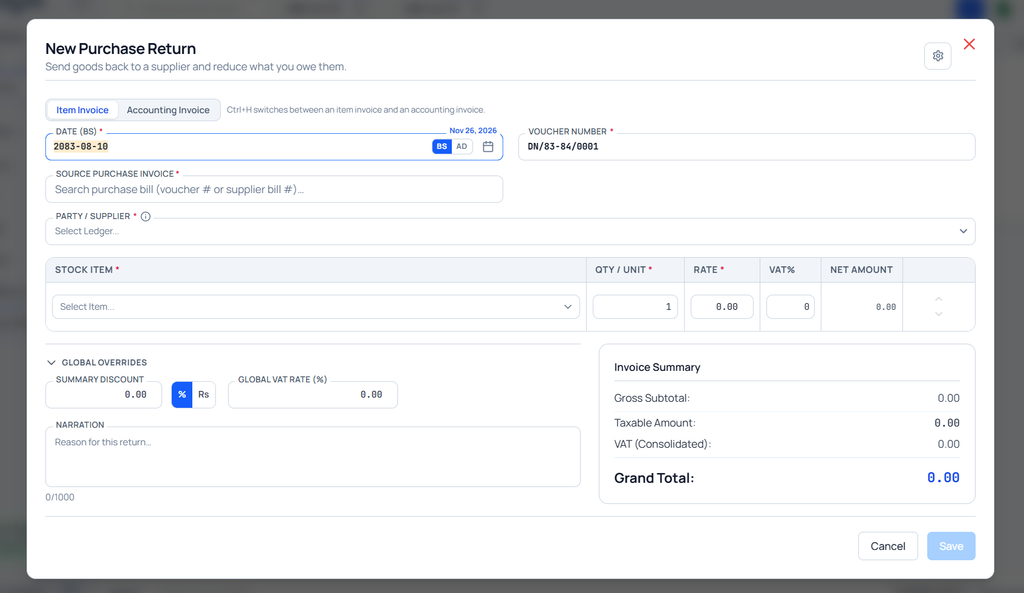
Purchase Return: This section in Udyot Pharmacy Management Software allows users to record and manage medicines and pharmaceutical products returned to suppliers or manufacturers. Users can create purchase return vouchers, select the original purchase invoice, specify returned drug items, enter batch details and quantities, and calculate applicable discounts and taxes. It helps pharmacies maintain accurate return records, adjust supplier balances, update medicine inventory, and track returned stock. This feature simplifies supplier return management, reduces inventory discrepancies, and ensures accurate pharmacy accounting.
How to create Purchase Return
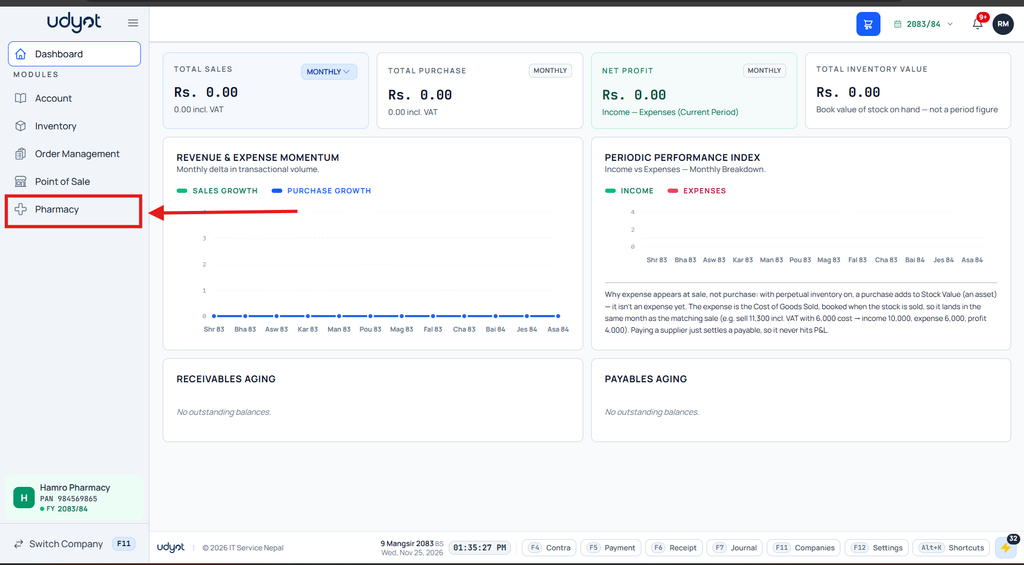
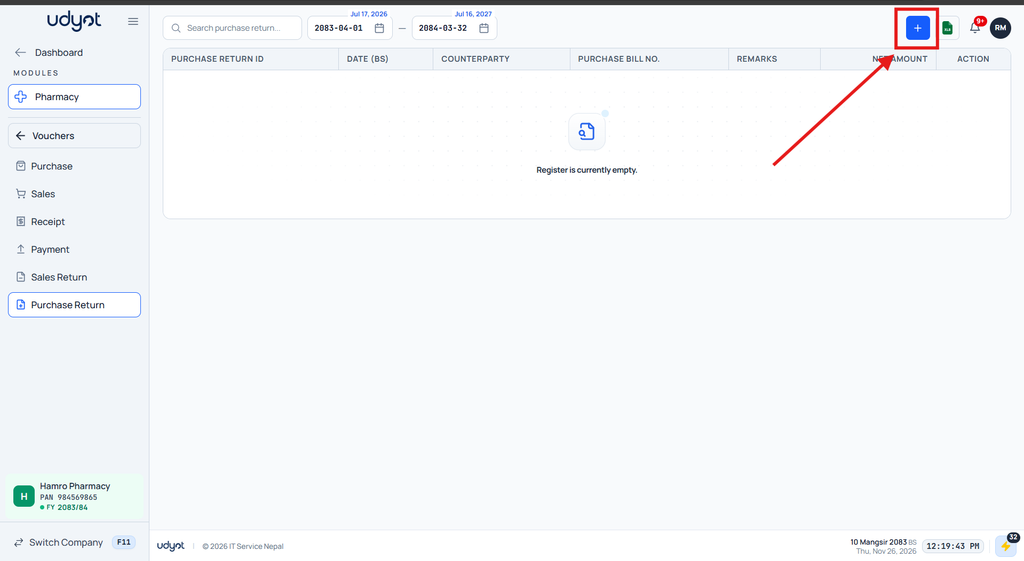
1. Click on Pharmacy Modules
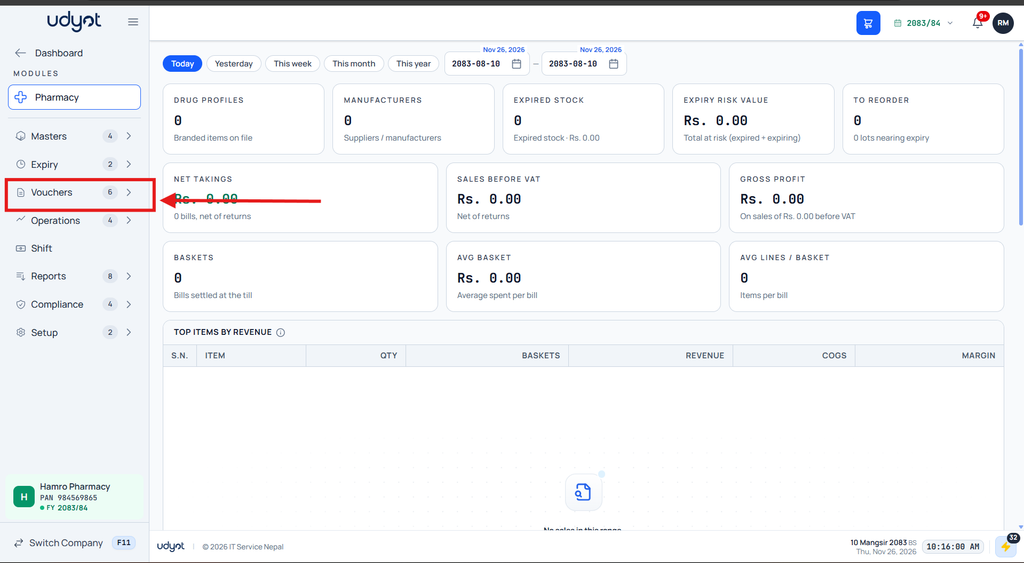
2. Click on Voucher
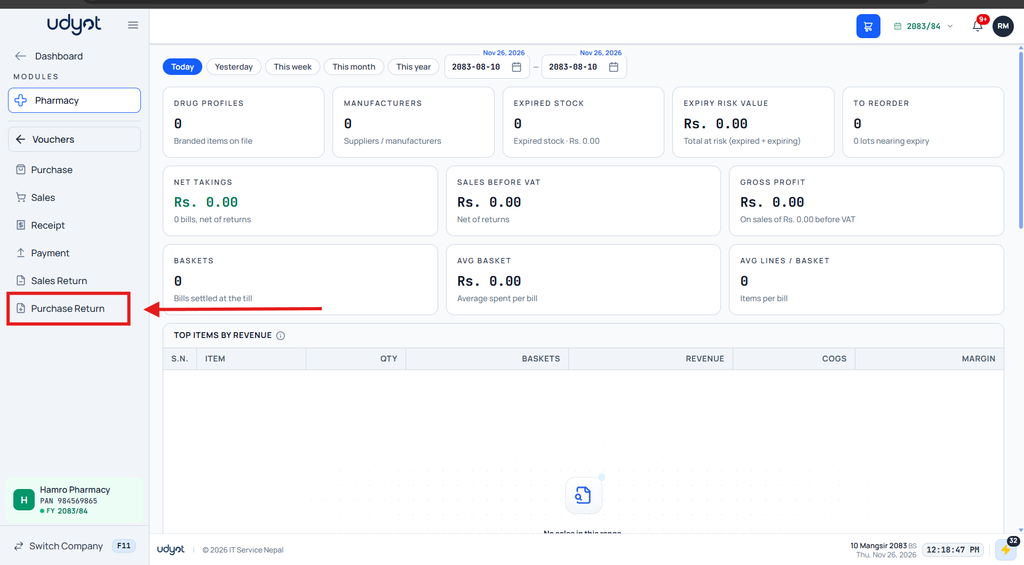
3. Click on Purchase Return
4. Click on the + Icon
5. Fill the form and save it