Updated
How to Check Discount Register Report in Restaurant Module – Udyot ERP
Discount Register
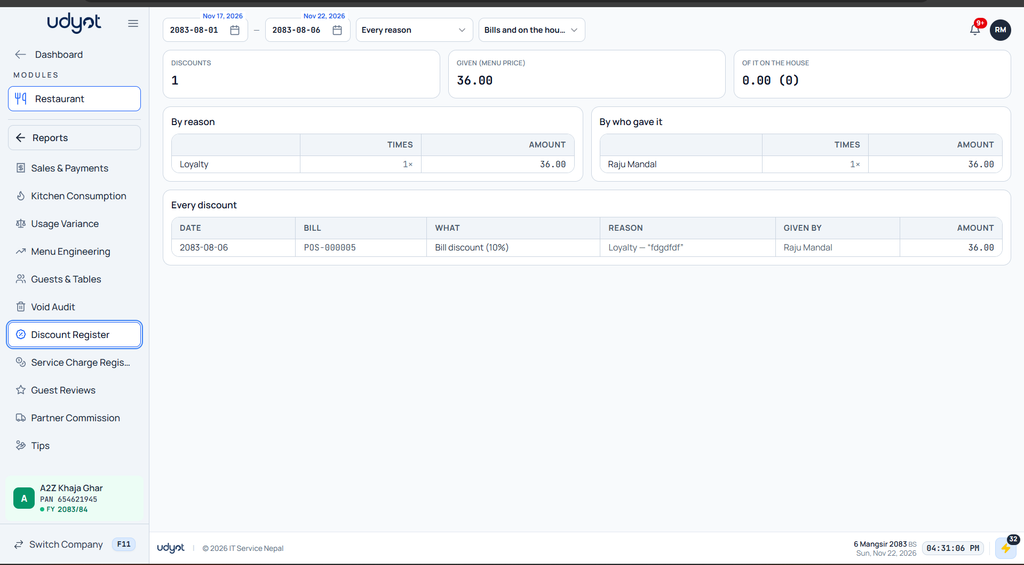
Discount Register: This section allows users to view and monitor discounts applied to restaurant bills within a selected date range. Users can check the total number of discounts, total discount amounts, and discounts given by reason or staff member. It also provides detailed records, including bill numbers, discount types, reasons, staff members who applied them, and discount amounts. It helps restaurant owners monitor discount usage and maintain control over promotional offers and price reductions.
How to see the Discount Register Report
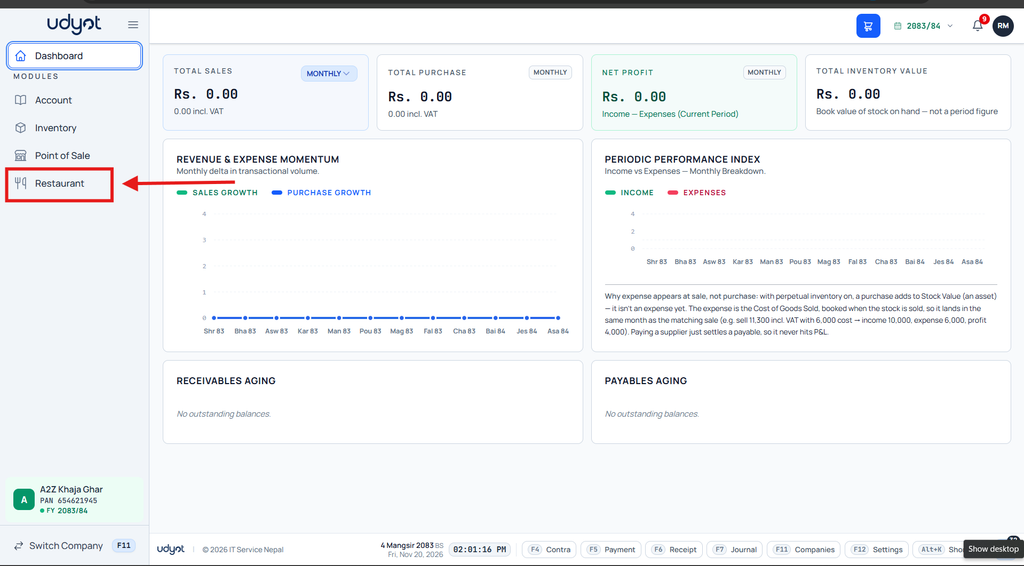
1. Select Restaurant Modules
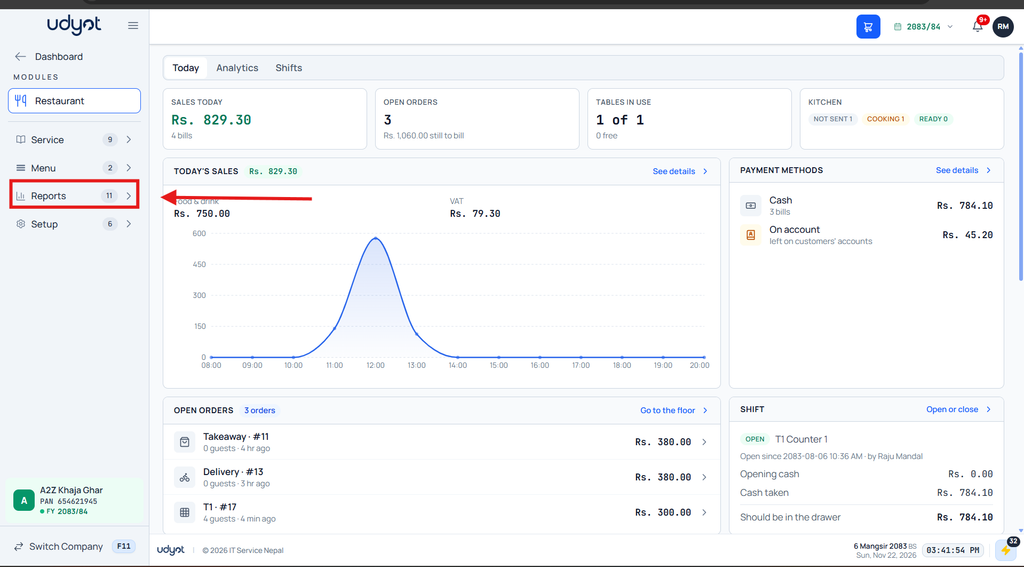
2. Select Reports
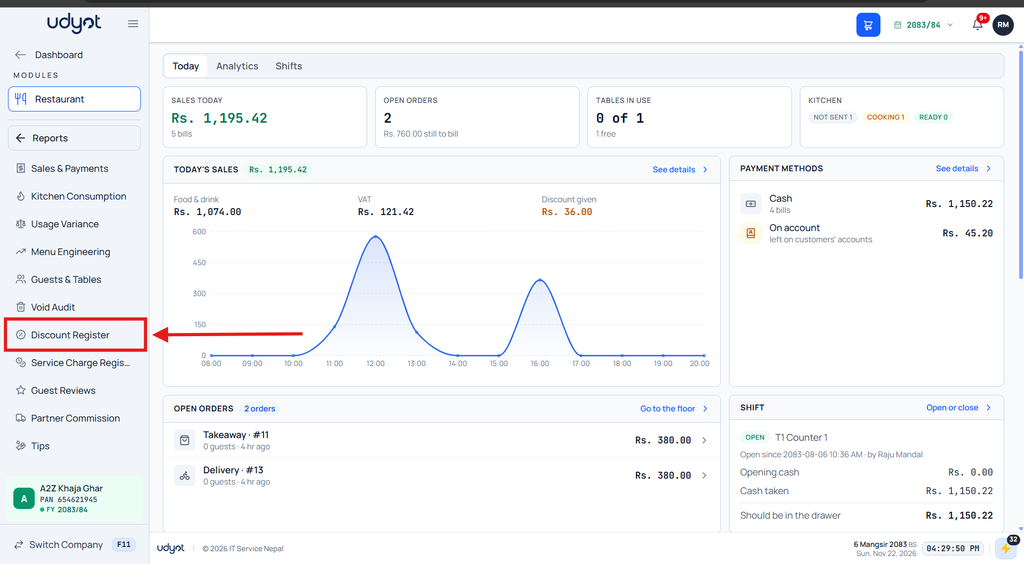
3. Select Discount Register
4. See the Report