Updated
How to add a template menu for Restaurant Modules – Udyot ERP
Menu
Menu: This section allows users to create and manage the restaurant’s food and beverage menu. Users can add menu items, organize them into categories, and configure item details such as names, descriptions, prices, and images. It helps staff easily browse menu items, take customer orders, and manage products offered by the restaurant.
Menu Items
Menu Items: This section allows users to add and manage individual food and beverage items offered by the restaurant. Users can enter item details such as item name, category, description, selling price, image, and applicable tax. It helps maintain an organized menu and makes it easier for staff to select items when placing customer orders.
How to add a template menu for Udyot Restaurant Modules
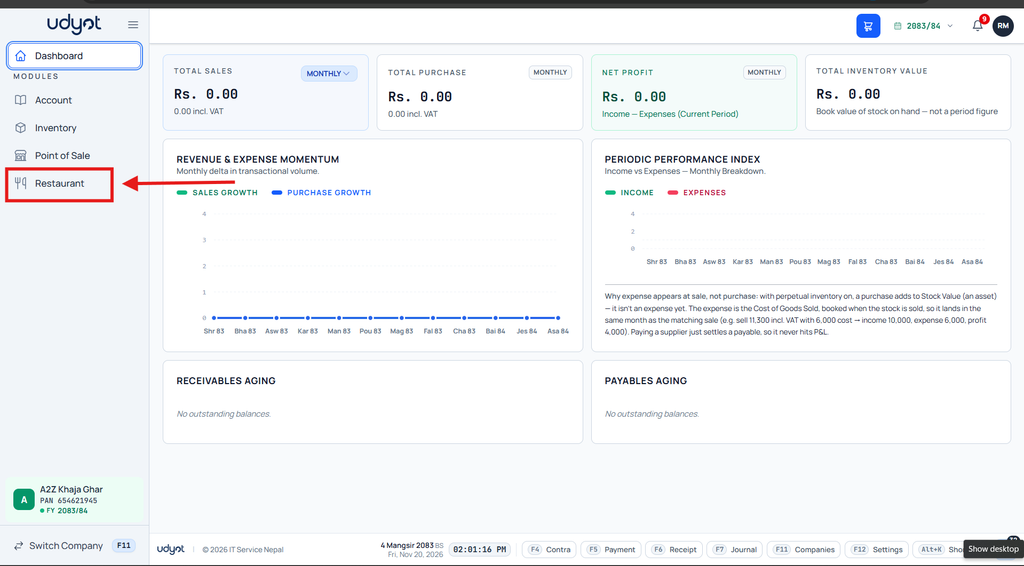
1. Select Restaurant Modules
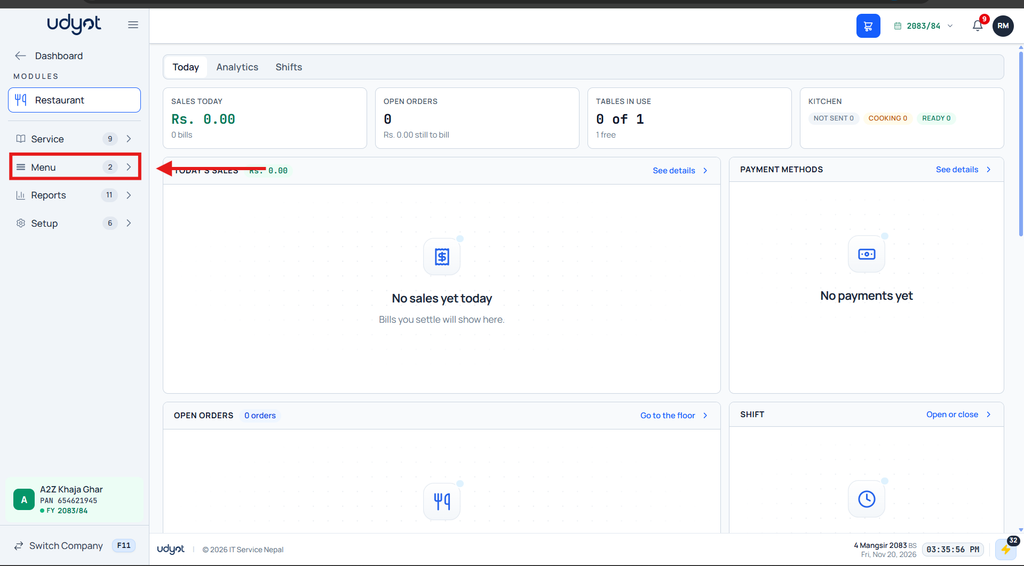
2. Select Menu
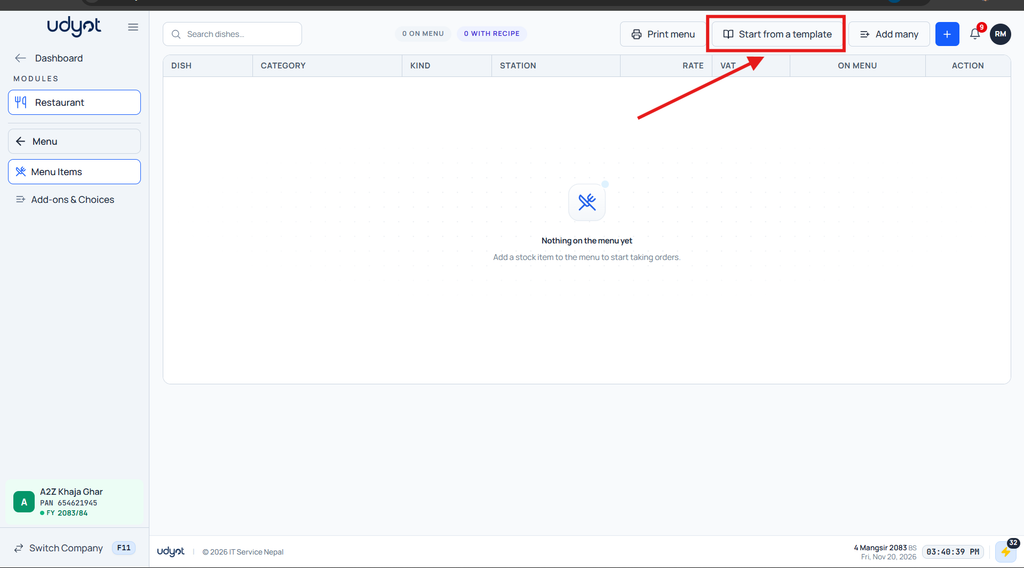
3. Click on Start from a template
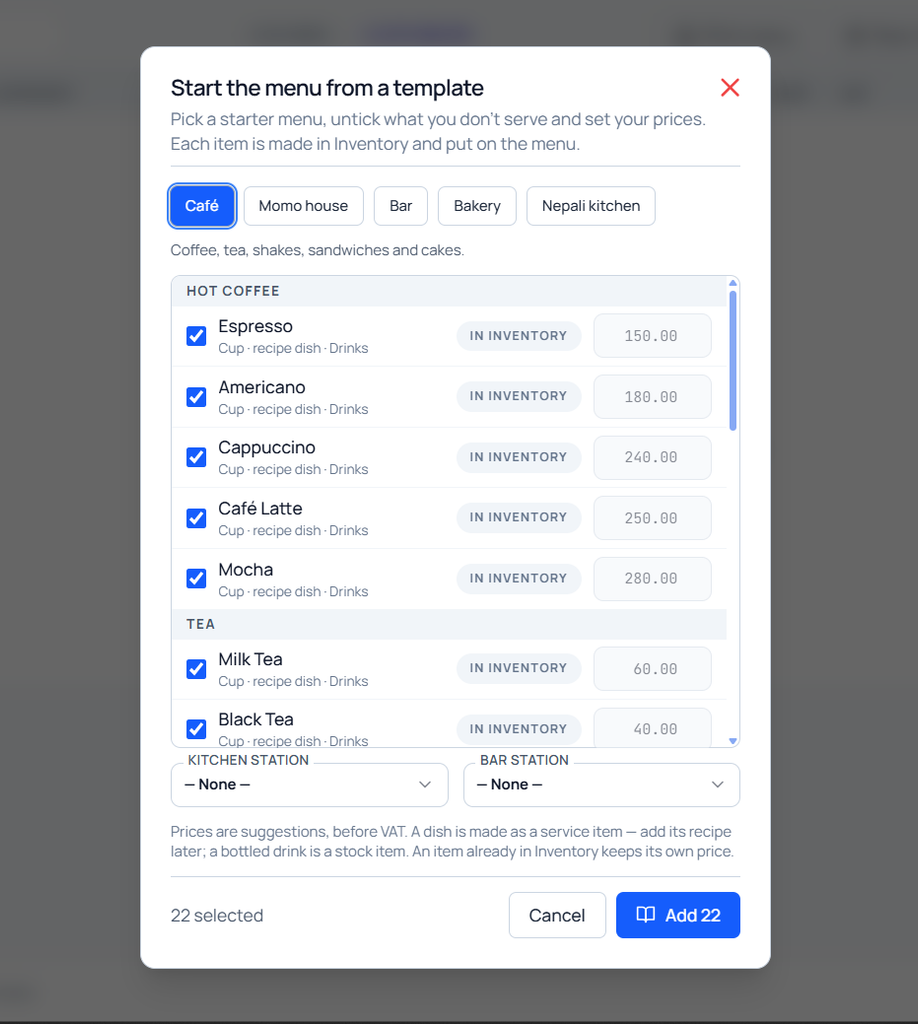
4. Select your Restaurant types and click on Add