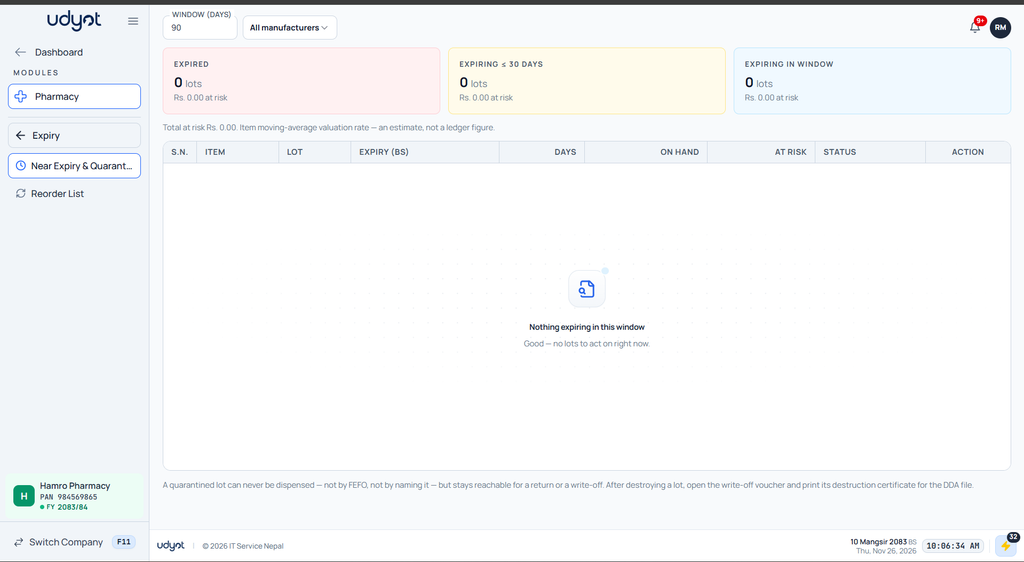
How to See Near-Expiry and Quarantine Stocks – Pharmacy Module
Expiry
Expiry: The Expiry section in Udyot Pharmacy Management Software helps pharmacies monitor medicine expiration dates and manage stock based on expiry status. It provides tools to identify expired medicines, track near-expiry drug batches, and manage quarantined inventory. Users can monitor expiry timelines, available stock quantities, and estimated inventory value at risk. This feature helps prevent the sale of expired medicines, reduce inventory losses, minimize medicine wastage, and maintain safe and efficient pharmacy inventory management.
Near Expiry & Quarantine
Near Expiry & Quarantine: This section allows pharmacies to monitor expired and near-expiry medicines and manage quarantined stock effectively. Users can track medicine batches, expiry dates, available quantities, and estimated stock value at risk within a specified time period. It helps identify medicines approaching their expiry dates, prevent the sale or dispensing of quarantined products, and manage stock returns or write-offs. This feature supports effective pharmaceutical inventory management, reduces medicine wastage, and helps maintain drug safety and regulatory compliance.
How to see Near Expiry & Quarantine stocks
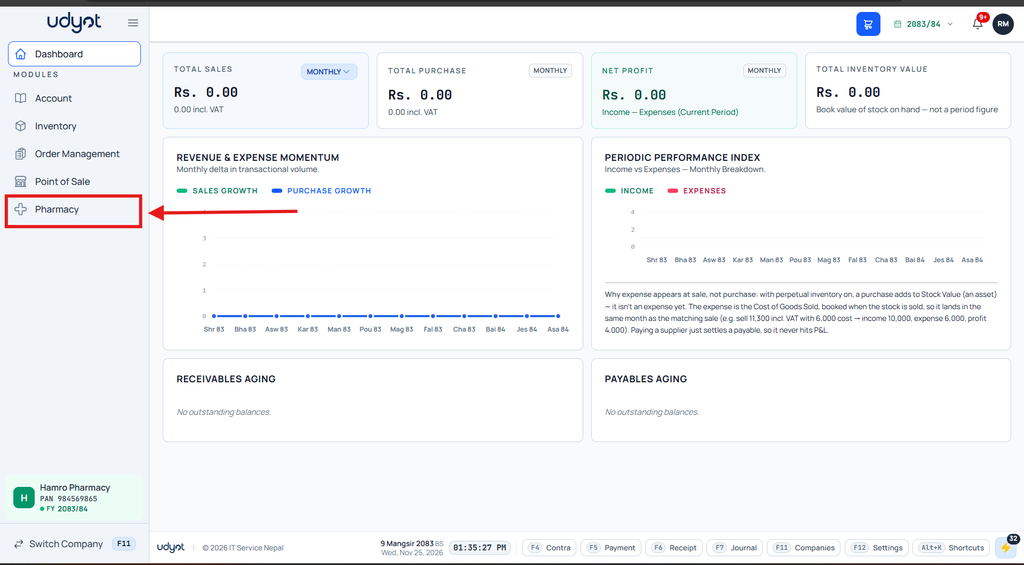
1. Click on Pharmacy Modules
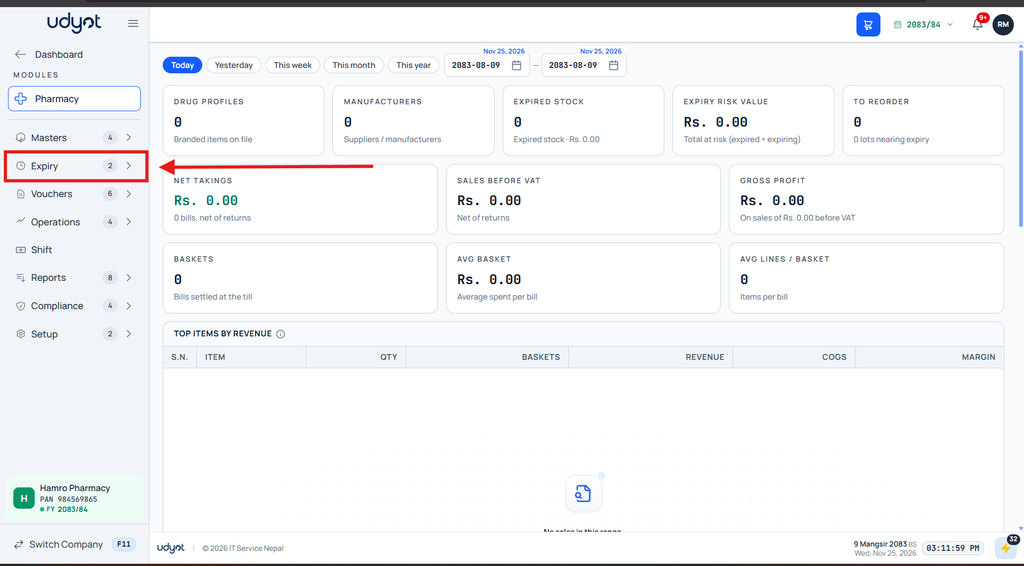
2. Click on Expiry
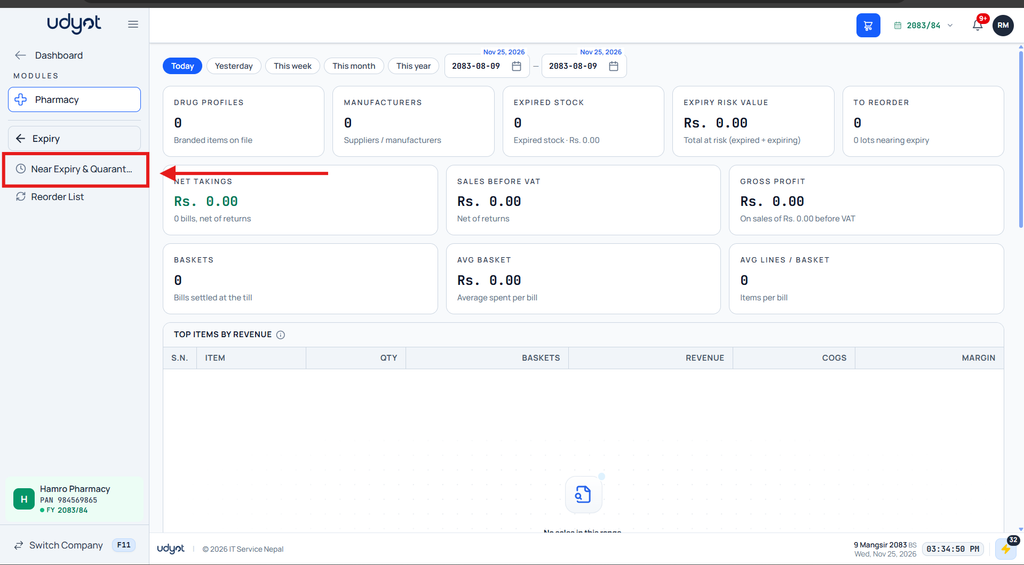
3. Click on Near Expiry & Quarantine
4. See the Reports