Updated
How to Add Drugs – Pharmacy Module
Drug Items
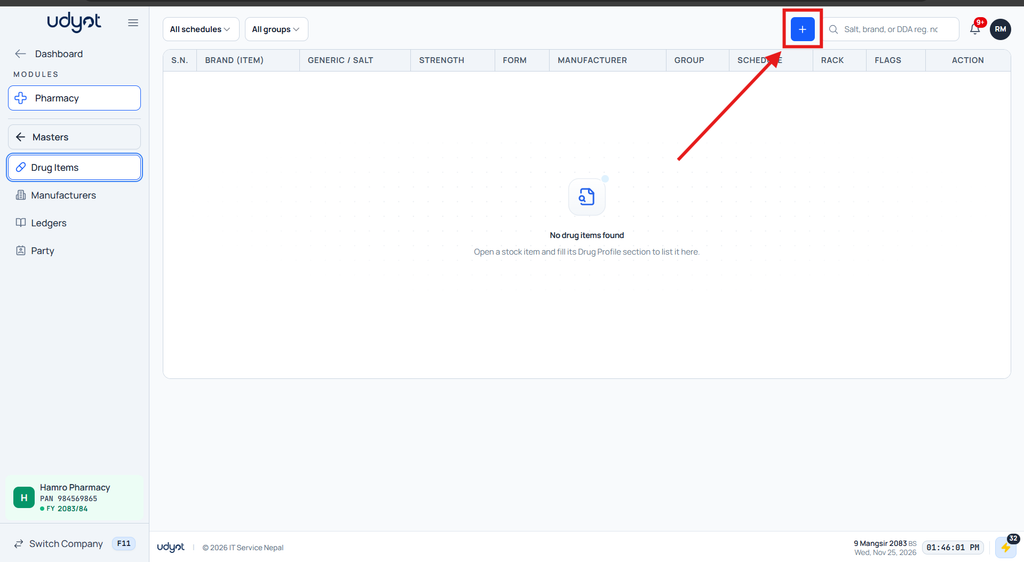
Drug Items: This section allows users to create and manage medicine and pharmaceutical product records within the Udyot Pharmacy Management System. Users can add, edit, search, and maintain essential drug information, including medicine names, categories, manufacturers, and other product details. It helps pharmacies organize their medicine catalog, maintain accurate drug records, streamline medicine purchasing and sales, and manage pharmaceutical inventory efficiently.
How to Add Drugs
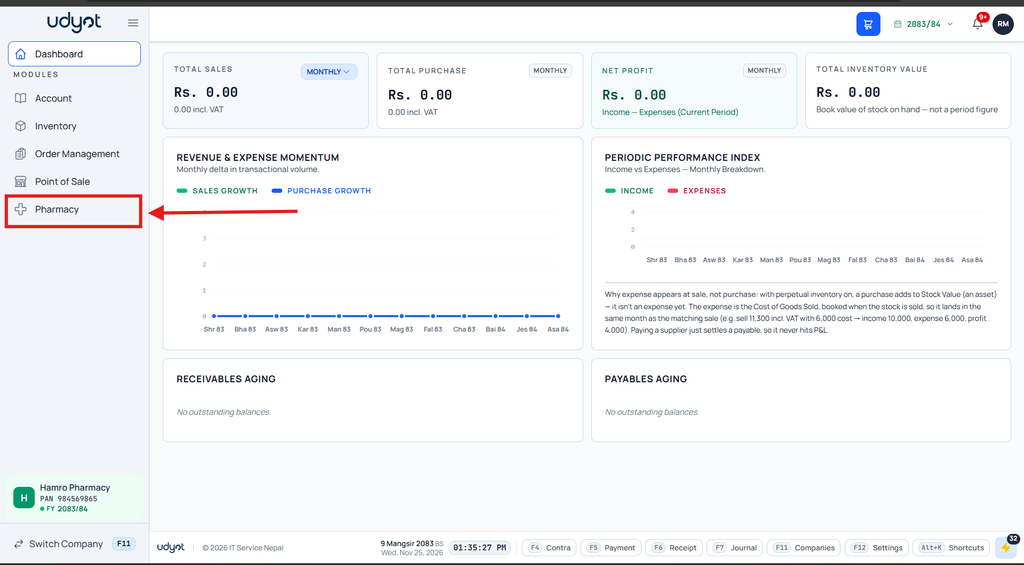
1. Click on Pharmacy Modules
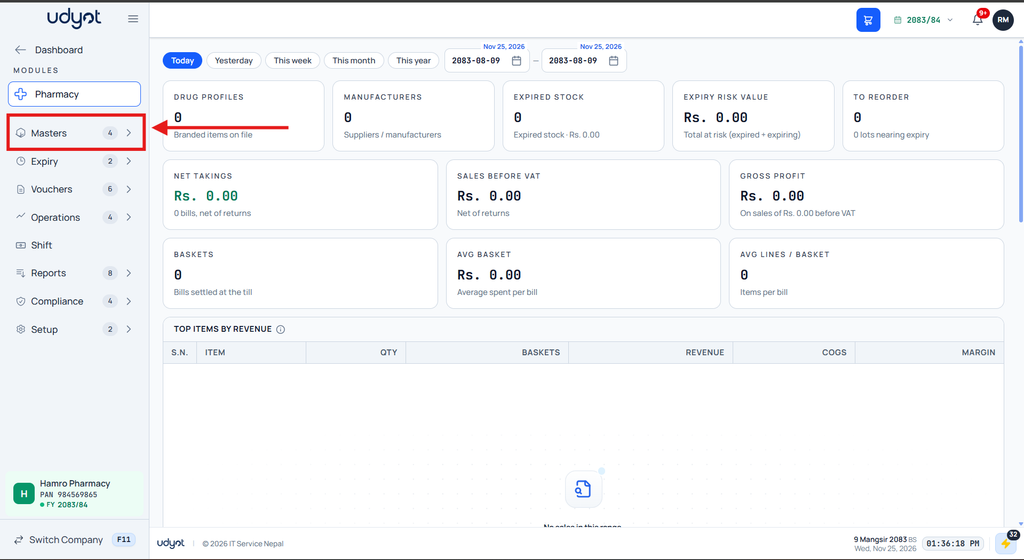
2. Click on Masters
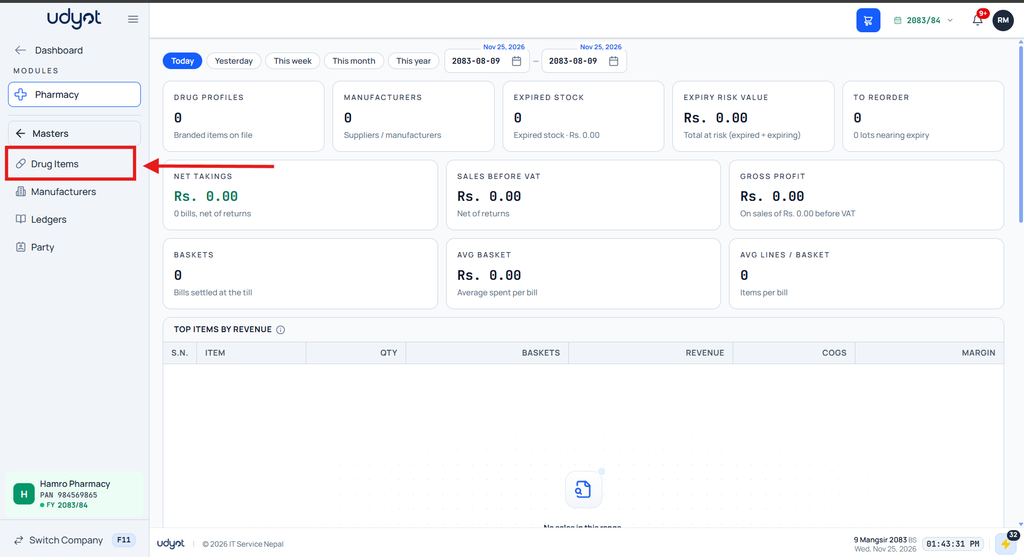
3. Click on Drug Items
4. Click on the + Icon
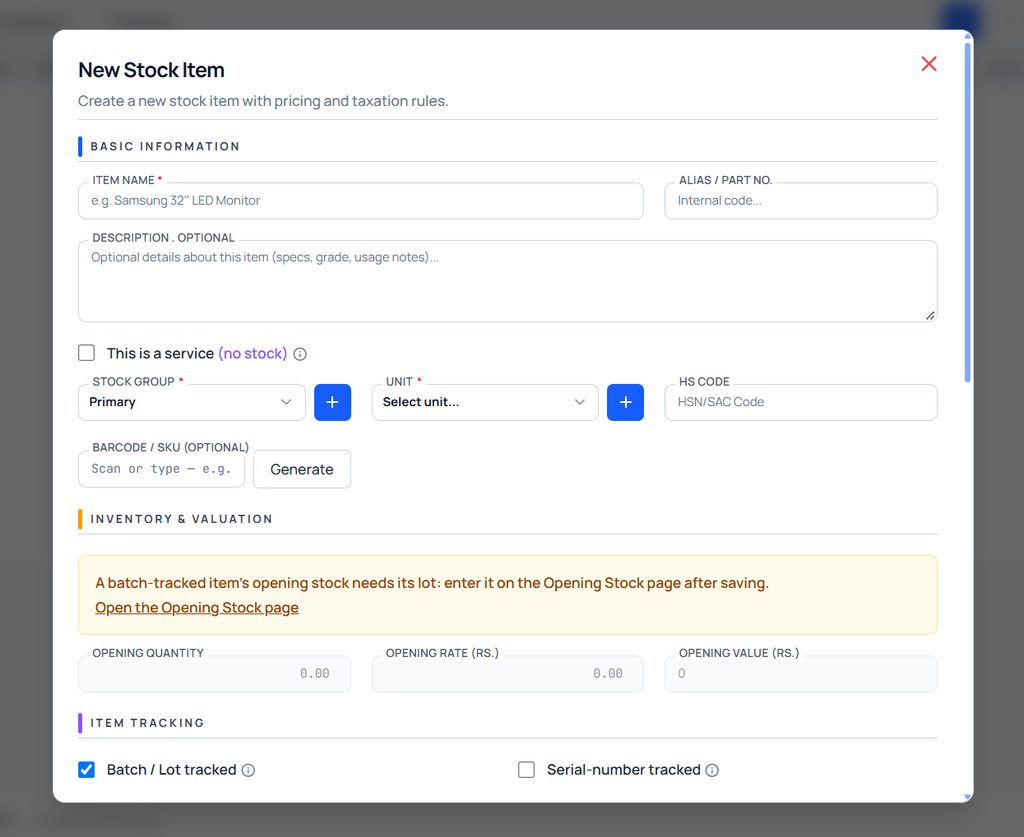
5. Fill the form and save it
Note: ( if drug, don’t forget to tick ” Mark this item as a medicine “)