Updated
How to Create a Ledger in Udyot ERP
A ledger is an account that records every debit and credit transaction for a particular person, business, asset, liability, income, or expense.
A Ledger in accounting software is a record where all transactions related to a specific account are stored. It helps you track the complete financial history and current balance of a customer, supplier, bank account, expense, income account, or any other account.
Create ledger
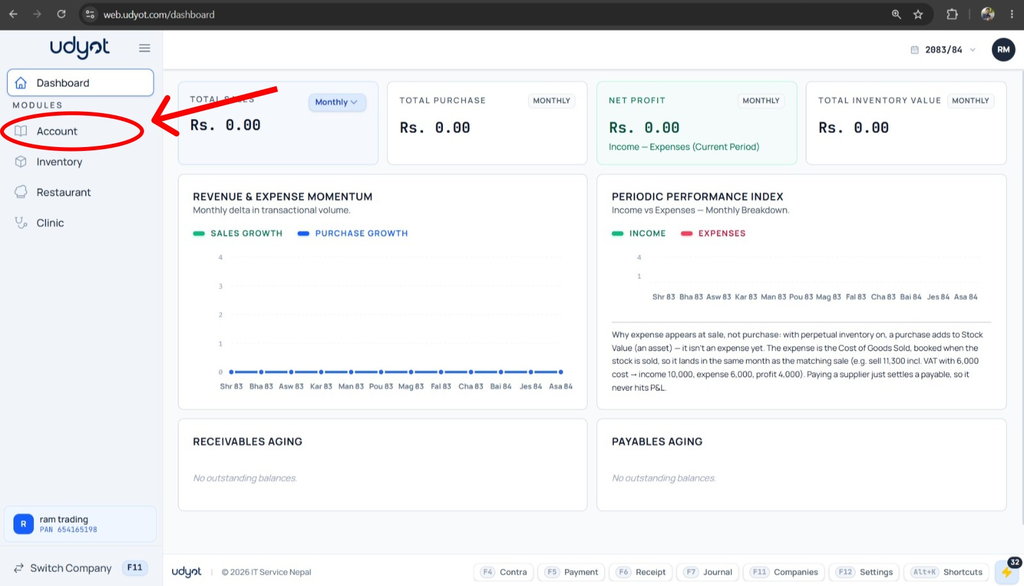
1. Select the Account Module
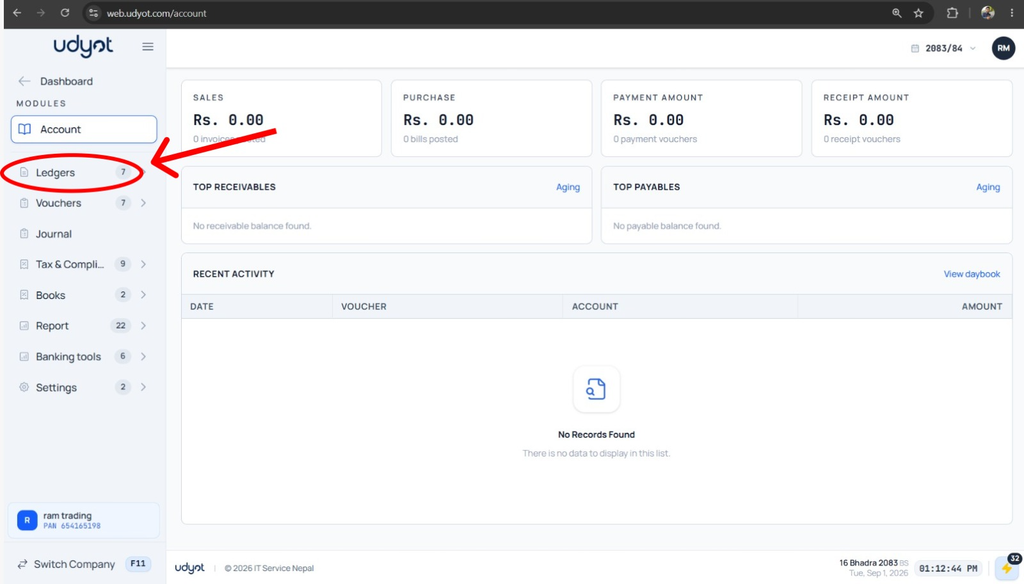
2. Select Ledgers
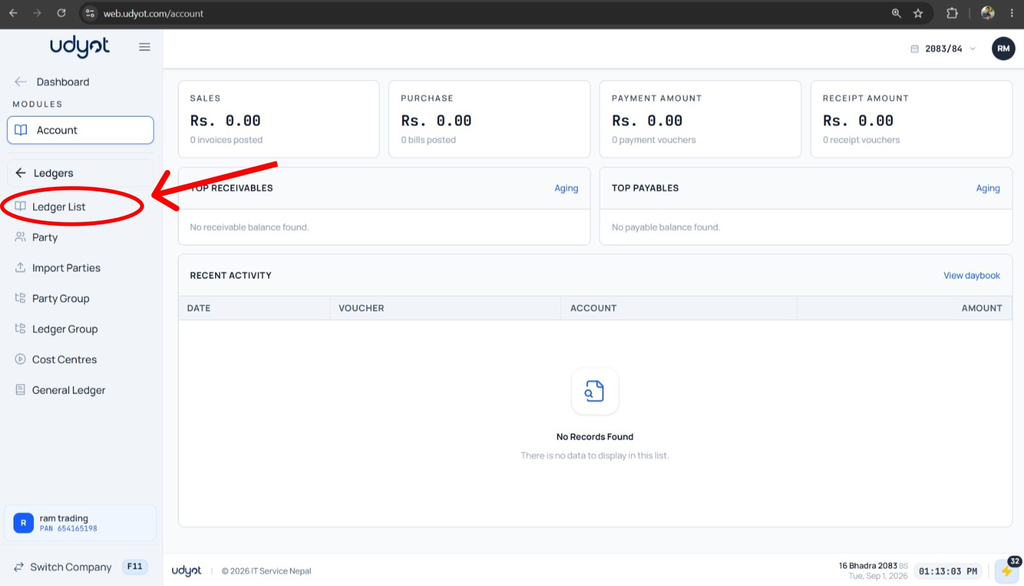
3. Select Ledger List
4. A ledger page will appear; click on +
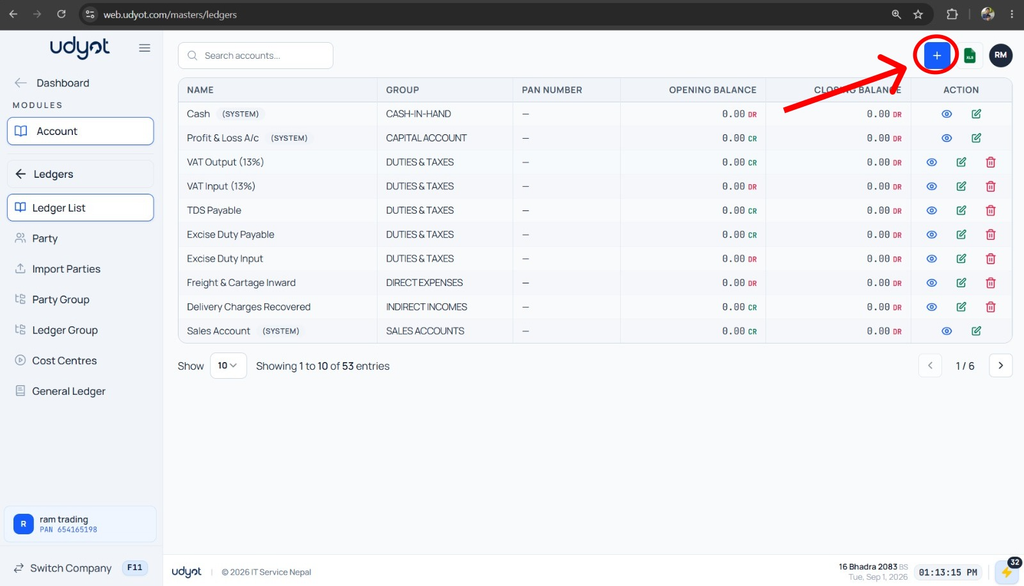
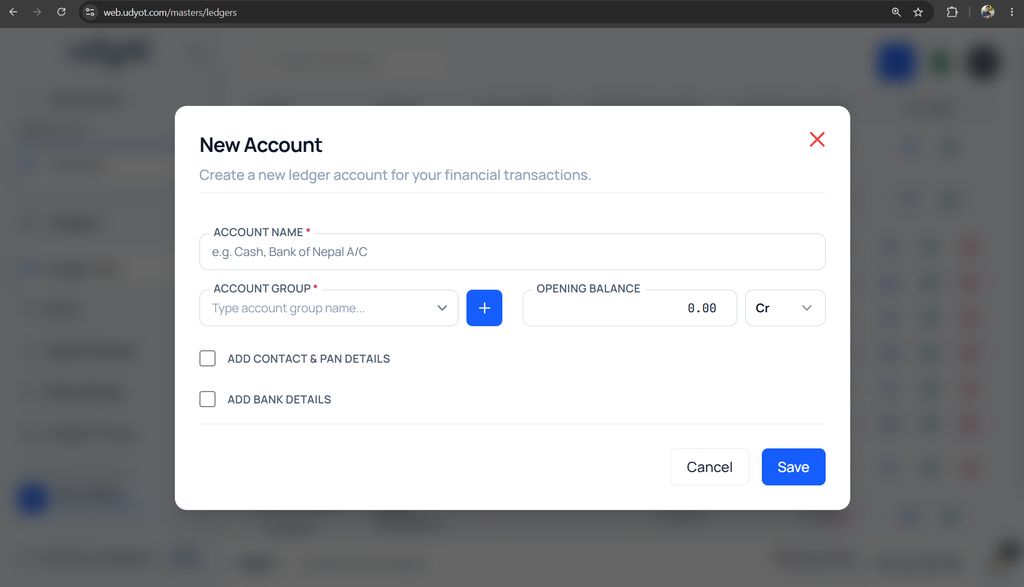
5. The Ledger Register form will appear