Updated
How to open shift in Restaurant Modules – Udyot ERP
Service
The Service section allows users to manage daily restaurant operations, including dine-in, takeaway, delivery, order processing, reservations, staff shifts, customer credit, expenses, and stock counting. It helps streamline restaurant services and manage daily activities efficiently.
Shift
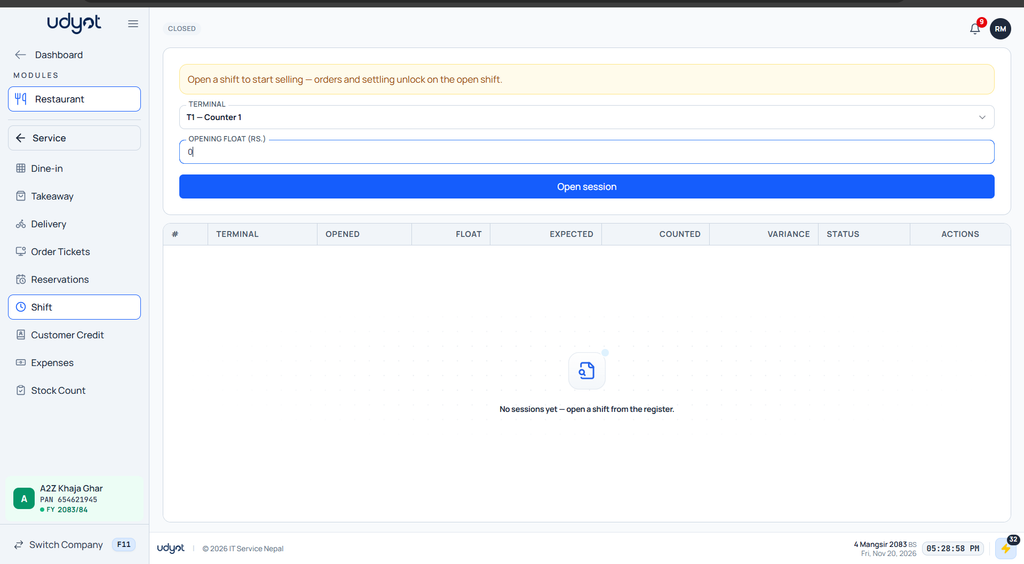
Open Shift: This section allows users to start a new restaurant shift by entering the opening cash amount (opening float) available at the counter or terminal. Users can select the terminal and open a shift to begin processing sales, orders, and payments. Orders and payment settlement are enabled only when a shift is open.
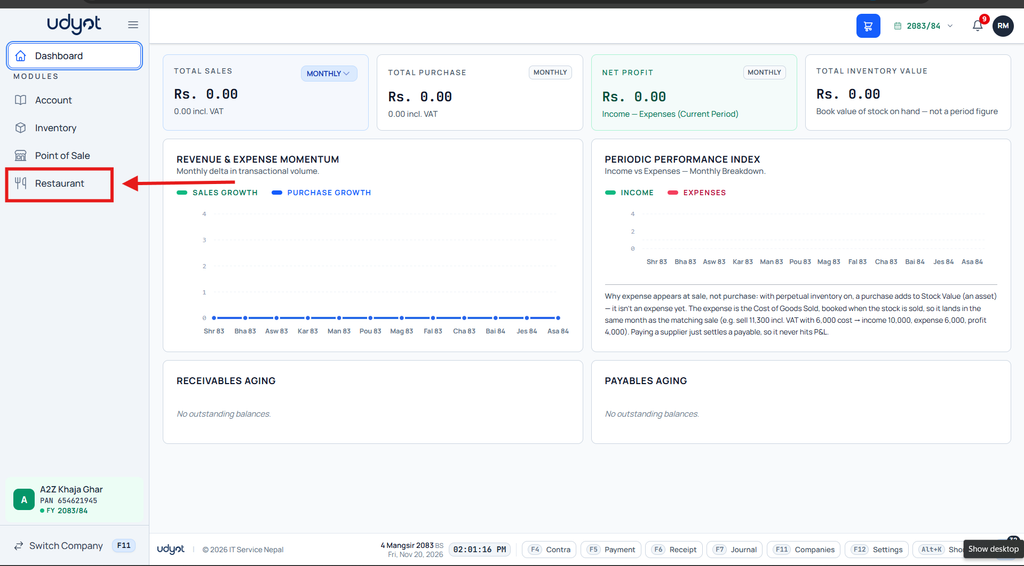
1. Select Restaurant Modules
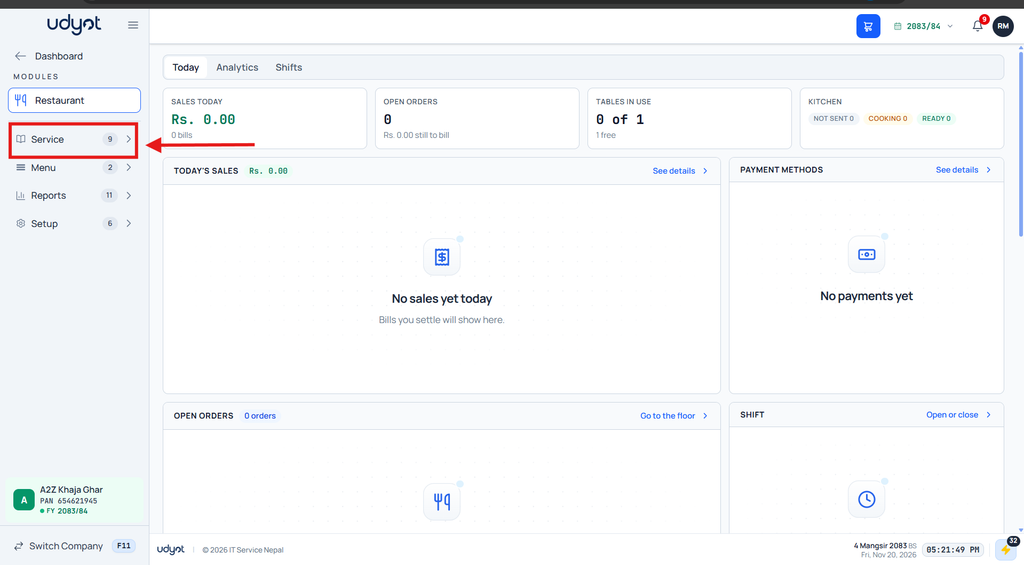
2. Click on Service
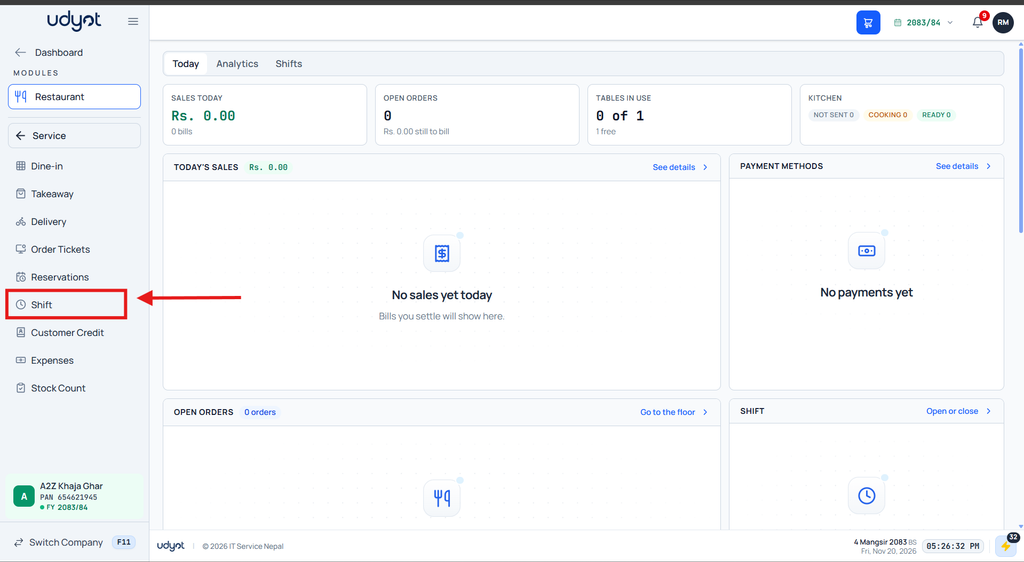
3. Select Shift
4. Select a counter, enter the opening balance, and click Open Session