Updated
How to Check the Void Audit Reports – Udyot ERP
Void Audit
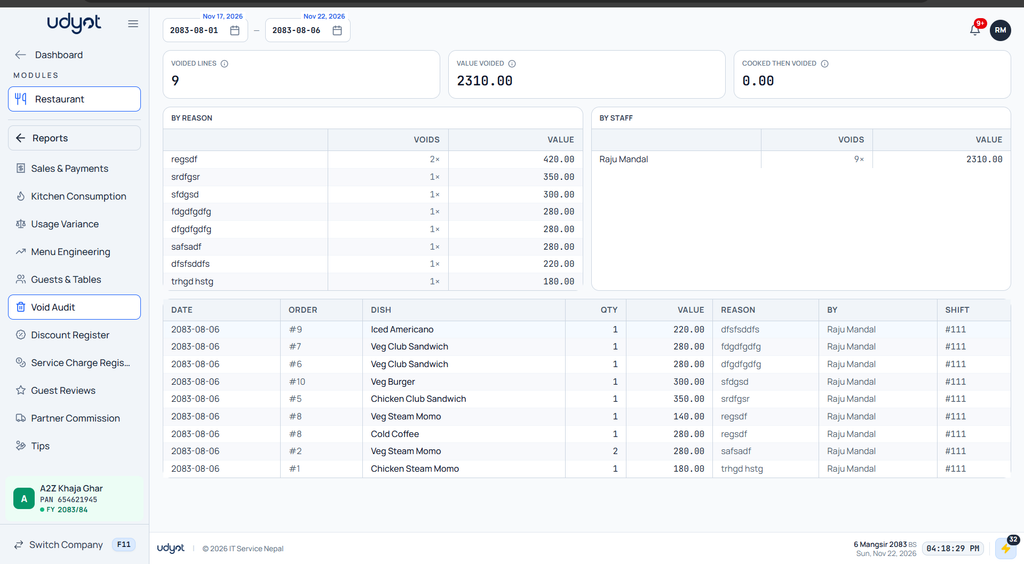
Void Audit: This section allows users to view and monitor voided order items within a selected date range. Users can check the total number and value of voided items, analyze voids by reason and staff member, and review detailed records including order numbers, dish names, quantities, values, reasons, and shifts. It helps restaurant owners track cancelled items, monitor staff activity, and maintain accountability in restaurant operations.
How to see the Void Audit Reports
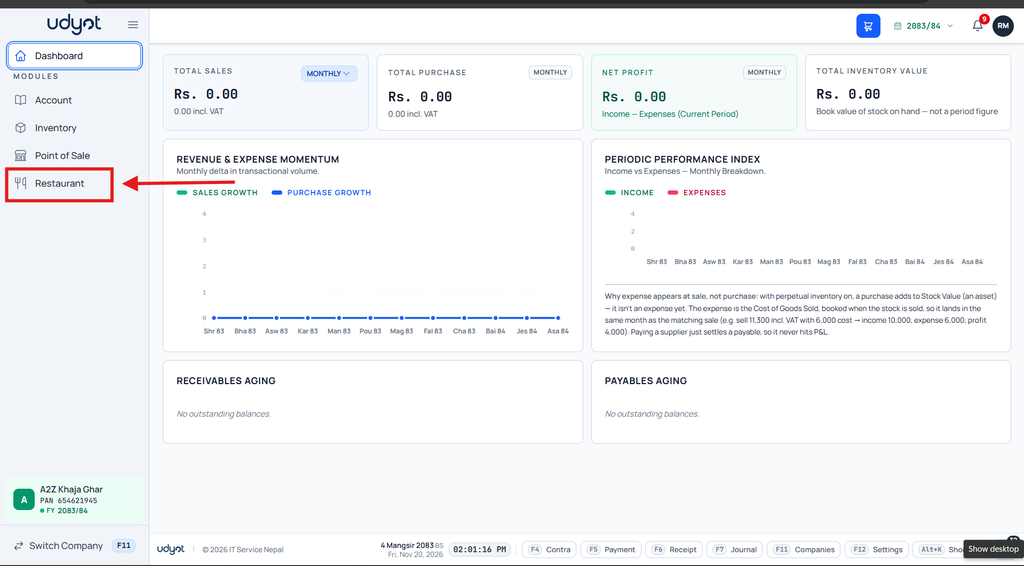
1. Select Restaurant Modules
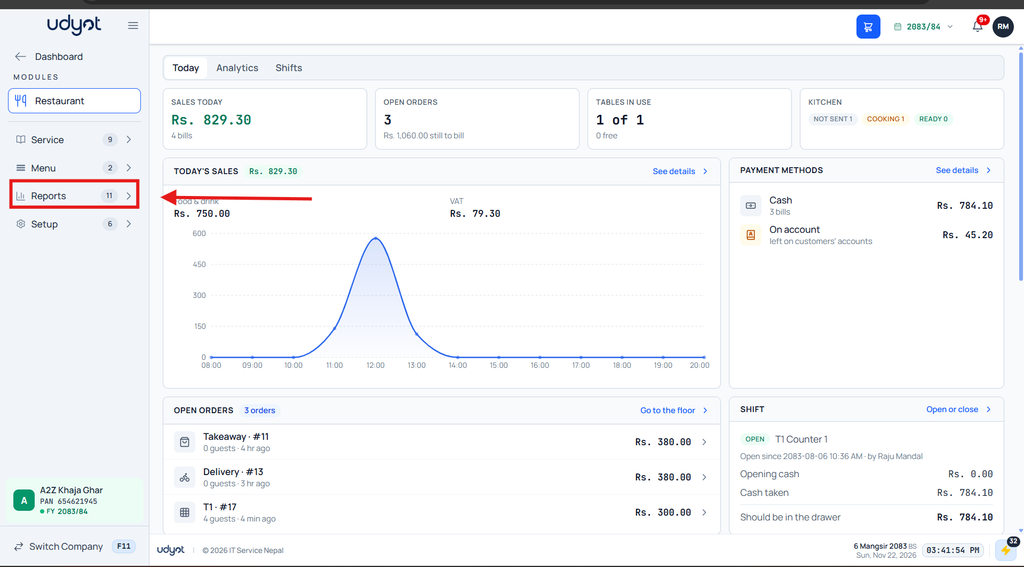
2. Select Reports
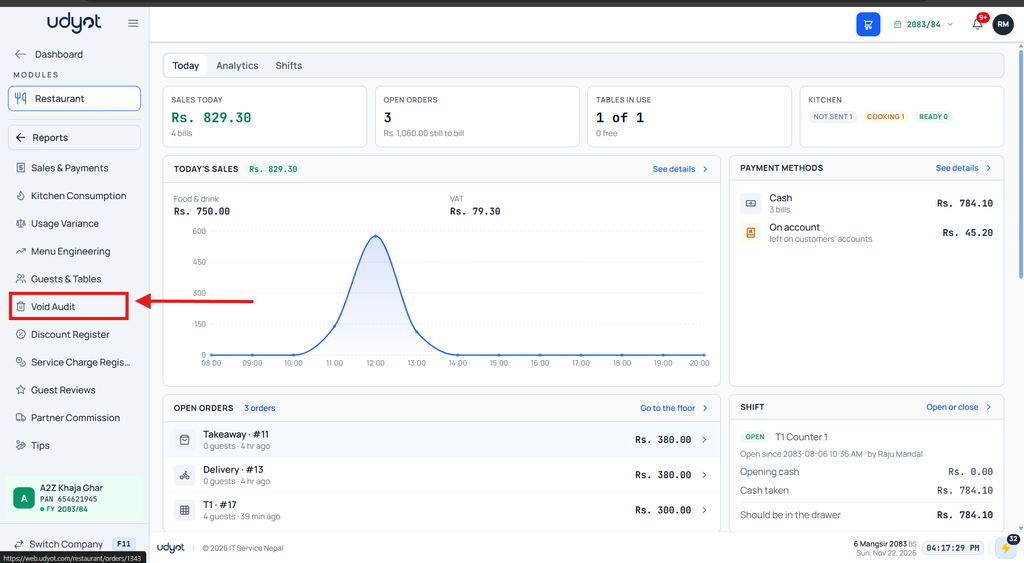
3. Select the Void Audit
4. See the Reports