Updated
How to set up expenses and make payments in Restaurant Modules – Udyot ERP
Expenses
Expenses: This section allows users to record, view, and manage payments made for restaurant-related expenses. Users can track payments by selecting a date range and filtering records by Expenses, Suppliers, or Other. It also provides an overview of total payments made, recorded expenses, supplier balances, and outstanding amounts owed to suppliers. This helps restaurant owners monitor operational costs and maintain accurate expense records.
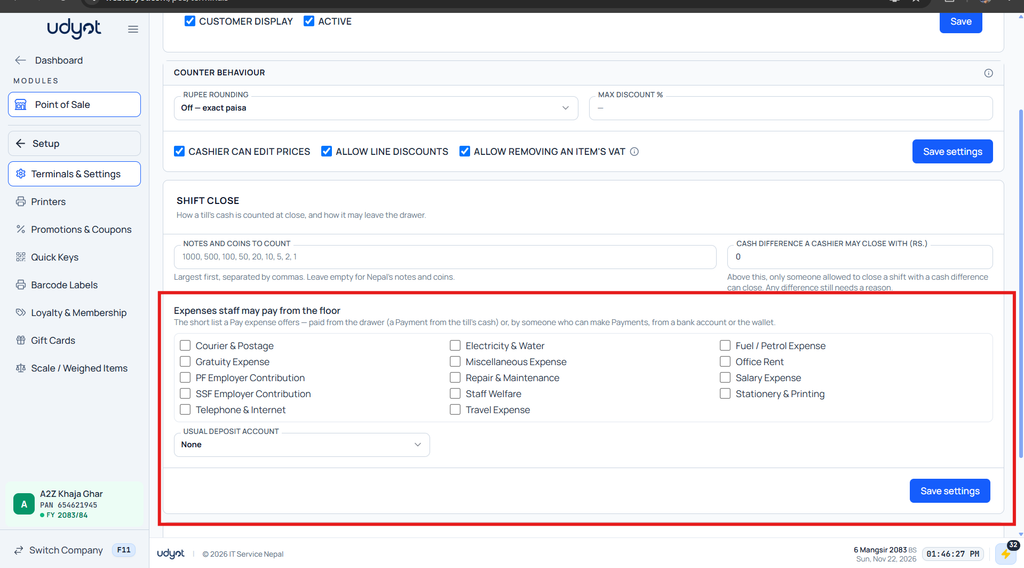
Note: If you haven’t set up expenses then first , setup expense from Point To Sale.
How to set up expenses and make payments
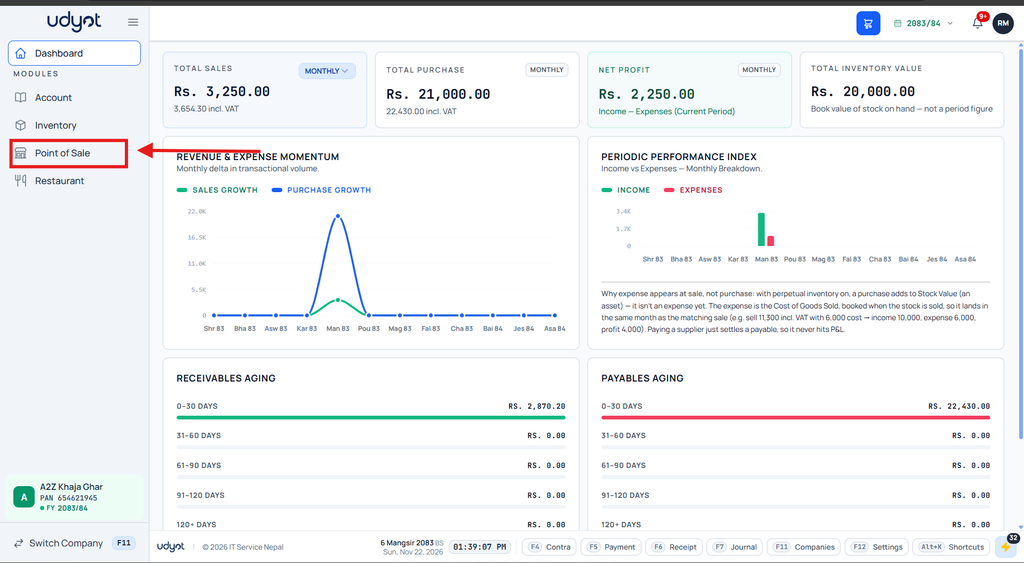
1. Select Point of Sale
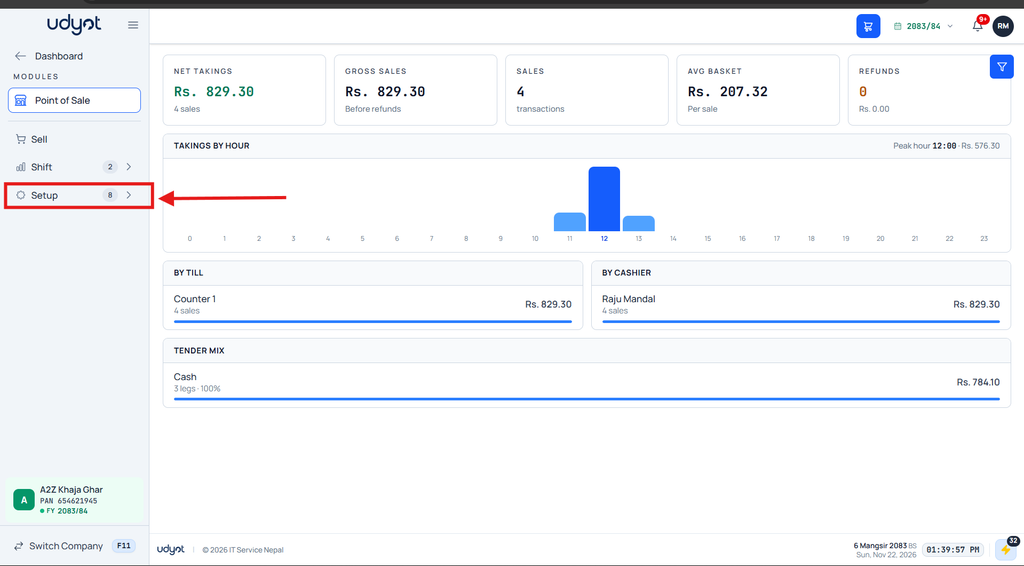
2. Select Setup
3. Select Terminals & Settings
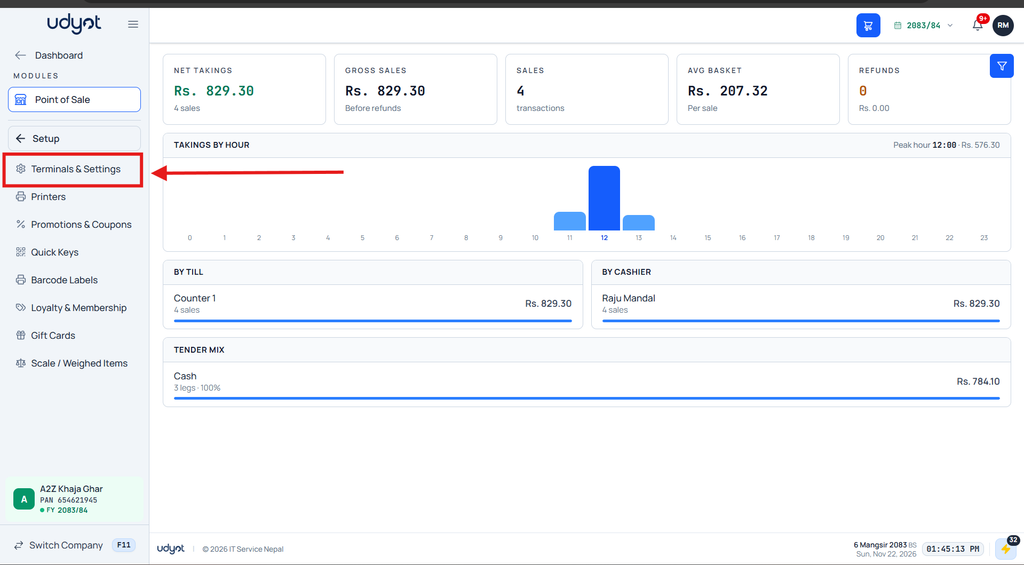
4. Scroll down and mark the required Expense and save it
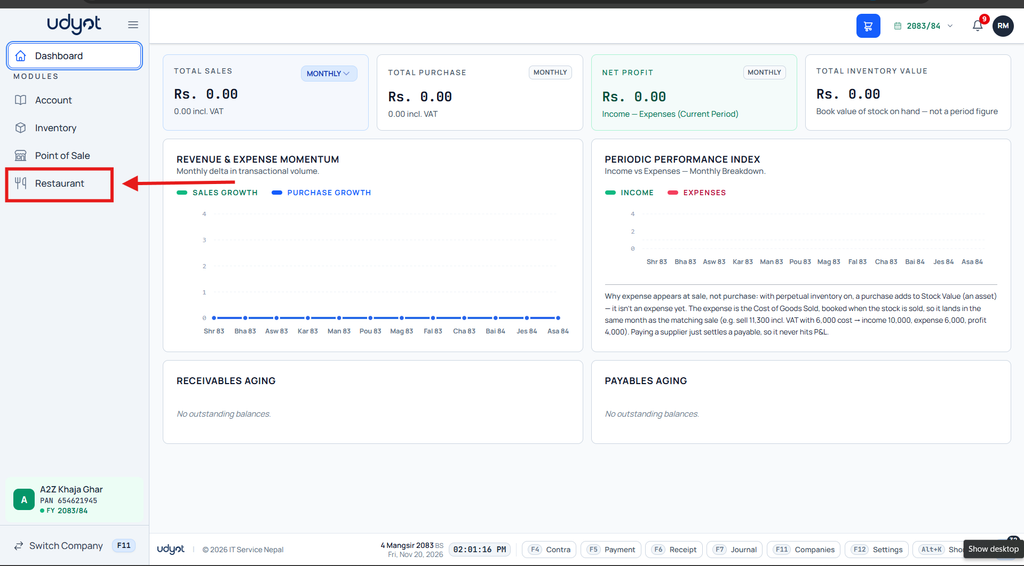
Now start payment in Restaurant Modules
1. Select Restaurant Modules
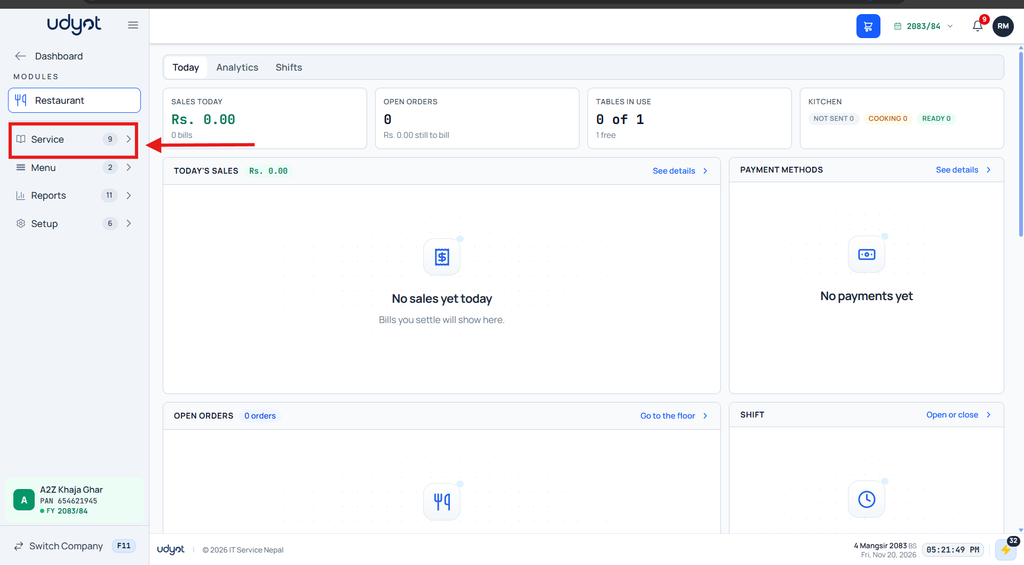
2. Click on Service
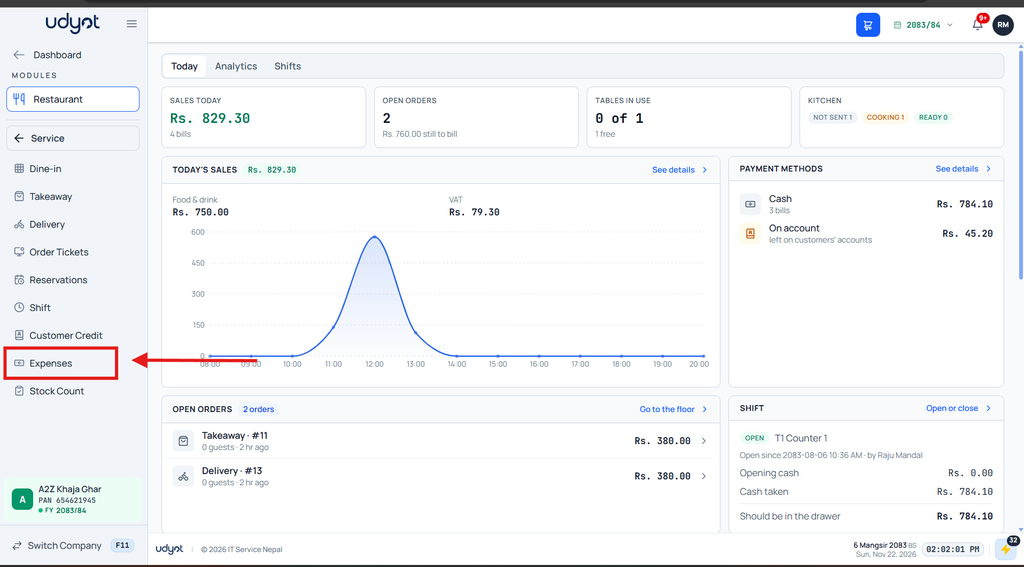
3. Select Expenses
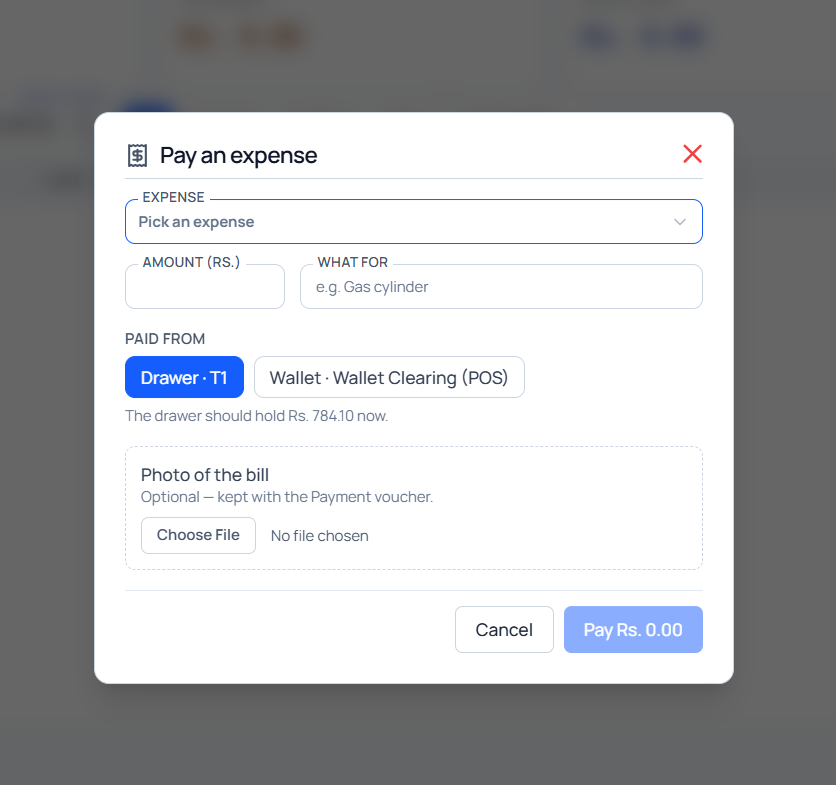
4. Click on the payment button
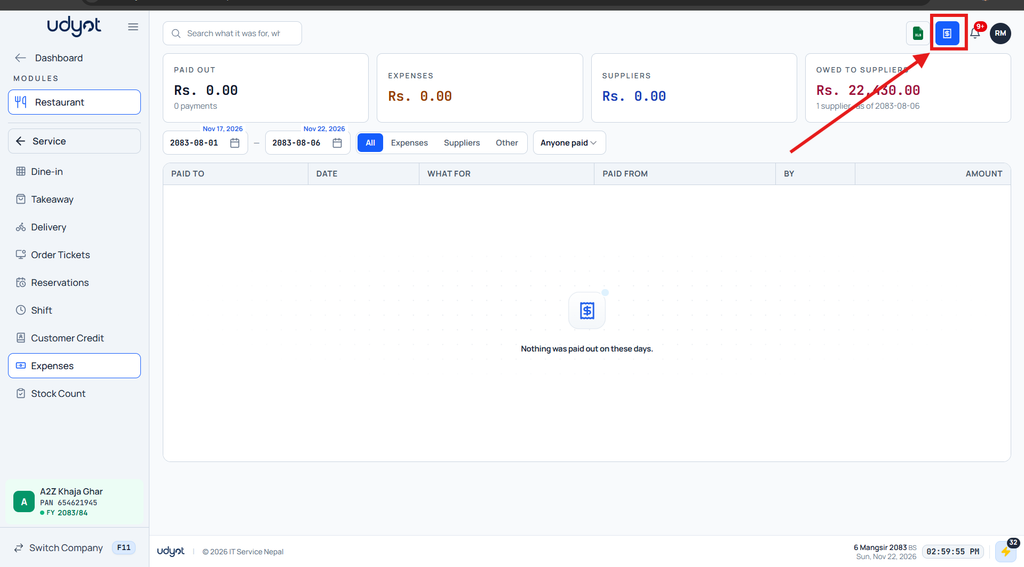
5. Fill in the information and save it.