Updated
How to create a purchase – Pharmacy Module
Purchase
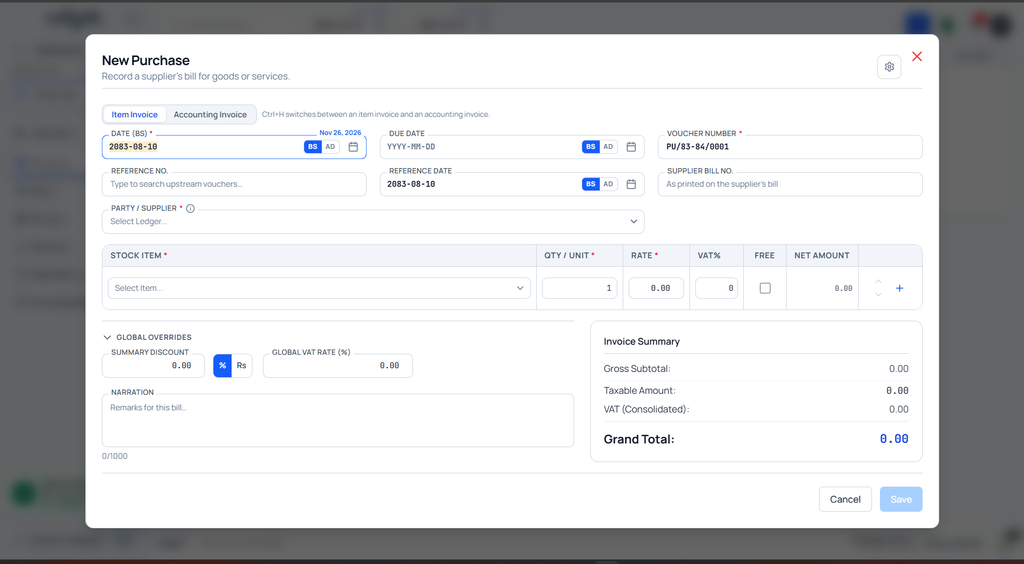
Purchase: This section in Udyot Pharmacy Management Software allows users to record and manage medicine and pharmaceutical product purchases from suppliers and manufacturers. Users can create purchase invoices, select drug items, enter batch numbers, manufacturing and expiry dates, quantities, purchase rates, discounts, and applicable taxes. It helps pharmacies maintain accurate purchase records, update medicine inventory, track supplier balances, monitor batch-wise stock, and manage pharmaceutical procurement efficiently. This feature streamlines purchasing operations, improves inventory control, and ensures accurate financial record-keeping.
How to create a purchase
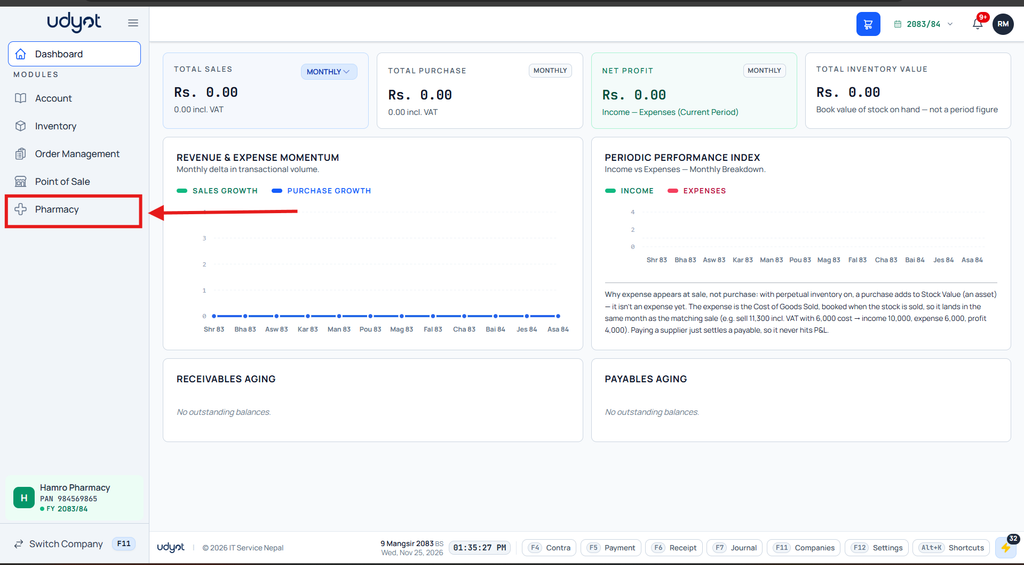
1. Click on Pharmacy Modules
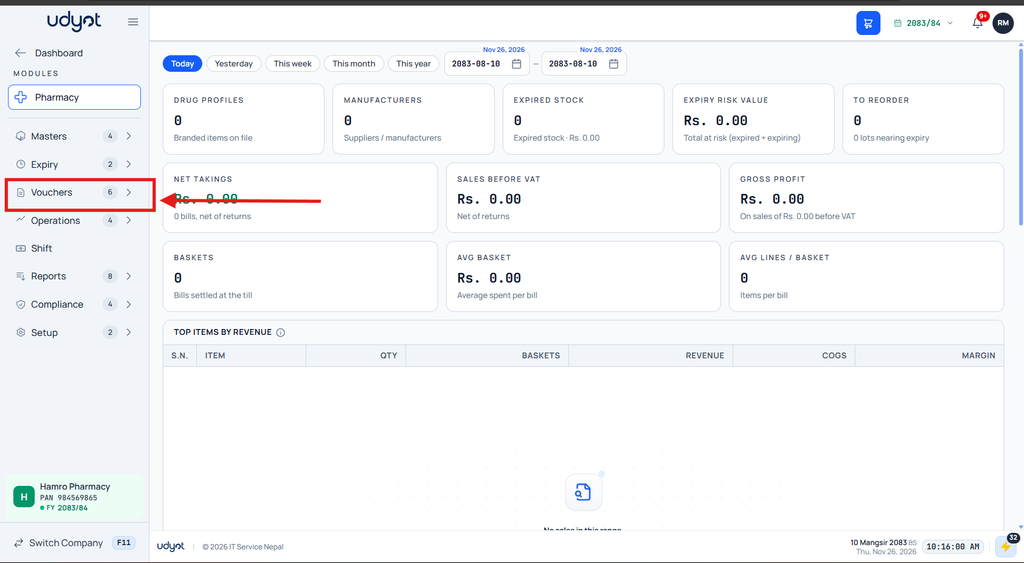
2. Click on Voucher
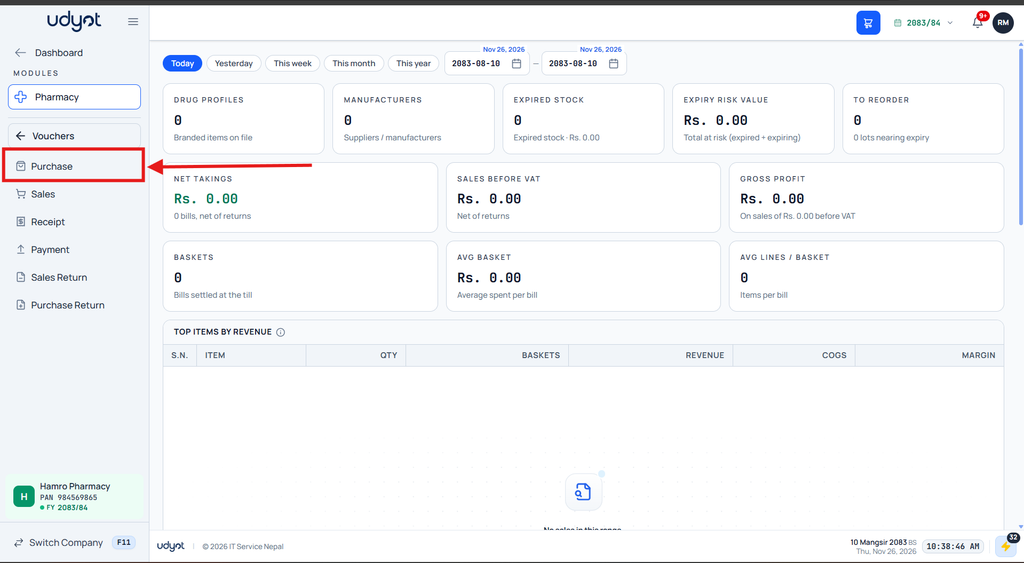
3. Click on Purchase
4. Click on the + Icon
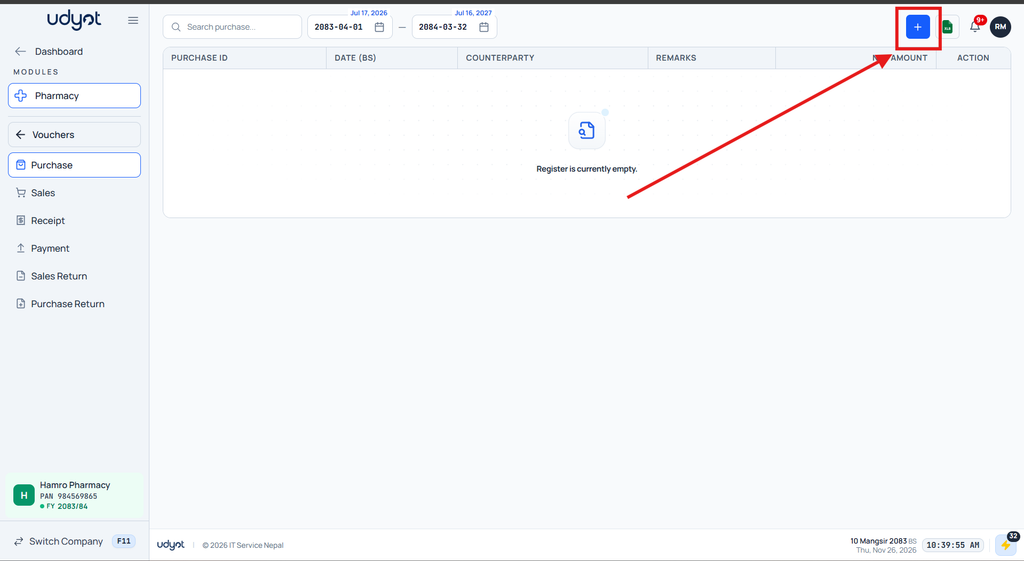
5. Fill in the information and save it