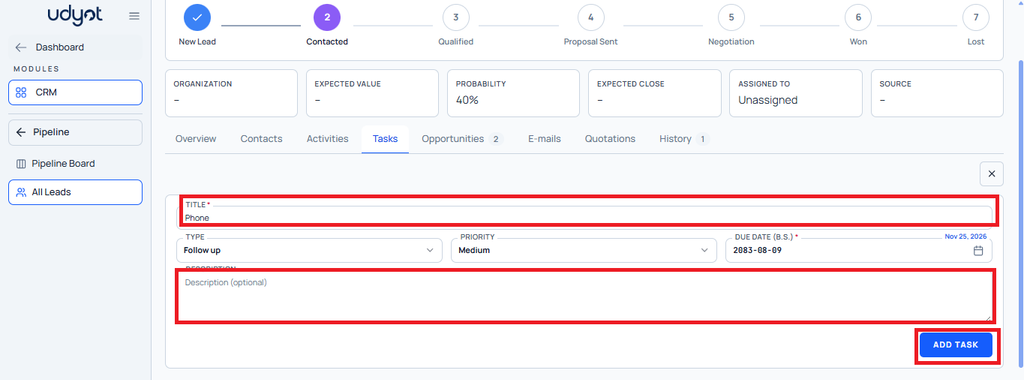
Updated
How to create Lead’s Task – CRM Module
Lead’s Task in the Udyot ERP CRM Module helps sales teams organize and manage activities related to potential customers (leads). It allows users to create, assign, and track tasks such as making phone calls, sending emails, scheduling meetings, and following up with leads.
By managing lead-related tasks in one place, businesses can ensure timely follow-ups, maintain better communication with prospects, track task progress, and improve the chances of converting leads into customers.
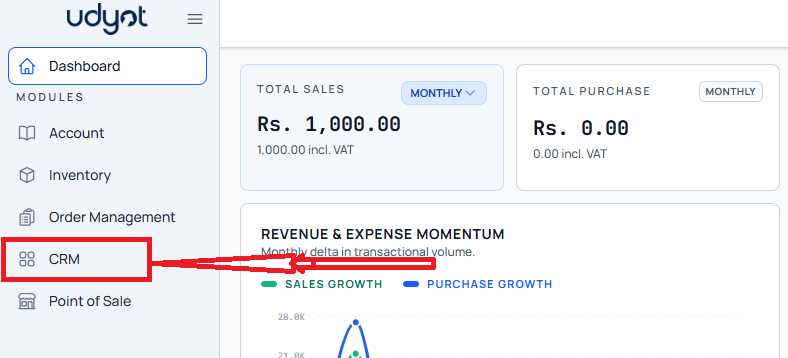
1. Click on the CRM Module
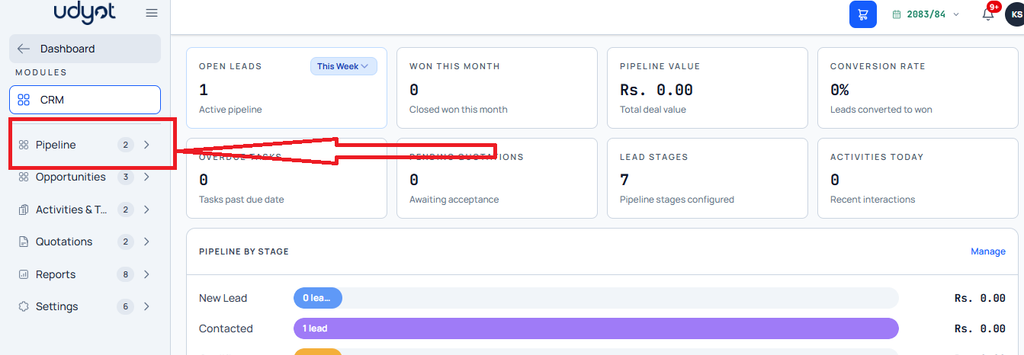
2. Click on Pipeline
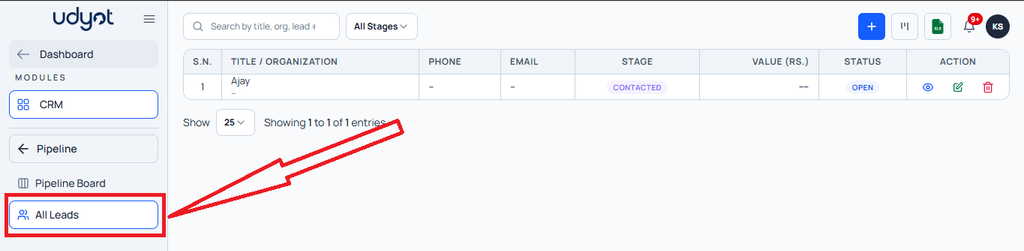
3. Then click on All Leads
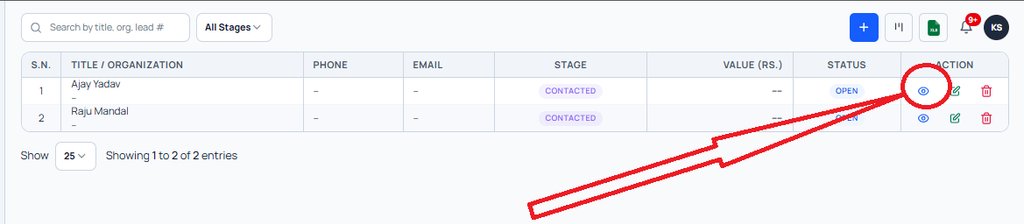
4. Then click on Lead View (eye icon) to create a task
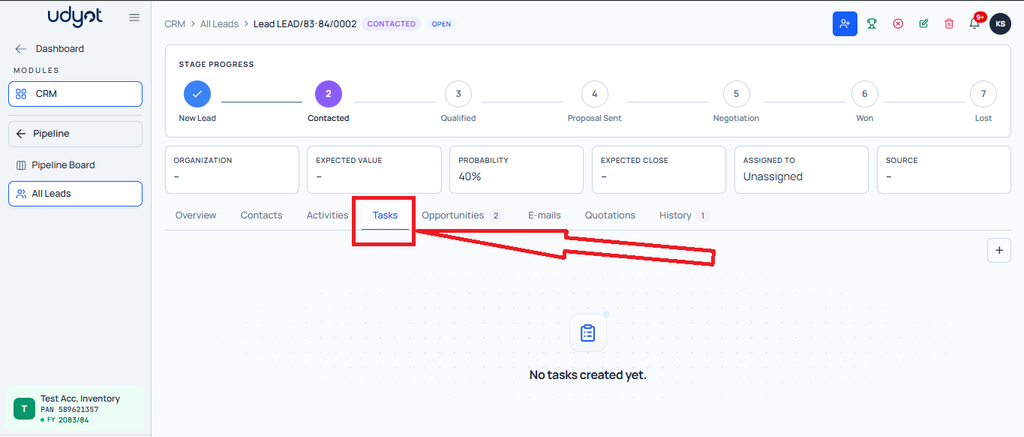
5. Then click the Tasks Menu
6. Then click the Add Task (+) icon on the right side
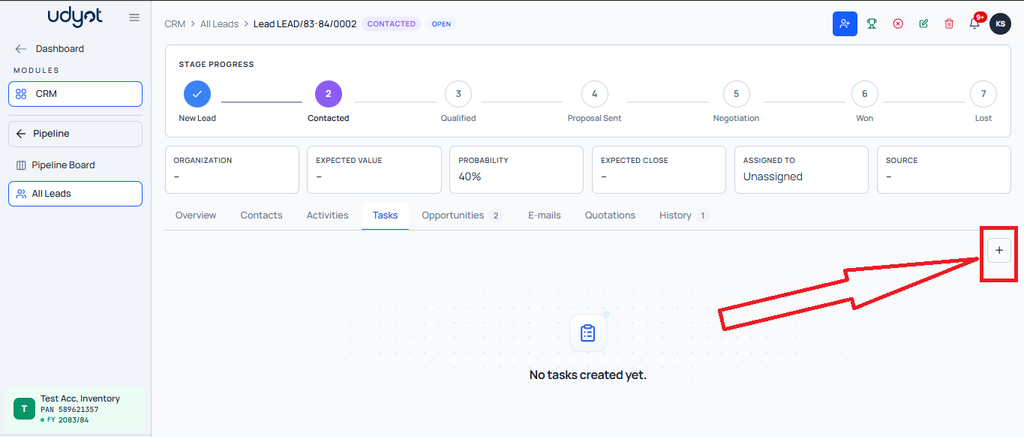
7. The Add Task screen will appear