Updated
How to see the Narcotic Register Reports – Pharmacy Module
Narcotic Register
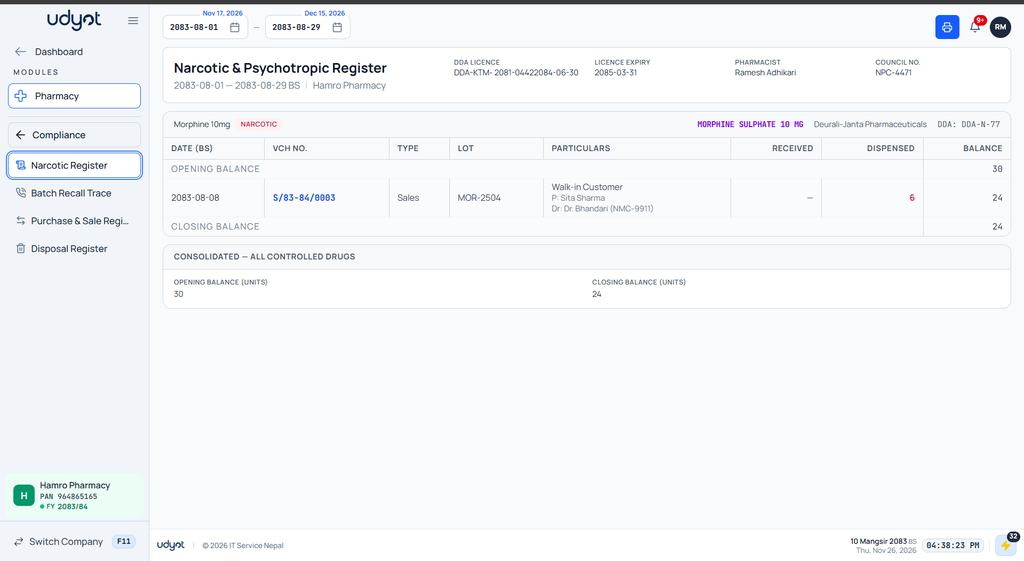
Narcotic Register: This section in Udyot Pharmacy Management Software allows pharmacies to maintain detailed records of narcotic and psychotropic medicines in accordance with regulatory requirements. Users can track drug-wise opening balances, purchases, sales, batch or lot numbers, received quantities, dispensed quantities, and closing balances within a selected date range. It also displays essential regulatory information, including DDA licence details, licence expiry date, and pharmacist information. This feature helps pharmacies maintain accurate controlled medicine records, monitor stock movements, ensure drug traceability, and simplify regulatory reporting and inspection processes.
How to see the Narcotic Register Reports
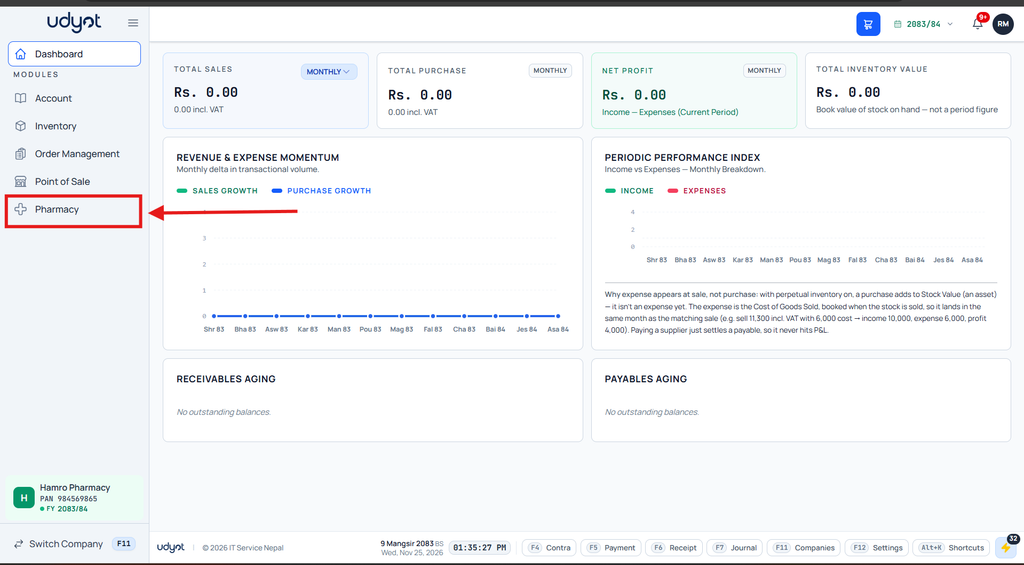
1. Click on Pharmacy Modules
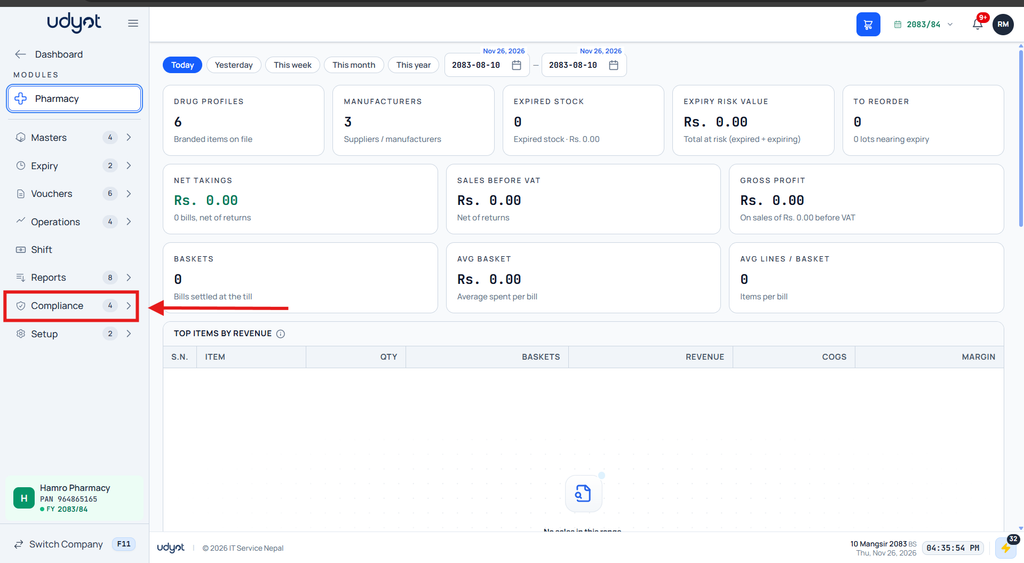
2. Click on Compliance
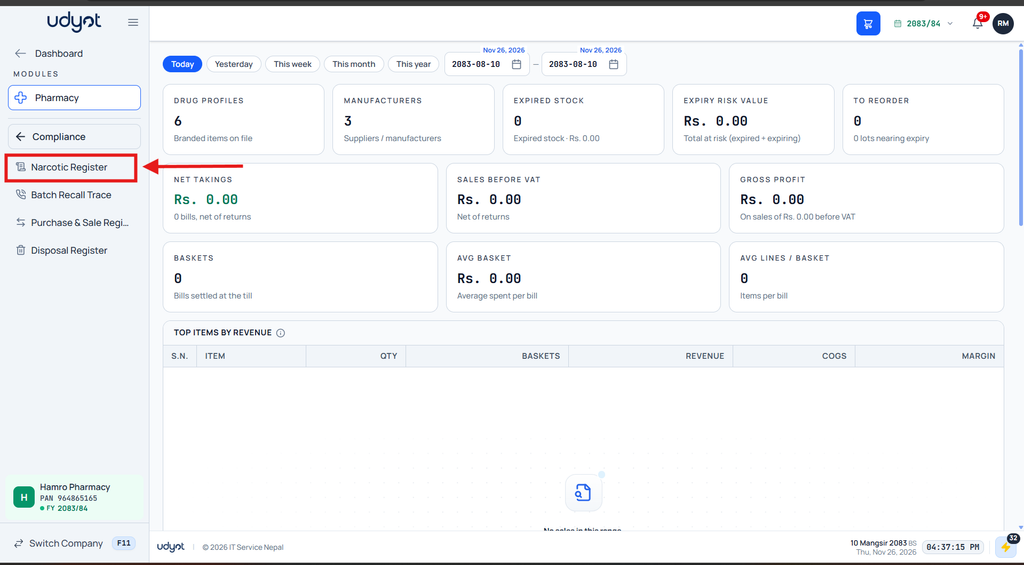
3. Click on Narcotic Register
4. See the Reports